
Mastering Lossless PNG Conversion & 32-Bit Alpha Transcoding: The Complete Guide
In modern web design, digital publishing, and software development, raster graphics require a fine balance between sharp visual fidelity, compact payload size, and sub-pixel transparency. While lossy formats like JPEG and lossy WebP excel at photograph compression by discarding invisible high-frequency chrominance data, they introduce severe ringing artifacts, blurred typography, and zero alpha transparency.
When you need crystal-clear vector rasterization, pixel-perfect UI icons, or product cutouts on transparent backgrounds, the PNG (Portable Network Graphics) standard remains the unrivaled world standard. With our Image to PNG Converter & Transparency Transcoder, you can now process high-capacity batches of up to 300+ images entirely inside your browser with complete privacy and zero server uploads.
⚡ Need to Convert Images to Lossless PNG Instantly?
Ingest JPG, WebP, AVIF, SVG, BMP, or HEIC files, remove solid backdrops with Euclidean chroma-keying, and download in-memory ZIP packages.
1. Inside the PNG Standard: Lossless Deflate & 2D Predictive Filtering
Created to succeed the restricted 8-bit GIF format, PNG relies on a two-stage compression pipeline:
- 2D Predictive Filtering (Pre-processing): Before compression, each scanline undergoes one of five reversible prediction filters: None, Sub, Up, Average, or Paeth. By storing only the mathematical differences (residuals) between adjacent pixels rather than raw color values, the data entropy drops dramatically.
- Deflate Compression (LZ77 + Huffman Coding): The filtered byte stream is compressed using the robust Deflate algorithm, finding repeated byte patterns (LZ77 sliding dictionary) and encoding frequently occurring bit-sequences with shorter variable-length prefix codes (Huffman tree).
Because both stages are mathematically lossless, converting lossy assets like JPEGs or WebPs using the Universal Image to PNG Studio guarantees that not a single pixel or sharp line is ever blurred or discarded.
2. Understanding Bit-Depth: 32-Bit RGBA vs. 24-Bit RGB vs. PNG-8 Indexed
When transcoding graphics on RiazHub’s Image to PNG Transcoder, users can select between three bit-depth architectures depending on their specific project requirements:
| Bit-Depth Mode | Color Channels | Transparency Capabilities | Ideal Use Case |
|---|---|---|---|
| 32-Bit RGBA TrueColor | 8 bits Red, 8 bits Green, 8 bits Blue, 8 bits Alpha (16.7M colors) | 256 gradations of translucent alpha per pixel | Product cutouts, logos, dropshadows, glassmorphism UI assets. |
| 24-Bit RGB | 8 bits Red, 8 bits Green, 8 bits Blue (16.7M colors) | No alpha transparency (renders over solid white matte) | Solid illustrations, vector flat graphics, photographs where transparency is unneeded. |
| PNG-8 (Indexed 256) | 1 byte per pixel mapping to an adaptive 256-color palette | Quantized palette with Floyd-Steinberg dithering | Ultra-lightweight web badges, favicons, pixel art, high-speed UI buttons. |
3. Intelligent Solid Backdrop to Alpha Extractor: The Chroma-Key Mathematics
A common hurdle designers face is having a product photo or graphic locked onto a pure white (#FFFFFF) or green studio backdrop. Manually opening graphic editing software and tracing clipping paths is time-consuming.
The RiazHub Image to PNG Transparency Transcoder features a real-time in-browser Chroma-Key synthesizer. It scans the raw ImageData pixel buffer using the 3D Euclidean color distance formula:
If the Euclidean distance ΔC falls within your configurable tolerance threshold (τ), the pixel’s alpha channel is automatically set to transparent (Alpha = 0).
Furthermore, to prevent the unsightly jagged or “halo” edges typical of binary cutouts, an adaptive feather zone (Δ) calculates a continuous linear alpha ratio:
This produces silky smooth anti-aliased borders that look natural over any website background or dark mode theme.
🪄 Remove White or Solid Backdrops in Seconds
Use the integrated eyedropper, calibrate tolerance sliders, and inspect cutout cleanliness over live checkerboard, slate, and white previews.
4. Why 100% Client-Side Processing Is Crucial for Enterprise Privacy
Traditional online file conversion websites upload your personal graphics, confidential company logos, and sensitive screenshots to remote third-party cloud servers for background transcoding. This introduces serious privacy vulnerabilities, corporate IP leakage, and slow upload bottlenecks.
“With RiazHub’s architecture, zero bytes ever leave your device. The entire image decoding, color matrix traversal, Floyd-Steinberg error diffusion, and PKZIP archiving process executes strictly inside your browser’s local memory.”
Whether you are batch-converting 5 images or 300+ high-resolution graphics, all operations run via HTML5 Canvas 2DContext and native TypedArrays at native hardware speeds.
5. How to Batch Convert Images to Lossless PNG on RiazHub
- Upload or Paste Your Source Files: Visit the Image to PNG Converter & Transparency Transcoder. Drag and drop your files, select an entire folder via
webkitdirectory, or pressCtrl+Vto paste directly from your clipboard. - Select Your Bit-Depth Architecture: Choose between 32-bit RGBA (for transparent master graphics), 24-bit RGB (for solid matte illustrations), or PNG-8 (for tiny web badges).
- Activate Chroma-Key Transparency (Optional): If your subject has a solid background (such as white product photos), toggle the transparency switch, pick your target color with the Eyedropper, and calibrate the tolerance slider.
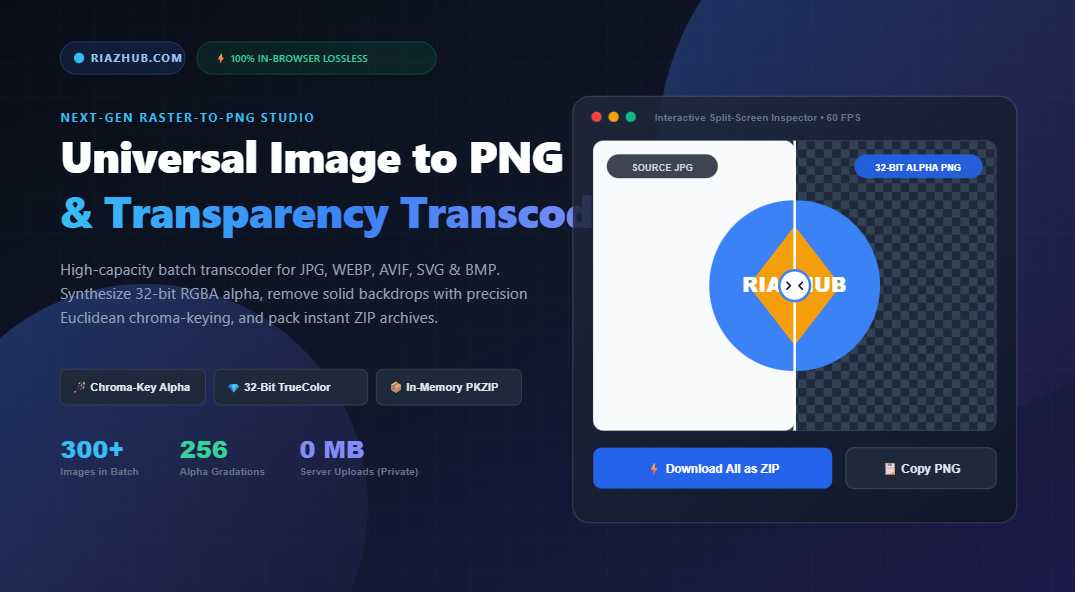
- Inspect in the Split-Screen Viewport: Use the 60 FPS before/after comparison divider and 200%/400% zoom loupe to scrutinize edges and confirm zero compression artifacting.
- Batch Export as ZIP: Click Convert All to PNG, then click Download All as ZIP to receive an in-memory packaged archive containing all converted PNG files and a structured
batch-manifest.csvspreadsheet.
6. Format Comparison: When Should You Use PNG?
| Format | Compression Type | Alpha Transparency | Best Used For |
|---|---|---|---|
| PNG | Lossless (Deflate) | Full 8-bit Alpha (256 levels) | Logos, UI assets, screenshots, text graphics, product cutouts. |
| JPEG | Lossy (DCT) | None | Complex real-world photographs without transparency requirements. |
| WebP | Lossy or Lossless | Supported | General modern web delivery where slight compression artifacts are acceptable. |
| SVG | Vector (XML) | Supported | Scalable icons and geometric line art (convert to PNG for universal raster support). |
| GIF | Lossless (LZW) | Binary (1-bit on/off) | Legacy simple animations (outdated for modern static transparency). |
7. Frequently Asked Questions (FAQ)
Does converting a lossy JPG or WebP to PNG improve its original quality?
Converting to PNG will not magically restore detail already discarded by lossy compression algorithms during the JPEG’s initial export. However, converting to PNG freezes the image in a lossless state, preventing any further quality degradation upon subsequent edits, re-saves, or transfers.
Can I copy converted PNGs directly into design tools like Figma or Photoshop?
Yes. The RiazHub PNG Transcoder supports the native Async Clipboard API. Simply click Copy to Clipboard to paste the uncompressed 32-bit PNG binary directly into Figma, Photoshop, Canva, or Slack.
Is there a file limit for batch conversions?
Our studio can ingest 300+ images simultaneously. Because processing is entirely client-side, the batch capacity is limited only by your computer’s RAM rather than server quotas.
🚀 Experience Crystal-Clear Lossless PNG Conversion
Enjoy instant, secure, and ad-free in-browser image transcoding with precision transparency tools.
Universal Image to PNG Converter & Transparency Studio
High-capacity batch transcoder for JPG, JPEG, WEBP, AVIF, SVG, BMP, and GIF. Preserve native 32-bit RGBA alpha channels, remove solid backdrops with precision chroma-keying, and package instant ZIP archives in memory.
| Preview | Filename | Source Format | Dimensions | PNG Output Size | Status | Action |
|---|
🗜️ Lossless Deflate (LZ77 + Huffman)
PNG compresses raster data without discarding any color fidelity. It applies 5 adaptive 2D predictive filter types (None, Sub, Up, Average, Paeth) per scanline before feeding bytes into LZ77 and Huffman coding, ensuring pixel-perfect graphics.
💎 True 32-Bit RGBA & 256 Alpha Levels
Unlike GIF which only supports binary on/off transparency causing harsh jagged edges, 32-bit PNG provides 8 bits per channel (Red, Green, Blue, Alpha). This allows 256 distinct levels of translucency for smooth anti-aliased shadows and curved borders.
🎯 Euclidean Chroma-Key Vector Distance
Our in-browser chroma-key engine calculates distance $\Delta C = \sqrt{\Delta R^2 + \Delta G^2 + \Delta B^2}$ against target hex backdrops. Combined with soft feather zones, it cleans studio backdrops and product photography effortlessly.
🔒 100% In-Browser Privacy Guarantee
Zero megabytes are transmitted to remote servers. All pixel buffers, Floyd-Steinberg dithering routines, and PKZIP archiving execute directly in your browser's V8/SpiderMonkey engine, guaranteeing corporate confidentiality and instant speeds.