
In the world of fine art photography, cinematic cinematography, and digital portraiture, the difference between an ordinary snapshot and a captivating visual story frequently hinges on where the viewer’s eye travels first. When viewers glance at a composition, their visual cortex naturally seeks contrast, luminosity, and sharp edges. If the perimeter of the frame is as bright or distracting as the intended focal subject, the compositional impact is diluted.
This is where optical vignetting enters the digital darkroom. Originally an organic physical imperfection caused by camera barrels, lens geometry, and the natural physics of light transmission, vignetting has evolved into one of the most powerful artistic tools in visual design. By darkening or grading peripheral boundaries, you create an optical tunnel that draws the human gaze directly toward portrait eyes, architectural landmarks, or product centers.
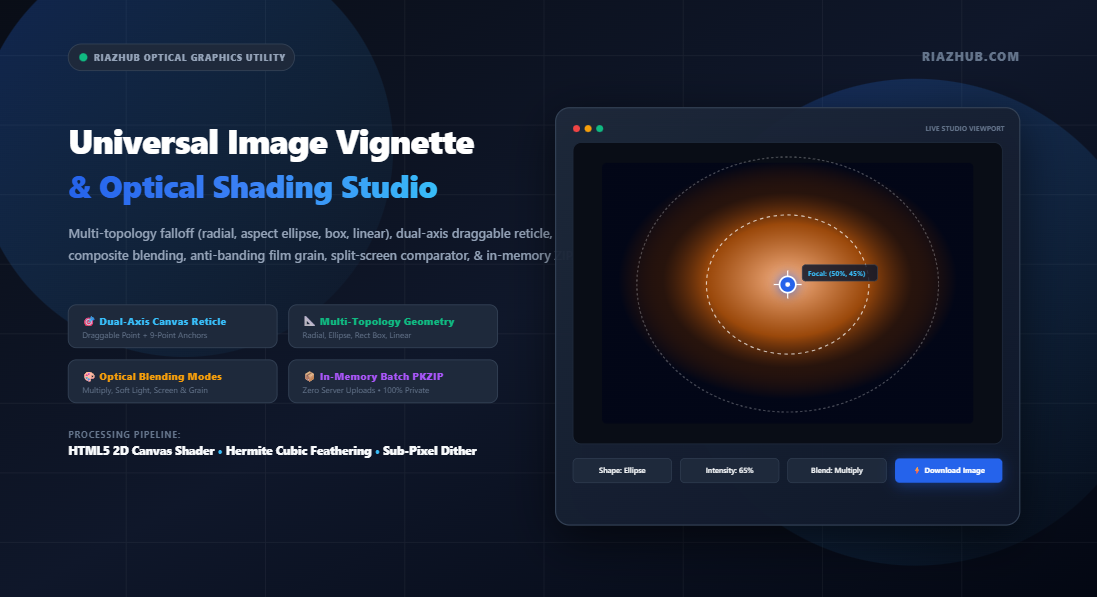
Historically, creating a customized vignette required heavy desktop software packages like Adobe Photoshop or Lightroom. Today, with the arrival of high-performance HTML5 Canvas shaders, you can produce professional-grade optical falloff in real time inside your browser using the RiazHub Universal Image Vignette & Optical Shading Studio.
1. The Optics & Physics of Lens Falloff: The Cosine-Fourth Law
To understand why digital vignetting looks so compelling, one must first understand how physical optical lenses transmit light. In mechanical photography, peripheral light falloff is governed by the Cosine-Fourth Law ($\cos^4 \theta$):
E(θ) = E₀ · cos⁴(θ)
Where:
• E₀ = Illuminance at the optical center axis
• θ = Angle of light rays entering the lens relative to normal
• E(θ) = Resulting illuminance at off-axis sensor coordinates
As light rays enter an optical aperture at steep angles, four compounding physical phenomena reduce edge illumination simultaneously:
- Projected Aperture Foreshortening: The apparent aperture area shrinks by a factor of $\cos(\theta)$ when viewed from an angle.
- Inverse-Square Distance Decay: Off-axis light travels further to strike the sensor edges, attenuating by another factor of $\cos^2(\theta)$.
- Sensor Lambertian Cosine Factor: The light strikes the sensor surface at an oblique angle, dispersing its energy across a wider pixel surface ($\cos(\theta)$).
Multiplying these optical factors yields a steep geometric falloff of $\cos^4(\theta)$. The human brain has evolved over centuries of viewing classic glass-lens photography and Renaissance paintings (chiaroscuro) to interpret this gentle edge falloff as natural, warm, and artistically sophisticated.
2. Multi-Topology Shapes: Why One Vignette Does Not Fit All
A common mistake made by entry-level photo filters is applying a rigid, centered circular black mask across every image regardless of aspect ratio or subject placement. In reality, photographic compositions demand varied topological geometries:
⭕ Radial / Circular
Pure circular falloff centered around an isotropic focal point. Ideal for 1:1 square Instagram portraits, macro florals, and circular artistic vignettes.
⬭ Aspect-Adaptive Ellipse
Dynamically scales the horizontal and vertical radii to match wide-screen landscapes (16:9, 21:9) or vertical smartphone photos (9:16) with 360° rotational freedom.
▭ Rectangular Box Falloff
Follows the four edges of the image frame with a feathered interior cutout. Exceptional for framed artwork, graphic design mockups, and subtle edge burn-in.
⏸ Directional Linear Shading
Applies two-sided optical edge falloff with arbitrary rotation angles. Perfect for cinematic widescreen letterbox moods and top-to-bottom horizon balancing.
Using the RiazHub Image Vignette & Optical Shading Studio, photographers can toggle between these four distinct geometric topologies with a single click, immediately tailoring the falloff curve to the compositional lines of their photograph.
3. Dual-Axis Targeting: Moving Beyond Dead-Center Vignetting
According to the fundamental Rule of Thirds in photographic theory, the most compelling focal subjects rarely sit in the exact geometrical center of the canvas. A portrait subject’s eyes usually rest on the upper-third line; a landscape horizon rests on the lower third; a strolling pedestrian might occupy the left quadrant.
Applying a dead-center vignette to an off-center subject inevitably casts shadows directly onto the subject’s face ruining the composition.
Interactive Reticle Innovation: In the RiazHub Vignette Generator, an interactive on-canvas focal reticle enables creators to drag the center of illumination anywhere across the canvas in real time. The studio also incorporates a 3×3 Rule-of-Thirds Preset Anchor Grid (`↖`, `⬆`, `↗`, `⬅`, `🎯`, `➡`, `↙`, `⬇`, `↘`) to snap the vignette focal anchor directly to upper-third portrait eyes or lower-third landscape horizons with zero manual alignment guesswork.
4. Composite Blending Modes: Why “Multiply” Beats Flat Alpha Overlays
Standard CSS or canvas `rgba(0, 0, 0, 0.6)` overlays merely blend flat gray pixels over the image. This technique washes out rich shadow details and produces muddy midtones. To achieve true photographic depth, optical shading must compute composite pixel math:
| Blend Mode | Mathematical Formula | Photographic Use Case |
|---|---|---|
| Multiply | $C_{\text{res}} = C_{\text{src}} \times C_{\text{dst}}$ | Deepens dark tones without altering pure highlights. The gold standard for natural, organic lens falloff and dramatic shadows. |
| Soft Light | Subtle quadratic tone curve | Creates a gentle, cinematic contrast boost. Perfect for soft beauty portraits, weddings, and natural light photography. |
| Overlay | Contrast-dependent combination | Delivers punchy vintage contrast reminiscent of classic cross-processed 35mm analog film. |
| Screen | $1 – (1 – C_{\text{src}}) \times (1 – C_{\text{dst}})$ | Inverts and multiplies, creating ethereal high-key white dream glows, angelic halos, and vintage bleached borders. |
| Normal (Alpha) | Direct linear interpolation | Flat color matte; useful for graphic design borders, illustrations, and solid-color stylized cutouts. |
By selecting Multiply or Soft Light inside the RiazHub Optical Shading Studio, your photographs retain their original dynamic range while gaining rich, luminous edge depth.
5. The Anti-Banding Secret: Procedural Micro-Film Grain
One of the most persistent frustrations in digital image editing is color banding (posterization). Because standard computer monitors display color in 8 bits per channel (256 discrete levels of red, green, and blue), gradual radial gradients spanning wide pixel distances run out of unique integer shades. The result is unsightly concentric stair-step rings across your gradient.
const noise = (Math.random() – 0.5) * (grainPercentage * 32);
pixel[r, g, b] = clamp(pixel[r, g, b] + noise, 0, 255);
To solve this, our studio incorporates a procedural film grain and sub-pixel dithering engine. By introducing subtle, controlled luminance micro-noise ($\pm 2$ to $\pm 6$ levels) across gradient transition zones, the human eye averages adjacent pixels into continuous, silky-smooth transitions—completely eliminating 8-bit banding while infusing your photos with timeless 35mm analog texture.
6. Step-by-Step Tutorial: Creating a Masterpiece in 60 Seconds
Transforming your photos with the RiazHub Universal Image Vignette Studio takes under a minute:
Drag and drop single or multiple photos (JPG, PNG, WebP, AVIF, BMP) into the dropzone. You can also paste directly from your clipboard (`Ctrl+V`) or test immediately using the built-in Load Sample Portrait button.
Select your desired shape (Radial, Ellipse, Rect Box, or Linear). Drag the on-canvas reticle directly onto your subject’s face or click one of the 3×3 anchor buttons (`↖`, `⬆`, `🎯`, etc.).
Adjust Intensity (opacity depth), Inner Clearance (how much of the center remains untouched), and Feather (gradient smoothness). Rotate linear shades or squish ellipses to match wide proportions.
Select Multiply for cinematic shadows or Screen for ethereal white glows. Set Film Grain to 6%–10% to eliminate digital banding.
Switch to the Before/After Split Slider or the 200%/400% Zoom Loupe to verify flawless gradient falloff. Click ⚡ Apply & Download or bundle the entire queue into an instant in-memory ZIP archive.
7. Absolute Privacy: Zero Server Uploads Guaranteed
In an era where online image converters routinely upload personal family portraits, private creative artwork, and sensitive client photography to remote cloud servers, data privacy is paramount.
The RiazHub Universal Image Vignette & Optical Shading Studio operates under a strict client-side execution model. All pixel matrix operations, radial gradients, composite blending math, procedural noise dithering, and binary ZIP file compilations occur exclusively within your browser’s local RAM via native HTML5 Canvas and Web APIs. Not a single byte of your photography ever traverses an external network.
Conclusion
Vignetting is far more than a vintage photo novelty it is an optical discipline that commands visual focus, enhances depth of field, and infuses digital images with timeless cinematic soul. Whether you are grading wedding photography, crafting high-contrast editorial portraits, or styling product graphics, the RiazHub Image Vignette & Optical Shading Studio delivers studio-grade optical control directly to your browser for free.
Universal Image Vignette & Optical Shading Studio 🔒 100% In-Browser Privacy
Add cinematic lens falloff, vintage dark borders, ethereal white glows, and center-focused shading in real time. Features multi-topology geometric shapes, dual-axis reticle positioning, composite blend modes, film grain anti-banding, split-screen comparator, and instant in-memory ZIP exporting.
📁 Source Photography
1 Photo Active📐 Vignette Geometry & Shape
🎯 Dual-Axis Focal Targeting
Click canvas or drag reticleInstantly anchor vignette focus to subject faces, eyes, or horizon points.
🎨 Optical Color & Blending
⚙️ Output Settings
📖 Optical Physics, Cosine-Fourth Law & Lens Vignetting Guide
🔬 Natural Optical Falloff (Cosine-Fourth Law)
In physical optical lenses, light illumination naturally diminishes toward sensor edges according to the law $E = E_0 \cos^4 \theta$. Modern digital software replicates this organic phenomenon to guide viewer gaze toward central focal anchors while muting distracting background edges.
🎨 Photographic Blending: Multiply vs Soft Light
Flat black overlays wash out color vibrance and create muddy grays. The Multiply blend mode preserves natural dark tones by multiplying normalized pixel color values, while Soft Light infuses subtle cinematic contrast without crushing dynamic shadow detail.
✨ Anti-Banding Procedural Dithering
Smooth radial gradients frequently suffer from visible stair-step color quantization on 8-bit displays. Our procedural film grain injector applies subtle sub-pixel luminance noise ($\pm 4$ levels) to seamlessly blend gradients and replicate fine analog film grain.
🔒 100% In-Browser Client-Side Processing
Your photographs, wedding portraits, and high-resolution creative works are rendered strictly inside your local browser via HTML5 Canvas and Web APIs. Zero pixel data or metadata is ever transmitted over network connections or stored on remote servers.