
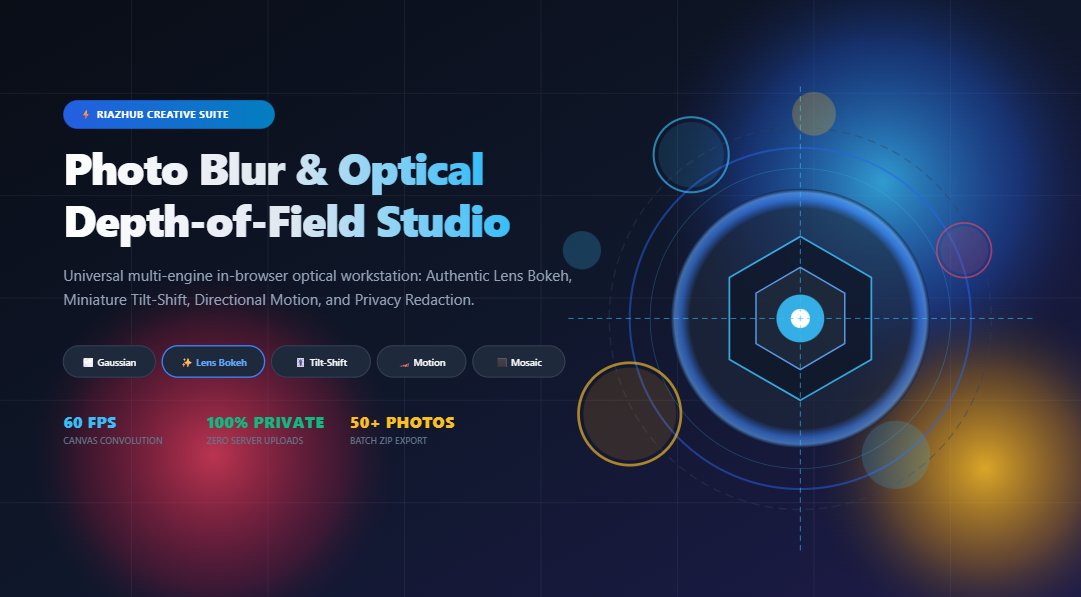
Mastering Optical Blur & Depth of Field: The Complete Guide to In-Browser Photo Blurring
Whether you are crafting stunning portrait photographs with creamy background bokeh, simulating miniature tabletop cityscapes with tilt-shift lenses, conveying explosive kinetic motion, or redacting sensitive personal information on identity cards, blur is one of the most versatile optical tools in modern digital image processing.
Historically, achieving genuine shallow depth-of-field required bulky, expensive DSLR cameras paired with wide-aperture prime lenses ($f/1.2$ or $f/1.4$). In software, achieving comparable results meant buying costly desktop image editing subscriptions that require heavy system resources, complicated layer masks, and extensive learning curves. Alternatively, relying on ad-hoc free web services often compromised your personal privacy by uploading your sensitive photos and document scans to unvetted remote servers.
Fortunately, with modern advancements in HTML5 Canvas 2D convolution pipelines and client-side memory processing, you can now perform authentic mathematical optical simulations directly in your browser. With the free Universal Photo Blur & Optical Depth-of-Field Studio on RiazHub, you can apply professional bokeh discs, smart tilt-shift miniature depth, velocity motion vectors, and privacy mosaics without ever uploading a single file to a server.
Try the Optical Studio Instantly
Ready to blur your photos, add authentic lens bokeh, or censor sensitive data in real time?
Understanding the Science of Optical Blur
Not all blur is created equal. In optics and computer vision, different optical phenomena produce distinct spatial distributions of light across camera sensors:
🌫️ Gaussian Diffusion
Calculates pixel color averages using a bell-shaped normal distribution curve. Ideal for smooth, uniform softening and artistic ethereal glows.
✨ Lens Bokeh
Simulates physical lens aperture iris blades. It projects circular or polygonal discs while amplifying specular highlights ($Y > 175$) into radiant optical spheres.
🎚️ Tilt-Shift Depth
Applies the optical Scheimpflug principle by simulating an angled focal plane. A crisp horizontal band flanked by steep quadratic falloff turns real cities into toy miniatures.
🏎️ Directional Motion
Simulates long camera exposure times across moving objects. Convolves pixels along an adjustable angle vector $\theta$ to infuse dynamic kinetic energy.
⬛ Privacy Mosaic
Downsamples spatial coordinates into discrete $N \times N$ color-averaged blocks. Irreversibly strips high-frequency identification data from faces and license plates.
The online photo blur studio integrates all five mathematical topologies into an intuitive multi-engine dashboard, allowing photographers, social media creators, web designers, and privacy advocates to toggle effortlessly between styles.
Global vs. Selective Area Masking: Complete Creative Control
A common limitation of rudimentary photo filters is that they blur the entire frame uniformly. But in creative portraiture and privacy censorship, precision localization is everything.
When utilizing the in-browser optical depth tool, you can switch between four distinct masking paradigms:
- Entire Image Mode: Diffuses the entire frame uniformly. Perfect for creating soft, atmospheric background wallpapers, header banners, or UI glassmorphism backdrops.
- Rectangular Censor Box: Provides an adjustable bounding box with interactive corner handles. Ideal for redacting driving license numbers, credit card CVVs, and vehicle registration plates.
- Elliptical Spotlight: Uses radial gradient falloff geometry. By checking the “Invert Mask” trigger, you can keep human subjects in the center crystal-sharp while surrounding them with creamy portrait bokeh.
- Freeform Paint & Erase Brush: Enables pixel-level manual painting. Adjust the brush radius from $10\text{px}$ to $150\text{px}$ to paint blur around complex hair silhouettes or erase blur to restore sharpness on foreground focal objects.
Pro Tip: Enable the “Mask Inspection HUD” tab in the right stage viewport to inspect a high-contrast grayscale alpha mask. Pure white pixels represent maximum blur diffusion, while pure black areas represent untouched optical clarity.
Step-by-Step Tutorial: How to Blur Photos in 4 Simple Steps
Follow this quick workflow to produce studio-grade portraits or privacy-compliant redactions in seconds:
-
Load Your Photos into the Studio Queue
Navigate to the RiazHub Photo Blur Studio. Drag and drop up to 50+ photos (JPG, PNG, WebP, AVIF, TIFF, or BMP), paste an image directly from your clipboard (Ctrl+V), or click “Load Sample” to test immediately.
-
Select Your Blur Engine & Optical Parameters
Choose your desired engine (e.g., Lens Bokeh or Tilt-Shift). Adjust the Blur Radius slider ($1\text{px}$ to $100\text{px}$) to govern softness, and tune engine-specific parameters like Specular Highlights Boost or Motion Direction Angle.
-
Configure Masking & Edge Feathering
Choose your mask mode. For portraits, select “Elliptical Spotlight” and ensure “Invert Mask” is checked. Set Mask Edge Feathering to $15\text{px} – 25\text{px}$ to achieve a natural, imperceptible depth gradient.
-
Compare with the Split-Screen Slider & Export
Switch to the “Split Before/After Slider” tab to inspect a 60 FPS vertical comparison swipe. Inspect fine details with the 200%/400% Zoom Loupe, then click “Download Photo” (in lossless PNG, WebP, or high-res JPEG) or click “Download All as ZIP” for batch jobs.
Ready to Experience Authentic Optical Bokeh?
Start blurring your portraits and sensitive documents with zero downloads and 100% privacy.
Comparing Optical Blur Engines: Which One Should You Use?
To help you pick the ideal algorithm for your specific creative or practical objective, consult this comparative breakdown:
| Blur Engine | Optical Mechanism | Best Use Cases | Recommended Mask |
|---|---|---|---|
| Gaussian & Box Blur | Moving-sum normal distribution convolution ($\mathcal{O}(1)$ performance) | Website backgrounds, subtle portrait glow, dreamy soft focus | Entire Image or Freeform Brush |
| Lens Bokeh Studio | Aperture disc convolution with specular luminance threshold multiplier | DSLR-style portraiture, street photography, night city lights | Inverted Elliptical Spotlight |
| Tilt-Shift Miniature | Dual-boundary quadratic gradient falloff simulating Scheimpflug tilt | Aerial cityscapes, architectural vistas, train and highway panoramas | Horizontal Focal Band |
| Directional Motion | Multi-sample directional line integration along angle $\theta$ | Sports action shots, automotive racing, dynamic visual speed | Entire Image or Selective Rect |
| Privacy Mosaic | Discrete $N \times N$ spatial coordinate downsampling and averaging | Facial redaction, vehicle license plates, credit card PII protection | Rectangular Censor Box |
Why 100% Client-Side In-Browser Processing Matters
In today’s digital landscape, uploading personal photographs, identification cards, medical reports, or business contracts to third-party cloud servers poses severe data security risks. Cloud-based image editors often store uploads in temporary server caches, index metadata, or expose images to scraping.
The Photo Blur & Optical Depth Studio was engineered with an absolute privacy-first architecture:
- Zero Server Uploads: Every single byte of image decoding, canvas manipulation, pixel array traversal, and ZIP packing executes locally inside your web browser’s JavaScript sandbox.
- Full Offline Capability: Once loaded, the tool can continue blurring, masking, and exporting photos even if your internet connection disconnects entirely.
- Sensitive Data Immunity: Redact driver’s licenses, bank statements, passport photos, and child portraits with absolute confidence that no outside party will ever view your images.
Frequently Asked Questions (FAQ)
Is the RiazHub Photo Blur Studio completely free?
Yes, 100% free with unlimited photo blurring, zero account registration, no watermarks, and no file quantity restrictions.
What image formats are supported?
You can process JPG, JPEG, PNG (with full 32-bit RGBA transparency preservation), WebP, AVIF, TIFF, and BMP image files.
Can I blur multiple photos at the same time?
Yes. The tool features an integrated batch queue supporting 50+ photos simultaneously. You can preview all items in the Batch Blur Matrix table and download everything in one click as an in-memory ZIP archive.
How do I copy my blurred image directly without downloading?
Simply click the “Copy Image” button in the control panel. The studio generates an uncompressed PNG blob directly onto your system clipboard via the native Clipboard API, allowing you to paste (Ctrl+V) straight into Photoshop, Slack, Discord, or Figma.
Will blurring decrease my original photo resolution?
No. All convolution filtering and alpha mask compositing are executed at the image’s original natural pixel dimensions, ensuring pristine high-resolution exports.
Elevate Your Photos with Professional Depth of Field
Experience the power of real-time optical blur simulation right in your browser today.
Universal Photo Blur & Optical Depth Studio
Apply authentic lens bokeh, simulate tilt-shift miniatures, add directional motion blur, or redact sensitive data with privacy mosaics in real time. 100% private in-browser canvas processing.