
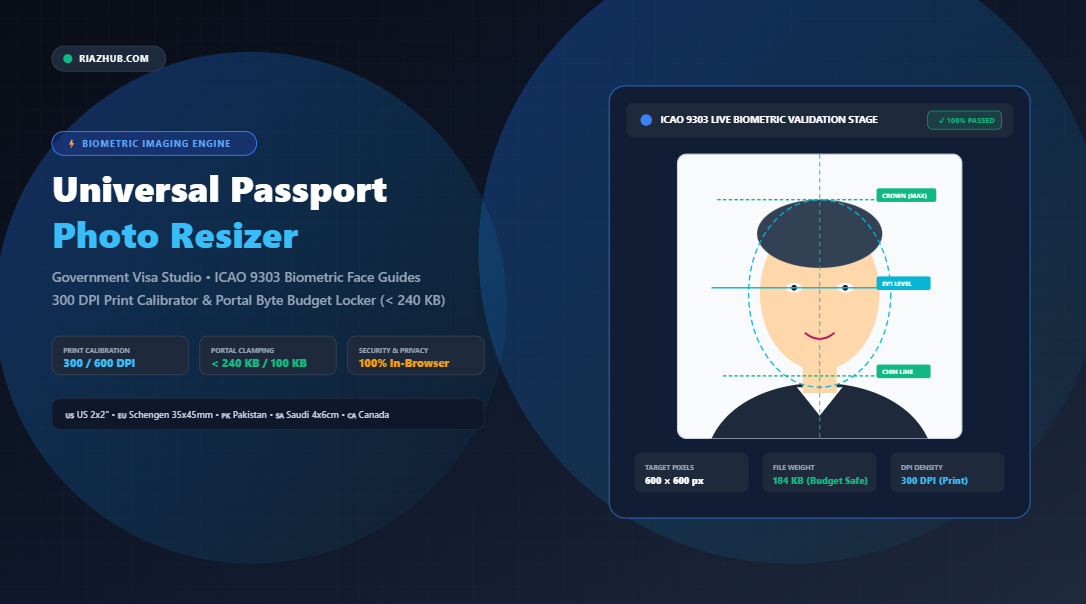
Universal Passport Photo Resizer & Government Visa Dimension Guide: Resize, Calibrate DPI, and Lock Portal Byte Budgets
Applying for an international visa, renewing your national passport, or submitting an online consular application should be a straightforward milestone. Yet every year, hundreds of thousands of applicants face delays, rejected submissions, and expensive consulate appointment rescheduling for a single avoidable reason: improper biometric passport photo dimensions and file sizes.
Whether you are navigating the strict 240 KB file size ceiling of the US Department of State DS-160 CEAC portal, the precise 35 × 45 mm standards of European Schengen embassies, or the 4 × 6 cm backdrop requirements for Saudi Umrah and Iqama visas, standard smartphone photo editors simply lack the specialized mathematical algorithms needed to satisfy official biometric immigration authorities.
To solve this universal pain point, you can use the free in-browser Universal Passport Photo Resizer & Government Visa Dimension Studio. This privacy-focused utility lets you instantly transform smartphone portraits into certified biometric passport photos compliant with international embassies across the globe.
⚡ Need Your Visa Photo Resized Right Now?
Resize your portrait to official US (2×2″), Schengen (35x45mm), Pakistan NADRA, Saudi (4x6cm), or Canada (50x70mm) standards with automatic 300 DPI calibration and portal byte clamping.
1. Why Government Visa Portals Automatically Reject Photos
Modern consular portals and embassy visa submission pipelines no longer rely solely on human inspectors to review passport pictures. Instead, automated ICAO 9303 validation engines scan every uploaded photo against strict geometric and digital parameters before an immigration officer ever sees your application.
Here are the four most common technical triggers behind immediate photo rejection:
- Wrong Pixel-to-Physical Ratio: Submitting a square image to a rectangular portal (or vice versa), which stretches or distorts facial proportions.
- Sub-300 DPI Resolution: Images saved at 72 or 96 DPI appear acceptable on computer screens but fail physical print clarity tests conducted during embassy badge printing.
- Exceeding the File Weight Budget (KB): Government application servers often enforce rigid byte ceilings. For instance, the US CEAC DS-160 portal will reject any file over 240 KB, while Saudi visa servers frequently cap uploads at 100 KB.
- Misaligned Biometric Head Ratio: The International Civil Aviation Organization (ICAO Standard 9303) mandates that the distance between the bottom of the chin and the crown of the head must occupy 70% to 80% of the total vertical photo height.
2. The Mathematics of Physical Dimensions to Digital Pixels (DPI)
One of the most confusing hurdles for visa applicants is translating physical dimensions (measured in millimeters or inches) into digital image dimensions (measured in pixels). The link between the physical and digital worlds is DPI (Dots Per Inch).
The mathematical formula governing official passport photo generation is:
Target Pixels (Height) = (Height in mm / 25.4) × Target DPI
When working in inches, the equation simplifies directly to: Pixels = Inches × DPI.
For example, to produce a European Schengen Visa photo measuring exactly 35 × 45 mm at the international consular standard of 300 DPI:
- Width: (35 / 25.4) × 300 = 413 pixels
- Height: (45 / 25.4) × 300 = 531 pixels
If you choose ultra-high resolution fine-art print density at 600 DPI, the required canvas expands proportionally to 827 × 1063 pixels. Rather than performing manual math or risking rounding errors, the Passport Photo Resizer on RiazHub executes these physical-to-pixel conversions automatically across inches, millimeters, centimeters, and pixels.
3. Official International Passport & Visa Dimension Matrix
Different nations enforce distinct dimensional guidelines based on their domestic document formats. The table below outlines the official standards for major international destinations:
| Country / Authority | Physical Dimensions | Resolution (300 DPI) | Max File Size | Backdrop Color |
|---|---|---|---|---|
| 🇺🇸 United States (DS-160, Passport, DV Lottery) | 2 × 2 in (50.8 × 50.8 mm) | 600 × 600 px | < 240 KB | Pure White (#FFFFFF) |
| 🇪🇺 Schengen Area / 🇬🇧 United Kingdom | 35 × 45 mm | 413 × 531 px | < 200 KB | Light Off-White / Light Grey |
| 🇵🇰 Pakistan (NADRA, Machine Readable Passport) | 35 × 45 mm & 2 × 2 in | 413 × 531 px | < 150 KB | White / Light Blue |
| 🇸🇦 Saudi Arabia (Umrah, Hajj, Iqama, Work Visa) | 4 × 6 cm (40 × 60 mm) | 472 × 708 px | < 100 KB | White Backdrop |
| 🇨🇦 Canada (Temporary Resident, PR, Passport) | 50 × 70 mm | 591 × 827 px | < 240 KB | Pure White |
| 🇮🇳 India (Passport, OCI, e-Visa) | 2 × 2 in (51 × 51 mm) | 600 × 600 px | < 200 KB | White |
| 🇦🇪 United Arab Emirates (Dubai / GCC Visa) | 40 × 60 mm | 472 × 708 px | < 100 KB | White |
| 🇦🇺 Australia (Australian Passport Office) | 35 × 45 mm | 413 × 531 px | < 200 KB | Light Grey / Plain White |
4. How Binary-Search Compression Solves the Byte Budget Dilemma
One of the most frustrating aspects of submitting photos to portals like the US Consular Electronic Application Center (DS-160) is the byte limit dilemma:
“If you reduce image resolution to make the file smaller, the portal rejects it for being under 600 × 600 pixels. If you keep the resolution high, the portal rejects it for exceeding 240 KB.”
The Universal Passport Photo Resizer solves this with an intelligent binary-search JPEG quality convergence engine. Instead of guessing quality numbers by trial and error, the engine takes your exact required pixel dimensions and runs a six-step in-memory optimization loop to calculate the exact mathematical sweet spot (typically 85% to 92% quality). This guarantees that your photo remains 100% compliant with minimum pixel dimensions while strictly fitting below the portal’s byte ceiling.
5. How to Resize Your Passport Photo in 4 Simple Steps
Resizing your passport or visa photo requires no complex photo editing skills. Follow this simple walkthrough using the RiazHub Biometric Dimension Studio:
- Upload or Paste Your Photo: Drag and drop your camera or smartphone photo into the dropzone, click “Select Photo(s)”, or press
Ctrl + Vto paste straight from your clipboard. You can also test the tool instantly with the “Load Sample” button. - Pick Your Country or Custom Specification: Click on the corresponding country chip—such as US Visa (2×2″), Schengen / UK (35×45mm), Pakistan NADRA, Saudi Arabia (4×6cm), or Canada (50×70mm). If you have unique consular requirements, select “Custom” to set exact values in pixels, millimeters, centimeters, or inches.
- Align with Biometric Guides: Look at the interactive canvas stage. The cyan and green guideline overlays indicate the Crown line (top of head), Eye level line, and Chin line according to ICAO 9303 standards. Use the mouse or touchscreen to drag, pan, or adjust the zoom slider until your face comfortably fits within the 70–80% biometric oval.
- Export or Download as ZIP: Click “⚡ Resize to Official Dimensions” to verify compliance on the checklist HUD. From there, download the single high-resolution image, copy it directly to your clipboard, or batch-download all queued photos packaged in a clean ZIP archive with a detailed audit manifest.
🔒 100% Private, Secure & In-Browser
All image decoding, biometric face cropping, canvas downsampling, and ZIP compression are performed completely inside your web browser. Zero personal portraits or ID scans are ever uploaded to an external server.
6. Frequently Asked Questions (FAQ)
Can I wear eyeglasses in my passport photo?
For US passports and visas, eyeglasses have been strictly prohibited since 2016 unless accompanied by a signed medical statement. Most Schengen and Commonwealth nations strongly discourage glasses due to lens glare and reflection obstructing biometric iris recognition.
What is the difference between JPEG and PNG for visa portals?
Virtually all government visa websites specifically mandate standard JPEG/JPG format because it supports variable compression and embedded DPI metadata. PNG files are lossless and often exceed maximum byte limits. The RiazHub Passport Photo Tool defaults to government-compliant JPEG with optional PNG export.
Can I resize photos for my entire family at once?
Yes! You can queue up to 50+ photos simultaneously. The batch processing engine resizes each picture to the chosen specification and packages them into an in-memory ZIP archive complete with a biometric dimensional audit log.
Summary: Never Worry About Visa Photo Rejections Again
Consular and visa application fees can cost hundreds of dollars, and a delayed application can jeopardize travel plans, employment contracts, or family vacations. Having your passport photo accurately cropped to physical millimeters, verified against ICAO biometric eye and crown guidelines, calibrated to 300 DPI, and locked under portal file size limits is the most reliable way to ensure first-time approval.
Bookmark and visit the Universal Passport Photo Resizer & Government Visa Dimension Studio whenever you or your family need travel-ready biometric photographs.
Universal Passport Photo Resizer & Government Visa Studio
Accurately resize portraits to international visa millimeters and pixels, lock strict portal byte size ceilings (e.g., US DS-160 < 240 KB), calibrate 300/600 DPI print standards, align ICAO face guides, and export instantly.
| Thumbnail | Filename | Original Dim | Target Output | Output KB | Action |
|---|---|---|---|---|---|
| No photos in queue. Upload multiple photos to batch resize. | |||||
🌐 Global Standards Divergence
Different countries enforce strict geometric dimensions. The United States and India use square 2 × 2 inches (50.8 × 50.8 mm / 51 × 51 mm), while Schengen member states, the United Kingdom, Pakistan, and Australia enforce 35 × 45 mm. Saudi Arabia requires 4 × 6 cm for Umrah, Hajj, and Iqama submissions.
🧮 Physical to Pixel DPI Mathematics
Digital passport photos must print crisply at 300 DPI (Dots Per Inch). The conversion formula is:
Pixels = (Millimeters / 25.4) × DPI
For example, a 35 × 45 mm photo at 300 DPI yields exactly 413 × 531 pixels. At 600 DPI fine-art print density, it yields 827 × 1063 pixels.
🛡️ Visa Upload Byte Budget Clamping
Government portals (like the US CEAC DS-160 online application) automatically reject uploads exceeding 240 KB, while Saudi portals often enforce 100 KB limits. Our binary search engine calculates the exact optimal JPEG quality to remain under the byte budget without compromising resolution.