
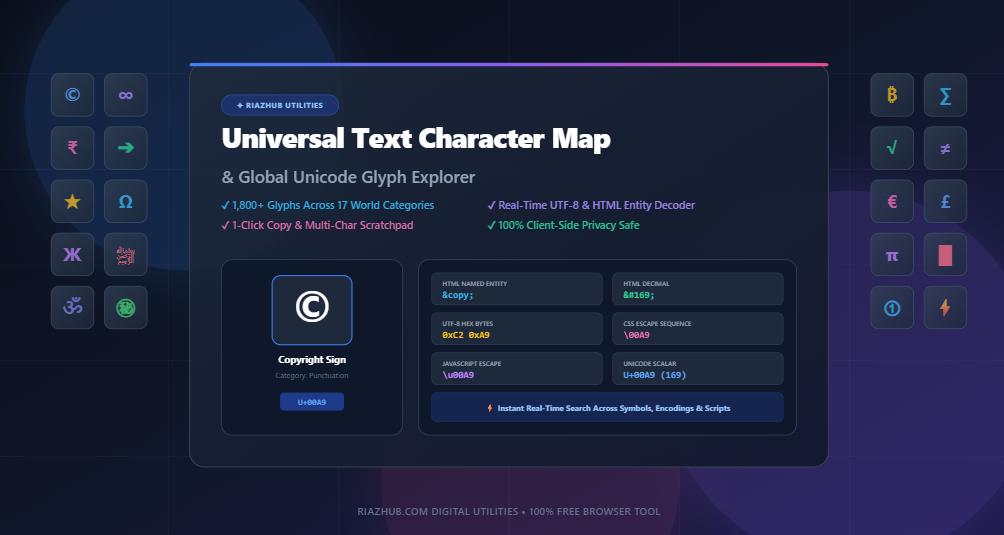
Universal Text Character Map & Unicode Glyph Explorer: Complete Guide to Special Symbols, HTML Entities & Encodings
Universal Text Character Map & Unicode Glyph Explorer
to instantly search, inspect, and copy thousands of special characters, HTML entities, and Unicode escapes in one click.
In modern web development, copywriting, user interface engineering, and mathematical publishing, standard keyboards only offer a tiny fraction of the world’s typographic symbols. While physical keyboards provide basic ASCII letters, numbers, and basic punctuation, the international Unicode standard contains over 149,000 characters across hundreds of scripts, currencies, emoji palettes, and technical notations.
When you need a dagger (†), a multiplication sign (×), an arrow (➔), or an em dash (—), searching operating system submenus or memorizing Alt codes is inefficient. With RiazHub’s
Text Character Map & Unicode Glyph Explorer,
you have instant, browser-based access to an organized repository of global glyphs complete with real-time code point decoders and an assembled copy scratchpad.
Explore 1,800+ Glyphs, Encodings & HTML Entities
Search by character name, symbol, decimal code, or hex code point with instant 1-click clipboard copying.
1. What is Unicode and Why Does Character Encoding Matter?
Before Unicode became the global standard, computing platforms relied on hundreds of conflicting encoding systems (like ASCII, ISO-8859-1, Windows-1252, and Shift-JIS). These legacy systems mapped character numbers to different letters depending on the system language, resulting in severe character corruption known as Mojibake (e.g., seeing é instead of é).
Unicode assigns a unique, immutable integer called a Code Point to every character across all human writing systems, historical alphabets, mathematical domains, and emoji standards. Code points are universally written with the prefix U+ followed by 4 to 6 hexadecimal digits:
- Copyright Sign (©): Code point
U+00A9(Decimal 169) - Euro Sign (€): Code point
U+20AC(Decimal 8364) - Infinity (∞): Code point
U+221E(Decimal 8734) - Rocket Emoji (🚀): Code point
U+1F680(Decimal 128640)
2. Understanding Encodings: UTF-8, UTF-16, and HTML Entities
A Unicode code point is an abstract number. To store and transmit that character across the internet, software must serialize it into bytes. Here is how the most common formats work:
UTF-8 Variable-Length Byte Encoding
UTF-8 is the dominant encoding of the World Wide Web, powering over 98% of all websites. It uses 1 to 4 bytes per character:
- 1 Byte (ASCII 0–127): Standard Latin letters (e.g.,
A=0x41). - 2 Bytes (U+0080 – U+07FF): Accented letters, Greek, Cyrillic, Arabic, Hebrew (e.g.,
©=0xC2 0xA9). - 3 Bytes (U+0800 – U+FFFF): Asian CJK scripts, mathematical symbols, arrows (e.g.,
€=0xE2 0x82 0xAC). - 4 Bytes (U+10000 – U+10FFFF): Emojis, historic scripts, musical symbols (e.g.,
🚀=0xF0 0x9F 0x9A 0x80).
HTML Numeric Character References & Named Entities
When writing HTML markup or integrating dynamic content into legacy databases, rendering literal characters can sometimes conflict with parsers (e.g., < or &) or suffer from encoding mismatches. HTML provides three ways to safely represent any Unicode symbol:
| Symbol | Character Name | HTML Named | HTML Decimal | HTML Hex | CSS / JS Escape |
|---|---|---|---|---|---|
| © | Copyright Sign | © |
© |
© |
\00A9 / \u00A9 |
| ™ | Trade Mark Sign | ™ |
™ |
™ |
\2122 / \u2122 |
| € | Euro Sign | € |
€ |
€ |
\20AC / \u20AC |
| ± | Plus-Minus Sign | ± |
± |
± |
\00B1 / \u00B1 |
| ★ | Black Star | None | ★ |
★ |
\2605 / \u2605 |
| 🚀 | Rocket Emoji | None | 🚀 |
🚀 |
\1F680 / \u{1F680} |
Whenever you need instant escape sequences for your CSS stylesheets or JavaScript template literals, the
RiazHub Unicode Glyph Explorer
automatically generates all five formats simultaneously for any selected symbol.
3. The 17 Essential Global Glyph Categories
The online character map organizes over 1,800 curated characters across 17 structured categories:
1. Punctuation & Typographic Signs
Professional typesetting demands typographic precision. Replace plain straight quotes with typographic curly quotation marks (“ ” and ‘ ’), use proper en dashes (–) for number ranges, em dashes (—) for thought interruptions, and section marks (§) or daggers (†) for legal and academic footnotes.
2. Global Currency Symbols
Whether building e-commerce checkouts, SaaS pricing tables, or financial dashboards, access world currency signs including the US Dollar ($), Euro (€), British Pound (£), Japanese Yen (¥), Indian Rupee (₹), Bitcoin (₿), Russian Ruble (₽), Turkish Lira (₺), and Korean Won (₩).
3. Math, Logic & Set Theory Operators
Accurately communicate algebraic expressions, scientific formulas, and boolean logic using symbols like ±, ×, ÷, ≠, ≈, ≤, ≥, ∞, √, ∑, ∏, ∫, ∂, ∇, ∈, ∉, ⊂, ∩, ∪, ∧, and ∨.
4. Fractions, Subscripts & Superscripts
Display chemical formulas (H₂O), exponents (x² + y³), footnote citations (¹ ² ³), vulgar fractions (½ ⅓ ¼ ¾ ⅝), and Roman numerals (Ⅰ Ⅱ Ⅲ Ⅳ Ⅴ Ⅹ) without relying on heavy HTML tags.
5. Arrows & Directional Pointers
Guide user attention across UI cards, buttons, breadcrumbs, and tutorials using arrows: ←, ↑, →, ↓, ↔, ⇐, ⇒, ↵, ➔, ➜, ➤, ▲, ▼.
6. Latin Accents & Global Diacritics
Properly spell international names, cities, and loanwords across French, Spanish, German, Portuguese, Polish, and Nordic languages (Á, é, ñ, ü, ç, ø, å, æ, œ, ß, ł, ż, č).
7. Non-Latin World Alphabets & Scripts
Explore full character blocks for Greek & Coptic (α β γ δ Ω λ π θ), Cyrillic (А Б В Г Д Ж Я ю), Arabic & Perso-Arabic (﷽ ﷺ ﷲ أ ب ت), Hebrew & Devanagari (א ב ג ॐ १ २ ३), and CJK / Japanese (あ い う ㊙ ㊗ 「 」).
8. Box Drawing, Block Elements & Enclosed Numerals
Construct terminal-style user interfaces, table frames, and retro layouts using single and double box drawing borders (┌ ─ ┐ │ └ ─ ┘ ╔ ═ ╗ ║ ╚ ═ ╝ █ ░ ▒ ▓) and circled list numbers (① ② ③ ❶ ❷ ❸ Ⓐ Ⓑ Ⓒ).
Try Real-Time Unicode Character Lookups
Type any symbol or code point into the interactive search bar to generate real-time UTF-8 bytes and HTML entities.
4. The Power of Invisible & Control Characters
Not all characters produce visible ink on the screen. Unicode defines essential invisible formatting characters that solve critical international layout challenges:
- Zero-Width Space (ZWSP,
U+200B): An invisible character that tells text rendering engines where a word or long URL is permitted to break across lines without adding a visible hyphen. - Non-Breaking Space (NBSP,
U+00A0/ ): Prevents two words or numbers from breaking apart across line wraps (e.g., keeping “$100” and “USD” on the same line). - Zero-Width Joiner (ZWJ,
U+200D): Used to fuse complex scripts (like Arabic and Indic ligatures) and combine emoji sequences (e.g., combining 👨 + 💻 to create 👨💻). - Left-to-Right Mark (LRM,
U+200E) & Right-to-Left Mark (RLM,U+200F): Invisible directional indicators that prevent punctuation and numbers from jumping to the wrong side of the screen when mixing Arabic/Hebrew with English text. - Word Joiner (WJ,
U+2060): An invisible character that strictly prohibits line breaks between adjacent characters.
5. Key Features of the RiazHub Character Map Tool
The Universal Text Character Map on RiazHub is engineered with developer productivity in mind:
- Instant 1-Click Copying: Clicking any symbol tile copies it immediately to your clipboard and appends it to your active scratchpad tray.
- Multi-Character Scratchpad Tray: Assemble complex strings, sentences, or emoji sequences in sequence, then copy all text or export as a clean
.txtfile. - Live Font Preview Selector: Test how special symbols render across Arial, Times New Roman, Courier New, Georgia, and System UI fonts before using them in production.
- Detailed Character Inspector: View large 72px glyph previews, official character names, decimal/hex entities, UTF-8 byte arrays, and CSS/JavaScript escape codes.
- Export to JSON and CSV: Export entire symbol categories as JSON datasets or CSV entity tables for use in your web applications, seed databases, or design systems.
- 100% Client-Side Privacy: Zero characters, search queries, or scratchpad inputs are ever sent to an external server. Everything processes instantly in your local browser memory.
6. Frequently Asked Questions (FAQ)
In the search bar of the Character Map Tool, simply type the hex code point (e.g., 00A9, U+20AC, or 1F680) or decimal code. The tool will instantly filter the database or dynamically synthesize the glyph tile on-the-fly.
Numeric entities (© or ©) are universally supported across all XML, SVG, and HTML parsers. While common named entities like © and € work across modern browsers, rare named entities may fail in strict XML environments. Numeric references are the safest universal choice.
When an operating system or browser font lacks the font glyph corresponding to a specific Unicode code point, it displays a replacement character (known as “tofu” or ). Using web-safe system font fallbacks or modern fonts ensures maximum cross-platform compatibility.
Yes. The tool is 100% free with no registration required. All character datasets, CSV tables, and JSON exports generated by the tool can be freely integrated into commercial websites, mobile applications, and publications.
Start Exploring Unicode Glyphs & Entities Today
Bookmark this essential utility for your daily development, copywriting, and design workflow.
Universal Text Character Map & Unicode Explorer
Discover, search, inspect, and copy global Unicode symbols, math operators, currency signs, Latin/Greek/Cyrillic/Arabic/Hebrew/Devanagari scripts, CJK symbols, box drawing, emojis, and HTML entities in real time.
📘 Global Unicode Standards, Character Encodings & HTML Entities Guide
1. UTF-8, UTF-16 & Unicode Code Points
A Unicode Code Point (U+XXXX) represents a unique numerical identifier across all human scripts. UTF-8 encodes code points into 1 to 4 variable-length 8-bit bytes, making it backward compatible with ASCII. UTF-16 uses 16-bit code units with surrogate pairs for supplementary planes (> U+FFFF).
2. HTML Numeric & Named Entities
To prevent encoding corruption across international servers, content management systems, and legacy databases, use HTML Decimal (©) or Hex (©) character references. Named entities like © are human-readable shortcuts defined by W3C.
3. Invisible & Control Formatting Characters
Formatting marks like Zero-Width Space (U+200B), Word Joiner (U+2060), and Left-to-Right / Right-to-Left marks (U+200E / U+200F) allow precise control over word wrapping, bi-directional script alignment, and typography without adding visual ink.
4. 100% Client-Side Privacy Guarantee
All character mapping, search queries, code point conversions, and scratchpad compositions are calculated purely inside your browser using JavaScript ES6 APIs. Zero keystrokes, symbols, or collected strings are ever sent to an external server.