
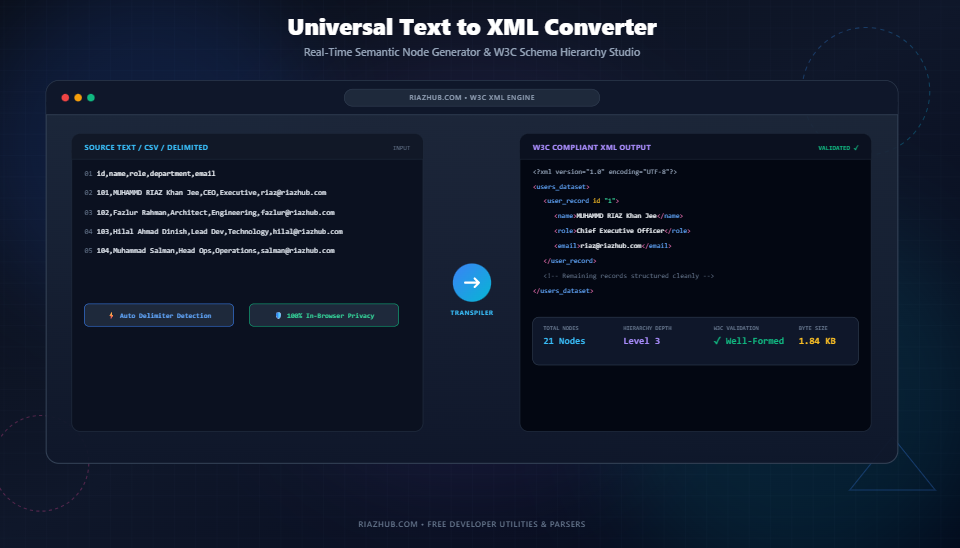
Universal Text to XML Converter: The Complete Guide to Transforming Raw Text, CSV, and Key-Values into W3C-Compliant XML
Whether you are structuring server logs, migrating legacy database tables, provisioning SOAP Web Services, or preparing RSS/Atom feeds, structured data interchange begins with valid markup. Learn how to transform unstructured lines, key-value configurations, and CSV matrices into strict, valid XML using the free Universal Text to XML Converter on RiazHub.
1. Understanding the Vital Role of XML in Modern Data Engineering
While modern web APIs frequently favor JSON for lightweight browser-to-server messaging, Extensible Markup Language (XML) remains the global bedrock for enterprise business integrations, telecommunications, financial messaging (ISO 20022), Android app UI declarations, and publishing standards (EPUB/DocBook).
Unlike loose markup languages like HTML, XML enforces strict, non-negotiable structural rules governed by the World Wide Web Consortium (W3C). In XML, a single unclosed element tag, an illegal whitespace in a tag name, or an unescaped ampersand (&) will trigger a fatal parsererror, immediately halting downstream processing pipelines.
Engineers, system architects, and technical analysts frequently encounter unstructured plain text exports, log files, comma-separated values, or .env variables that need to be packaged into valid XML trees. Manually writing closing tags and escaping special characters across thousands of records is slow and error-prone. This is why having access to the real-time Text to XML Converter & Semantic Node Generator is critical for accelerating developer workflows.
2. Key Conversion Architectures Supported
Raw text arrives in many formats. The RiazHub Text to XML Studio supports four primary transpile engines tailored to real-world data pipelines:
Mode 1: List Items to Sequential Child Elements
In this mode, every line of text is wrapped within an element container (such as <item>...</item> or a custom tag like <product>...</product>). You can automatically generate sequential id="1", id="2" attributes for record indexing.
<!-- Input: Item Names -->
MUHAMMD RIAZ Khan Jee
Fazlur Rahman
Hilal Ahmad Dinish
Muhammad Salman Qurayshi

<!-- Generated XML Output -->
<?xml version="1.0" encoding="UTF-8"?>
<team_members>
  <member id="1">MUHAMMD RIAZ Khan Jee</member>
  <member id="2">Fazlur Rahman</member>
  <member id="3">Hilal Ahmad Dinish</member>
  <member id="4">Muhammad Salman Qurayshi</member>
</team_members>
Mode 2: Key-Value Configuration Transpiler
Ideal for converting .env environment files, INI configurations, or properties dictionaries. The parser splits lines by your chosen delimiter (:, =, or custom), transforms the keys into valid W3C element tag names, and wraps the values cleanly.
<!-- Input: Configuration Pairs -->
APP_NAME = RiazHub Universal Tools
FOUNDER = MUHAMMD RIAZ Khan Jee
CACHE_ENABLED = true

<!-- Generated XML Output -->
<app_config>
  <APP_NAME>RiazHub Universal Tools</APP_NAME>
  <FOUNDER>MUHAMMD RIAZ Khan Jee</FOUNDER>
  <CACHE_ENABLED>true</CACHE_ENABLED>
</app_config>
Mode 3: Tabular CSV / TSV to Hierarchical Datasets
When working with tabular spreadsheets, database dumps, or comma-separated feeds, Mode 3 parses the first row as element column tags and wraps each subsequent record inside a parent record container. You can instantly test this in the Text to XML Converter by clicking the Database Record Export preset.
<!-- Generated XML Record Structure -->
<users_dataset>
  <user_record id="1">
    <id>101</id>
    <name>MUHAMMD RIAZ Khan Jee</name>
    <role>Chief Executive Officer</role>
    <department>Executive</department>
    <email>riaz@riazhub.com</email>
  </user_record>
</users_dataset>
Mode 4: Self-Closing Attribute Injection
For lightweight, compact payloads, Mode 4 creates flat self-closing nodes where the text value is safely stored as an XML attribute: <item id="1" value="Text content" />.
3. W3C XML Entity Escaping vs. CDATA Blocks: Which Should You Use?
One of the most frequent sources of XML parsing failures is improper handling of special markup characters. The W3C reserves five specific characters:
- Ampersand (
&) must be encoded as& - Less Than (
<) must be encoded as< - Greater Than (
>) must be encoded as> - Quotation Mark (
") must be encoded as" - Apostrophe (
') must be encoded as'
When to Use Character Data (CDATA) Blocks
If your text contains heavy HTML snippets, SQL queries, regex expressions, or programming code (e.g., <script>if (x < 10 && y > 5)</script>), escaping every individual character degrades human readability.
By selecting the Wrap in CDATA Blocks option inside the Text to XML Converter, your data is enclosed inside <![CDATA[ ... ]]>. This instructs XML parsers to treat the inner content as raw character literals without attempting to evaluate tags.
4. Step-by-Step Tutorial: Converting Text to XML in Real Time
- Navigate to the Tool: Open the Universal Text to XML Converter in your browser.
- Paste or Drop Your File: Paste your list, key-value configuration, or CSV data into the left editor, or drag-and-drop a
.txt,.csv,.env, or.inifile directly onto the workspace. - Choose Conversion Mode: Select between List Items, Key-Value, Tabular / CSV, or Tag Attributes.
- Customize Root and Item Tags: Enter custom element tag names (e.g., Root:
catalog, Item:book). - Toggle Schema Options: Enable or disable XML Declarations (
<?xml version="1.0" encoding="UTF-8"?>), Entity Escaping, CDATA, Auto-Increment IDs, and Indentation depth (2 spaces, 4 spaces, or 1 Tab). - Inspect and Export: Review the color-coded XML preview or explore the interactive Collapsible DOM Tree tab. Click Copy XML or download the output directly as an
.xmlfile.
5. Absolute Privacy: 100% Client-Side In-Browser Execution
Confidential enterprise configurations, proprietary databases, and sensitive employee rosters should never be sent across third-party networks for formatting.
The RiazHub Text to XML Converter executes 100% within your local browser memory using native JavaScript DOMParser engines. Zero bytes of your text, API keys, or converted XML documents are ever transmitted to external servers.
Frequently Asked Questions (FAQs)
- Why cannot XML element tag names contain spaces?
- Under the W3C specification, whitespace inside an XML element indicates the start of an attribute declaration. The Text to XML Converter automatically sanitizes invalid tag names, replacing spaces and illegal punctuation with underscores (e.g.,
first namebecomesfirst_name). - How do I validate if the generated XML is well-formed?
- The converter includes an integrated real-time DOM parser that validates every keystroke and displays a green
✅ Well-Formed XMLbadge in the KPI overview bar. - Can I convert large CSV files to XML?
- Yes. Because execution happens natively on client-side V8/SpiderMonkey engines without network round-trips, the tool processes thousands of records with sub-millisecond responsiveness.
Universal Text to XML Converter
Transform plain text lists, key-value configurations, CSV tables, and structured lines into clean, well-formed, W3C-compliant XML documents in real time.
- Cannot start with numbers (e.g.,
1itemis invalid; our tool sanitizes it to_1item). - Cannot contain spaces or special punctuation characters (
item nameis transformed intoitem_name). - Must not start with the reserved prefix
xmlin any case combination.
<item id="101" status="active">) for metadata that describes the container without representing independent data. Use Child Elements (e.g. <title>Data</title>) for core data payloads, multi-line values, or fields that may contain sub-structures in the future.
<![CDATA[ ... ]]> tells the XML parser to treat the inner content as pure unparsed character data. This eliminates the need to escape ampersands (&), angle brackets (<, >), and quotation marks, making it ideal for embedding raw HTML code, SQL queries, or Markdown content.