
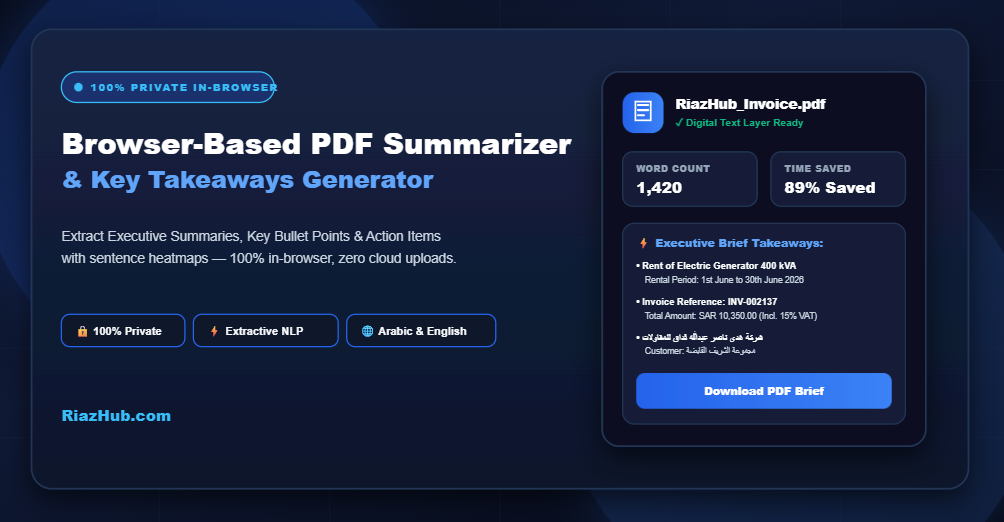
Master Long PDF Documents with the Browser-Based PDF Summarizer & Key Takeaways Generator
That is precisely why we created the free Browser-Based PDF Summarizer & Key Takeaways Generator on RiazHub.com. Designed with a strict privacy-first philosophy, this utility processes your documents entirely within your local web browser without ever sending your sensitive files to cloud servers.
🔒 Why Privacy Matters in PDF Summarization
Unlike standard online AI PDF tools that require uploading confidential corporate reports or personal contracts to external servers, the PDF Summarizer on RiazHub.com executes 100% client-side NLP graph algorithms directly inside your web browser memory. Zero file bytes leave your machine.
Key Features & Technical Capabilities
Whether you need a quick 3-sentence snapshot or an exhaustive breakdown of commitments and statistics, the PDF Summarizer tool offers a comprehensive suite of customization options:
- Dual NLP Summarization Engines: Choose between instant 100% private Client-Side Extractive NLP (TextRank & TF-IDF graph centrality scoring) or AI-Powered Abstractive Mode (using your own Gemini or OpenAI API key).
- Four Versatile Format Presets: Tailor your output with one click using Executive Briefs, Key Bullet Points, TL;DR Snapshots, or Action Items & Commitments.
- Interactive Source Heatmap & Search: View original document sentences mapped side-by-side with visual heat highlights showing exactly which sentences contributed to the summary.
- Multi-Language & Arabic RTL Support: Fully equipped with Unicode presentation form mapping, letter rejoining, and automatic Right-to-Left character stream correction for seamless Arabic document processing.
- Vector-Aligned PDF Brief Export: Download high-resolution PDF brief reports with customizable site branding toggles.
How to Summarize Any PDF Document in 3 Simple Steps
- Upload Your PDF: Drag and drop your file into the RiazHub PDF Summarizer drop zone. The tool will parse the embedded digital text layer in seconds.
- Customize Controls: Select your desired summary length (10% to 40%), choose your format preset, and toggle focus filters for numerical statistics or key lead sections.
- Generate & Export: Click “Generate PDF Summary & Takeaways” to view your brief, inspect topic keywords, or export your summary as a PDF brief or Markdown file.
Ready to Transform How You Read PDFs?
Try the free, privacy-first PDF Summarizer today on RiazHub.com. No registration, no subscription fees, and no file uploads required.
Practical Use Cases across Industries
1. Financial Analysts & Accountants
Quickly isolate key balance sheet metrics, revenue growth percentages, and audit conclusions from multi-page quarterly earnings reports. The numeric statistic filter in the RiazHub PDF Summarizer prioritizes sentences containing financial metrics.
2. Legal Professionals & Compliance Officers
Review agreements, terms of service, and regulatory filings. By selecting the Action Items & Decisions preset in the PDF Summarizer utility, lawyers can immediately highlight core obligations and page references.
3. Researchers, Students & Academics
Synthesize literature reviews and journal articles efficiently. Generate concise TL;DR snapshots to evaluate abstract relevance before conducting deep-dive reading.
Frequently Asked Questions
Q: Does the tool work with scanned PDF images?
A: The tool requires an embedded digital text layer to parse content. If a PDF is a scanned photograph or image-only file, the utility will display a notice recommending OCR pre-processing.
Q: Can I customize the site branding on exported summary briefs?
A: Yes! The online PDF Summarizer includes an export toolbar checkbox that allows you to include or remove “RiazHub.com” site branding and file name prefixes with a single click.
Experience instant document intelligence today with the RiazHub Browser-Based PDF Summarizer & Key Takeaways Generator.
Browser-Based PDF Summarizer
Extract Key Takeaways, Executive Summaries & Statistics instantly — no file uploads, total data privacy.
Drop your PDF document here
or click anywhere to browse files on your device
Document.pdf
✓ Digital Text Layer ReadySummarization Customization & Controls
Generated Summary & Takeaways
🔑 Extracted Topic Keywords (Click to filter in text):
Source Context & Heatmap
Export & Share Summary Brief
Frequently Asked Questions & How It Works
💡 How does client-side Extractive Summarization work?
Our extractive NLP engine processes your PDF entirely within your web browser using statistical graph algorithms (TextRank & TF-IDF matrix scoring). It breaks down the document into tokenized sentences, removes common stopwords, calculates term centrality, and boosts key introduction/conclusion sections and statistics. It selects the highest-impact original sentences and orders them chronologically without sending any data to external servers.
🔒 Is my PDF document completely private and secure?
Yes, 100%. In Client-Side Extractive NLP mode, your file never leaves your browser window. Zero bytes are uploaded to RiazHub.com or any third-party cloud server. If you choose the optional AI-Powered Abstractive mode, your browser communicates directly with Google Gemini or OpenAI using the API key you provide, which is only held in your browser session memory.
📋 What type of PDF files produce the best summary results?
Digital text PDFs—such as research papers, corporate reports, contracts, meeting minutes, financial statements, and technical specifications—yield optimal summary accuracy. If a PDF is a scanned image or photograph without an embedded text layer, the tool will alert you that Optical Character Recognition (OCR) is required.