
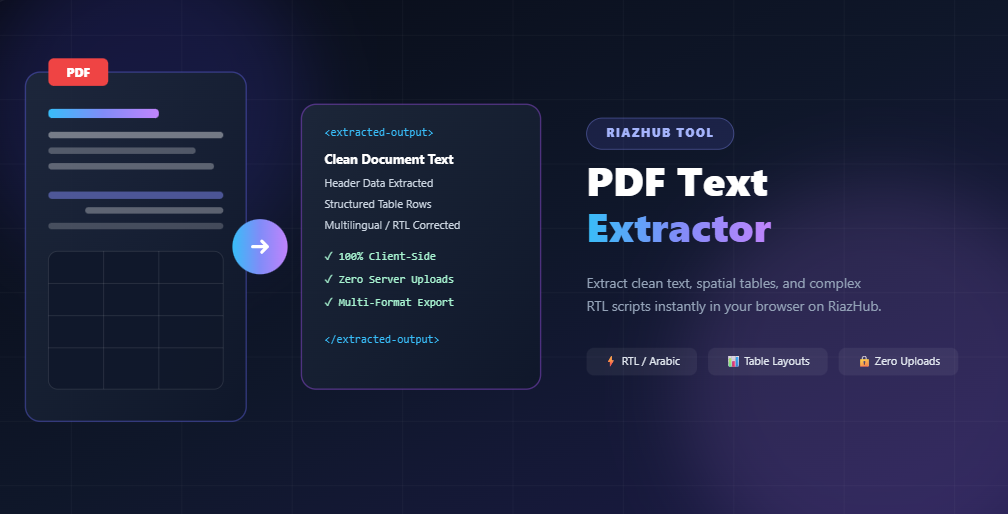
How to Extract Clean Text and Tables from Complex PDFs on RiazHub
Why Standard PDF Text Copying Fails
PDF documents do not store text in natural reading order or clean HTML markup. Instead, a PDF canvas consists of drawing commands that position individual character glyphs at specific (X, Y) coordinates.
When you attempt to copy text from complex PDF documents, standard converters frequently run into severe extraction issues:
- Spatial Layout Scrambling: Text items arranged across columns or tabular data rows are concatenated out of visual reading sequence.
- Arabic & RTL Reversed Characters: Right-to-Left script streams rendered in reverse visual coordinates are extracted backwards by default parsers.
- Presentation Form Artifacts: Special font glyph shapes (such as initial, medial, or ligature forms) are extracted as non-standard Unicode points rather than canonical text.
- Artificial Word Gaps: Text justification Tatweels (
ـ) and item boundaries split single words into artificial character fragments.
Features of PDF Text Extractor on RiazHub
The PDF Text Extractor on RiazHub overcomes these formatting obstacles using pure client-side algorithms running directly in your web browser.
Core Capabilities:
- 100% Client-Side Privacy: Your PDF files are processed locally inside your browser memory. Documents are never uploaded to RiazHub or any third-party servers.
- Smart RTL & Arabic Processing: Automatically normalizes glyph presentation forms, strips justification Tatweel characters, reconnects dual-connecting letter breaks, and formats parenthesized numbers.
- Spatial Column Sorting: Groups text items visually by vertical $Y$-coordinates and applies Right-to-Left $X$-coordinate ordering for RTL document lines.
- Preserves Table Structure: Keeps table boundaries intact so financial reports and invoices remain structured.
- Multi-Format Export: Instantly copy extracted text or export results into Plain Text (TXT), CSV, or JSON formats.
How to Use PDF Text Extractor
Getting started with the tool on RiazHub is seamless:
- Visit the PDF Text Extractor page on RiazHub.
- Drag and drop your PDF file into the drop zone, or click to upload from your device.
- Select your desired extraction mode (Line Layout, Column Layout, or Raw Text).
- Toggle Arabic / RTL Text Optimization if processing Right-to-Left documents.
- Click Extract Text to view your clean, formatted output in seconds.
🔒 Privacy Guarantee: RiazHub values your confidentiality. Because the processing engine runs 100% locally in JavaScript, your sensitive corporate invoices, contracts, and financial records stay secure on your machine.
Frequently Asked Questions
Is PDF Text Extractor free to use on RiazHub?
Yes. PDF Text Extractor is completely free with no usage limits or hidden fees.
Can I process multi-page PDFs?
Yes. The tool parses multi-page PDF documents effortlessly, organizing extracted content page by page.
Which document types work best with this tool?
It works with all digital PDF files, including tax invoices, business contracts, purchase orders, financial tables, and multilingual reports.
Browser-Based PDF Text Extractor
Extract structured plain text, clean paragraphs, and raw streams directly in your browser. Complete support for Arabic, Urdu, RTL & LTR documents. 100% Client-Side Privacy Guaranteed.
Drag & Drop your PDF file here
or click to browse files from your device
PDF Text Extraction Best Practices & How It Works
Digital Native PDFs vs. Flat Scanned Image PDFs
Digital Native PDFs are created directly from applications like Microsoft Word, Google Docs, or InDesign. They contain embedded font vectors, character codes, and text streams that allow instant, pixel-perfect digital text extraction with 100% accuracy. Flat Scanned PDFs (photographs or scanned documents without OCR layer) do not contain digital text streams; if a scanned PDF is uploaded, our tool will notify you immediately.
Arabic, Urdu & Right-to-Left (RTL) Document Reconstruction
PDF content streams often store Arabic characters as isolated presentation form glyphs in reverse visual sequence (e.g. ر ة ﻮ ﺗ ﺎ ﻔ ﻟ ا ﻢ ﻗ ر instead of رقم الفاتورة). Our engine includes an advanced Arabic Un-shaper and Reconnector algorithm that normalizes Arabic Presentation Forms (A & B), strips artificial intra-letter spacing, reverses backwards glyph streams, and reconstructs fully connected Arabic and Urdu text.
100% Client-Side In-Browser Security & Privacy
Your documents, contracts, reports, and extracted text never leave your device. All parsing, coordinate sorting, text compiling, and file conversions occur strictly inside your web browser using HTML5 Web APIs and Mozilla PDF.js. Zero bytes are uploaded to RiazHub or any third-party servers.