
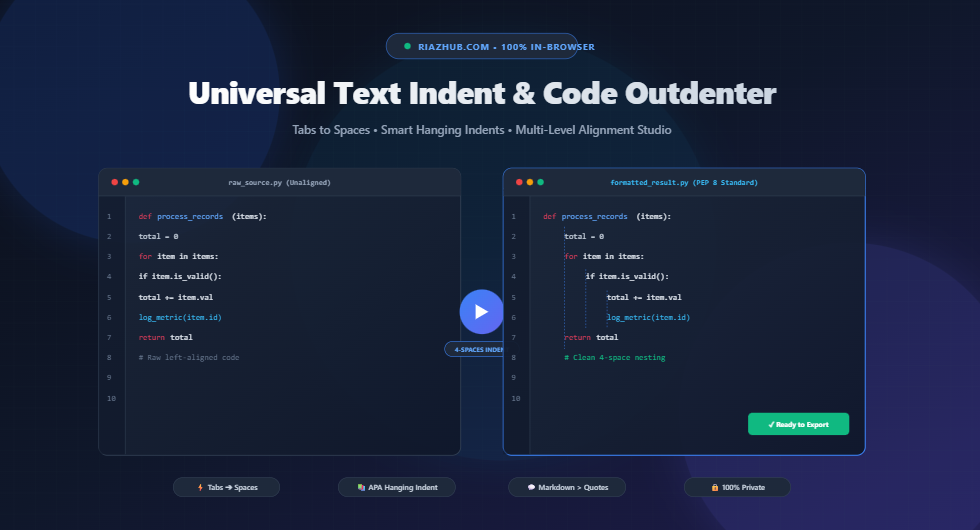
Universal Text Indent & Code Outdenter Suite: The Complete Guide to Whitespace Engineering
Whether you are writing Python algorithms, nesting YAML configurations, preparing an academic bibliography in APA or MLA format, or formatting Markdown blockquotes, consistent indentation is the cornerstone of legible, error-free text.
Yet, text whitespace management is notoriously prone to subtle human and software errors: mixed tabs and spaces causing fatal compilation failures, broken citations lacking proper hanging indents, and copy-pasted snippets with irregular margin offsets. The Universal Text Indent & Code Outdenter Suite was engineered to solve these exact challenges in real time directly within your web browser.
1. Understanding Indentation: Structure, Syntax, and Readability
Indentation serves two distinct purposes depending on the context:
- Syntactic Execution in Programming: In languages like Python, YAML, Pug, and CoffeeScript, whitespace indentation defines scope, logic branches, loop boundaries, and class definitions. A single misaligned space or misplaced tab character produces syntax errors or alters program logic.
- Visual Hierarchy in Typography & Academic Publishing: In literature, essays, and bibliographies, indentation guides the human eye, demarcating paragraph starts and reference entries cleanly against the margin.
🐍 Syntactic Indentation
Enforced by language compilers (e.g., Python PEP 8 4-space rule, YAML structure) to establish code execution hierarchies.
📚 Academic Hanging Indents
Used in APA, MLA, and Chicago reference lists where subsequent lines are indented to highlight the author’s name.
💬 Prefix Formatting
Injecting custom characters like Markdown blockquotes (> ) or single-line code comments (// , # ).
🧹 Margin Stripping
Clearing irregular leading tabs and spaces to re-align code snippets flush against the left margin.
2. The Tabs vs. Spaces Dilemma: Modern Industry Standards
The debate between using Tabs (\t) and Spaces ( ) has spanned decades of software engineering. Understanding why modern teams enforce specific conventions helps you choose the right mode in the Text Indent & Code Outdenter Studio:
| Language / Environment | Standard Indent Unit | Enforcing Style Guide | Key Reason |
|---|---|---|---|
| Python | 4 Spaces | PEP 8 | Prevents mixed-whitespace TabError exceptions in Python 3. |
| JavaScript / TypeScript | 2 Spaces | Airbnb / Google Style Guide | Optimizes deep nested callbacks and JSX components on laptop screens. |
| Go (Golang) | Hard Tab (\t) |
gofmt Official Standard |
Allows individual developers to customize visual tab width in their editors. |
| YAML / Kubernetes | 2 Spaces (Strictly No Tabs) | YAML 1.2 Specification | Hard tabs are strictly illegal in YAML and trigger parse errors. |
| Academic References | 4 Spaces (Hanging Indent) | APA 7th / MLA 9th Edition | Standardized 0.5-inch margin offset for subsequent citation lines. |
A tab character has no fixed width—it is rendered as 2, 4, or 8 spaces depending on each viewer’s local editor settings. When tabs and spaces are mixed in the same file, code that looks perfectly aligned on one machine will appear distorted on GitHub or cause build failures in CI/CD pipelines. You can easily sanitize your codebase using the Tabs ➔ Spaces converter.
3. How Academic Hanging Indents Work (APA, MLA, Chicago)
In formal research papers, bibliographies, and reference lists, style guides such as APA (American Psychological Association) and MLA (Modern Language Association) mandate the use of a hanging indent (also called a negative indent):
Smith, J. A. (2024). Advanced Whitespace Engineering in Modern Web Development. Digital Utilities Press, 45(2), 112-125.


Smith, J. A. (2024). Advanced Whitespace Engineering in Modern Web
    Development. Digital Utilities Press, 45(2), 112-125.
With the RiazHub Indentation Studio, you can simply paste your entire bibliography, select the APA Hanging Indent preset, and every entry will be automatically structured with the first line flush left and all continuation lines indented by your chosen spacing unit.
4. Advanced Features of the Universal Indent Studio
The online tool is built from the ground up for maximum developer productivity and flexibility:
- Multi-Level Indentation Stepper (1x to 10x): Increment or decrement depth multiplier with a single click or keyboard shortcut.
- Keyboard Shortcut Integration: Press Tab or Shift+Tab inside the editor to quickly adjust blocks of code on the fly.
- Custom String Prefixing: Add custom comment headers (
//,/*,#), Markdown quotes (>), or list bullets (-,*) across hundreds of lines simultaneously. - Visual Whitespace Guides: Toggle the
👁️ Guidesmode to visualize hidden spaces (·) and tabs (→) to audit messy files. - Synchronized Line Gutters: Real-time line number tracking across input and output canvases ensures perfect alignment verification.
- Drag-and-Drop File Support: Drop
.txt,.md,.py,.js,.json,.yaml, or.csvfiles directly into the browser. - 1-Click Exports: Copy formatted text to the clipboard with animated feedback or download clean
.txtand.mdsource files.
5. Frequently Asked Questions (FAQ)
Is my code or draft document uploaded to any server?
No. The Universal Text Indent Tool processes 100% of your data locally within your web browser using client-side JavaScript. No text, code, or uploaded files are ever sent to remote servers or third-party tracking services.
How do I convert hard tabs to 4 spaces?
Paste your code into the tool, select “Convert Tabs ➔ Spaces” in the Action Mode dropdown, and choose “4 Spaces”. Every \t character across your document will be replaced with uniform spaces instantly.
Can I use this tool for Right-to-Left (RTL) languages like Arabic or Urdu?
Yes. The workspace includes native bidirectional text detection (dir="auto") and flexible CSS layout rules to ensure clean text indentation and alignment for English, Arabic, Urdu, Hebrew, and Persian scripts alike.
Conclusion
Clean whitespace formatting is essential for readable code, error-free builds, and professional academic publications. Bookmark the Universal Text Indent & Code Outdenter Suite on RiazHub.com to keep your text formatting flawless, fast, and entirely secure.
Universal Text Indent Tool
Add, remove, convert, and align indentation levels with tabs, spaces, hanging indents, or custom prefix characters in real time.
📖 Indentation Standards & Code Formatting Knowledge Base
The choice between tabs and spaces has been one of programming's oldest debates. Today, leading style guides offer strict standards:
- Python (PEP 8): Strictly recommends 4 spaces per indentation level. Mixing tabs and spaces in Python 3 causes a fatal
TabError: inconsistent use of tabs and spaces in indentation. - JavaScript / TypeScript (Airbnb & Google Style Guides): Standardizes on 2 spaces for clean nesting without excessive horizontal scrolling.
- Go (Golang): Standardizes on hard tabs (
\t) by default viagofmt. - YAML & Markdown: YAML requires spaces (usually 2 spaces) and forbids hard tab characters entirely.
In academic writing (such as the References list in APA 7th edition or Works Cited in MLA 9th edition), a hanging indent formats each citation entry so that:
- The first line begins flush against the left margin.
- Every subsequent line of that entry is indented by 0.5 inches (equivalent to 4 or 5 spaces).
This layout helps readers quickly scan the alphabetical list of authors' last names along the left margin.
Different code editors render a tab character (\t) as 2, 4, or 8 visual columns. If team members use different tab-stop settings, code that looks aligned on one machine will appear completely broken on another. Converting all tabs to uniform spaces ensures consistent rendering across GitHub, CI/CD pipelines, terminals, and IDEs.
All text processing, line parsing, regular expression replacements, and file downloads are performed 100% locally within your web browser via JavaScript. Your text, proprietary code, essays, and documents are never uploaded to any remote server or third-party cloud.