
The Definitive Guide to Image Compression: Benchmarking WebP, AVIF, JPEG, and PNG with Real-Time Fidelity Metrics
In modern web architecture, images account for over 60% of total transferred webpage bytes. Every excess kilobyte drags down Largest Contentful Paint (LCP), spikes bandwidth overhead, and causes mobile visitors on cellular connections to abandon your site. Yet, many developers and content teams face a persistent dilemma: how aggressively can you compress an image before visible degradation, pixel ringing, and chromatic banding ruin the aesthetic experience?
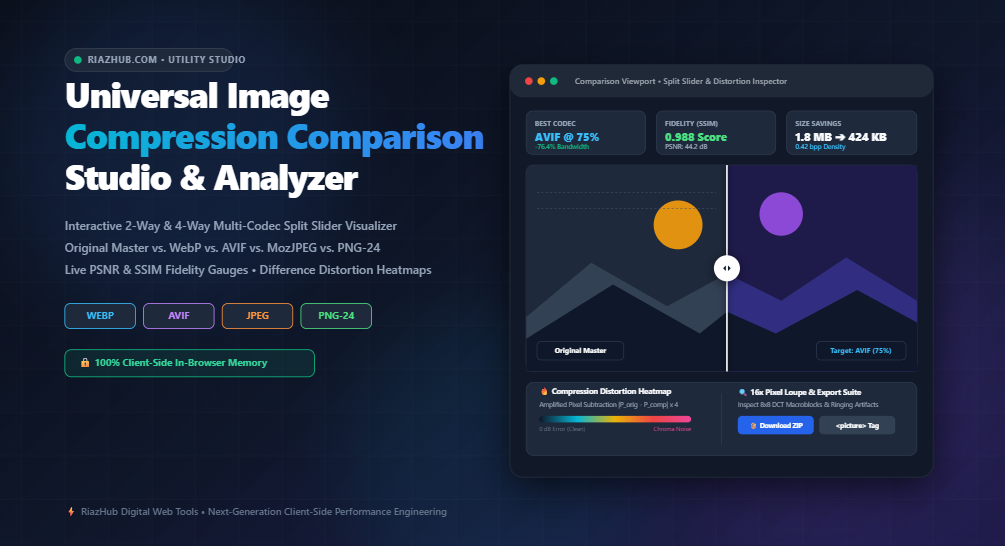
To eliminate guesswork and subjective eye tests, web professionals now rely on the Universal Image Compression Comparison Studio on RiazHub. This interactive, client-side utility allows you to evaluate your original master images directly against WebP, AVIF, MozJPEG, and PNG in real time using 2-way split sliders, 4-way quad matrices, and mathematical perceptual metrics.
⚡ Try the In-Browser Comparison Studio
Benchmark your images across modern codecs with zero server uploads, live SSIM and PSNR gauges, 16x artifact loupes, and instant ZIP downloads.
1. The Codec Evolution: WebP, AVIF, JPEG, and PNG Compared
Understanding image compression starts with the fundamental mathematical algorithms powering each file format:
Progressive JPEG (Discrete Cosine Transform)
First standardized in 1992, JPEG remains the universal baseline format. It utilizes Discrete Cosine Transform (DCT) to segment an image into 8×8 pixel blocks, converting spatial frequency into numerical coefficients and discarding high-frequency chrominance data that the human eye is less sensitive to. However, when pushed beyond moderate compression (below 75% quality), JPEG exhibits notorious “macroblocking” and fuzzy halos around high-contrast edges.
Google WebP (VP8 Intra-Prediction)
Introduced by Google, WebP builds on the VP8 video compression standard. By utilizing block-level spatial predictive filtering, WebP forecasts the pixel values of adjacent macroblocks using already-decoded neighboring blocks. WebP files are typically 25% to 34% smaller than equivalent JPEGs at identical visual quality scores. Supported across 98%+ of global desktop and mobile browsers, it is the current workhorse format for web performance.
AVIF (Alliance for Open Media AV1 Standard)
The cutting-edge frontier of raster web graphics is AVIF (AV1 Image File Format). Leveraging the open-source AV1 video codec, AVIF features sophisticated directional prediction, chromatic smoothing, and film grain synthesis. AVIF regularly achieves 50% smaller payloads than progressive JPEG and up to 30% greater density than WebP, particularly in low-contrast gradients and shadowed textures.
Quantized PNG & Lossless Master Assets
PNG relies on lossless DEFLATE (Lempel-Ziv 1977 combined with Huffman coding). While pristine for vector logos, screenshots, and graphics requiring 8-bit alpha transparency, photographic PNGs are notoriously heavy. Benchmarking your PNGs against WebP Lossless inside the Image Compression Comparison Tool regularly reveals file size reductions of 40% to 65% with zero pixel variance.
2. Codec Comparison Matrix
| Codec Format | Underlying Technology | Compression Efficiency | Global Browser Support | Best Use Case |
|---|---|---|---|---|
| AVIF | AV1 Intra-Frame Encoding | Ultra-High (Top 1%) | ~93% (Chrome, Firefox, Safari) | Hero banners, ecommerce photos, mobile assets |
| WebP | VP8 Spatial Prediction | High (30% > JPEG) | ~98% Universal | Standard web typography, blog posts, thumbnails |
| MozJPEG | DCT Trellis Quantization | Moderate Baseline | 100% Universal | Legacy fallbacks & third-party email clients |
| PNG-24 | 2D Predictive DEFLATE | Lossless Only | 100% Universal | Diagrams, UI controls, transparent icons |
3. The Mathematics of Visual Fidelity: Why SSIM Outperforms PSNR
How do we objectively measure whether a compressed image “looks good”? Historically, engineers relied on Peak Signal-to-Noise Ratio (PSNR):
PSNR = 10 · log10( (MAX_I)^2 / MSE )While PSNR computes absolute mathematical error between original and compressed pixel buffers (where higher decibels indicate less noise), it fails to account for human perceptual psychology. A slight uniform brightness shift or sub-pixel phase translation can trigger a disastrous PSNR score even if the human eye perceives zero visual change.
To solve this, Dr. Alan Bovik developed the Structural Similarity Index (SSIM). SSIM decomposes visual fidelity into three independent components:
- Luminance Correlation: Measures whether mean brightness levels remain consistent.
- Contrast Preservation: Analyzes variance in dynamic range.
- Structural Association: Evaluates inter-pixel correlation and textural alignment.
SSIM generates a normalized score between 0.000 and 1.000:
- SSIM > 0.96: Imperceptible visual variance; ideal for production assets.
- SSIM 0.90 – 0.95: Minor soft-edge compression, acceptable for high-speed mobile feeds.
- SSIM < 0.90: Noticeable degradation, chroma banding, and ringing artifacts.
When you run your images through the RiazHub Image Compression Comparison Studio, the client-side engine calculates both PSNR and SSIM dynamically in real time as you adjust quality sliders.
4. Unveiling Micro-Distortion with Difference Heatmaps
Subtle compression noise in dark shadows or complex foliage can easily hide on low-resolution laptop screens. To expose these compression artifacts, the comparison studio includes an amplified Difference Heatmap (Subtraction Distortion Map):
Distortion_Pixel = |Pixel_Original - Pixel_Compressed| × Amplification_FactorBy routing the absolute delta through a Thermal Jet or Neon Magenta color spectrum, pristine untouched pixels remain dark navy/black, while micro-distortions glow in vibrant cyan, yellow, and fluorescent magenta. This gives web performance teams an x-ray view of exactly where a codec is discarding high-frequency visual data.
🔬 Inspect Your Assets in High Magnification
Activate the built-in 16x Precision Pixel Loupe and Thermal Heatmap Mode to audit blocking boundaries on your product photos before rolling them out globally.
5. Implementation: The Production-Ready <picture> Fallback Pattern
You have tuned your quality sliders, verified an SSIM above 0.97, and confirmed a 72% file size reduction. How do you serve next-gen AVIF and WebP files without breaking compatibility for older iOS versions or legacy corporate browsers?
The answer is the semantic HTML5 <picture> element. Modern browsers scan <source> directives from top to bottom, downloading the first mime type they support and ignoring the rest:
<picture>
  <!-- Cutting-edge AVIF served to Chrome, Firefox, Safari 16+ -->
  <source srcset="hero-banner.avif" type="image/avif">

  <!-- High-efficiency WebP served to nearly all remaining modern browsers -->
  <source srcset="hero-banner.webp" type="image/webp">

  <!-- Universal baseline progressive JPEG for legacy clients & web crawlers -->
  <img src="hero-banner.jpg"
       alt="Optimized product showcase"
       width="1200"
       height="800"
       loading="lazy"
       decoding="async">
</picture>
The Image Compression Comparison Studio features a dedicated <picture> Tag Generator Tab that automatically prepares this complete, production-ready snippet based on your uploaded asset’s filename and intrinsic dimensions, ready for 1-click clipboard copying.
6. Privacy First: 100% In-Browser Client-Side Processing
A frequent concern when using online optimization tools is data privacy. Uploading proprietary marketing graphics, unreleased product prototypes, or sensitive customer identity scans to remote cloud servers creates regulatory exposure and security risks.
The utility at riazhub.com/image-compression-comparison operates entirely inside your local browser tab. Leveraging HTML5 Canvas 2D contexts, ImageData byte buffers, and in-memory WebAssembly encoders, zero bytes of image data ever leave your machine. You can even disconnect your internet connection after loading the page and continue testing indefinitely.
Conclusion: Supercharge Your Web Performance Today
Balancing razor-sharp visual fidelity against aggressive Core Web Vitals optimization no longer requires guesswork. By measuring Bits-Per-Pixel (bpp), validating SSIM perceptual thresholds, and visualizing compression artifacts through split viewports, you can confidently deliver lightning-fast digital experiences.
Ready to audit your image assets? Visit the Universal Image Compression Comparison Studio on RiazHub to start benchmarking and export all your optimized formats in a single downloadable ZIP archive.
Universal Image Compression Comparison Studio
Benchmark visual quality, bits-per-pixel, and byte savings across WebP, AVIF, JPEG, and PNG. Inspect blocking artifacts with 2-way and 4-way split sliders, difference distortion heatmaps, and mathematical PSNR & SSIM gauges.
🧠 SSIM vs. Mean Squared Error (MSE)
Traditional metrics like MSE and PSNR measure absolute numerical pixel differences. Structural Similarity Index (SSIM) models human visual perception by assessing luminance, contrast, and structural correlation. A score above 0.96 denotes imperceptible visual loss even when 70%+ file weight is eliminated.
🚀 Why AVIF & WebP Outperform JPEG
WebP utilizes predictive spatial coding based on VP8, whereas AVIF employs the cutting-edge AV1 video codec with directional intra-prediction and chroma smoothing. AVIF typically achieves 30% to 50% better compression density than WebP and up to 75% higher efficiency than progressive JPEG.
🏷️ Production Responsive <picture> Fallback
Browsers parse the <picture> element top-to-bottom. By declaring <source type="image/avif"> first, followed by WebP and standard JPEG fallbacks, compatible clients receive ultra-compact assets while legacy visitors maintain full visual fidelity.
🔒 100% In-Browser Privacy Guarantee
This utility operates entirely within your browser's local sandbox using the HTML5 2D Canvas API and in-memory WebAssembly/Canvas encoders. Your private photos, graphics, and documents are never transferred to RiazHub.com or any external cloud servers.