
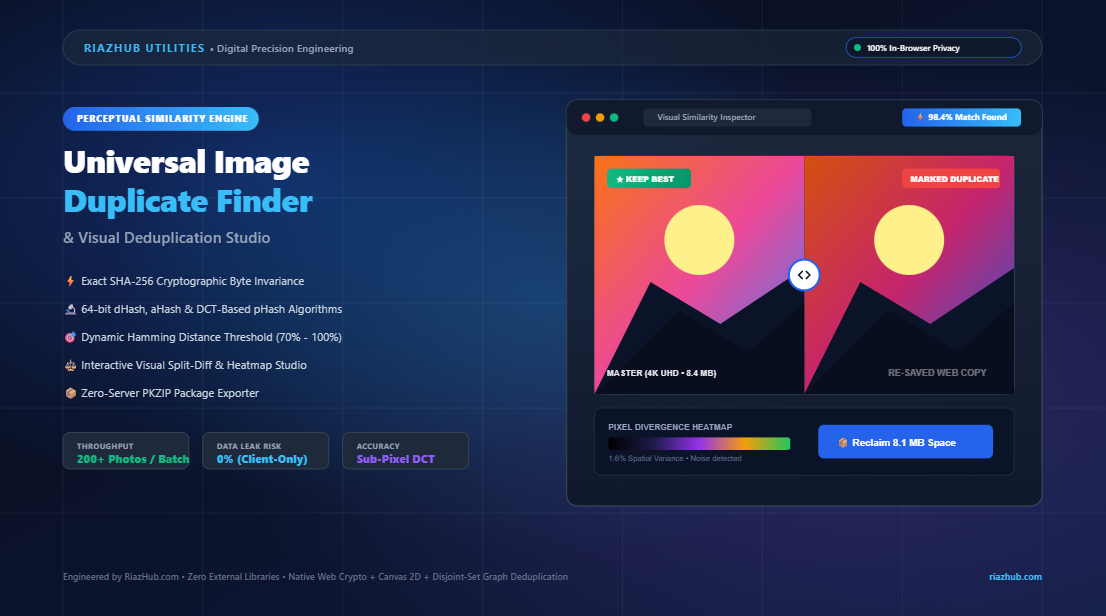
How to Eliminate Duplicate and Visually Similar Images with In-Browser Cryptographic and Perceptual Hashing
To solve this challenge safely without transmitting gigabytes of sensitive files across the internet, RiazHub launched the Universal Image Duplicate Finder & Visual Similarity Deduplication Studio. This guide explores the engineering behind dual-tier deduplication, the limitations of traditional cryptographic checksums, how 64-bit perceptual hashing (dHash, aHash, pHash) quantifies visual likeness, and how to automate smart keeper selections with zero privacy risks.
Launch the Deduplication Studio
Scan batches of 200+ photos instantly, analyze similarity thresholds, view split-screen diffs, and package curated unique archives right inside your browser.
1. Why Conventional Deduplication Fails on Real-World Photos
Most operating system cleanup tools rely strictly on file name comparison or cryptographic checksums such as MD5 and SHA-256. While cryptographic hashing is indispensable for cybersecurity and data integrity verification, it exhibits what computer scientists call the Avalanche Effect: modifying just one pixel, altering metadata, or saving an image at 95% JPEG quality instead of 100% causes 100% of the cryptographic hash bits to change unpredictably.
Consider what happens when you share a 4K camera master through WhatsApp or Slack. The platform automatically compresses the image, strips EXIF timestamps, downscales the resolution to 1080p, and resaves it. To SHA-256, these two files look completely unrelated. To the human eye, however, they are identical representations of the same subject.
This is where perceptual hashing changes the paradigm. Instead of analyzing raw binary bits, perceptual hashes examine structural visual features, luminance gradients, and frequency distributions.
2. Dual-Tier Deduplication: Exact Hashes vs. Perceptual Fingerprints
To achieve maximum efficiency without sacrificing accuracy, the RiazHub Image Duplicate Finder utilizes a multi-tiered analysis pipeline:
| Engine Layer | Algorithm | Primary Use Case | Sensitivity |
|---|---|---|---|
| Tier 1: Exact Byte Matching | Native Web Crypto SHA-256 | Identical re-downloads, exact backup duplicates, clones | 100% Exact Match Only |
| Tier 2A: Gradient Hashing | 64-bit dHash (Difference Hash) | Resized copies, social media re-saves, brightness shifts | Fast luminance gradient matching |
| Tier 2B: Frequency Domain | 64-bit pHash (DCT-Based) | Heavy compression, camera burst shots, minor crops | Discrete Cosine Transform (Deep visual structure) |
| Tier 2C: Average Hashing | 64-bit aHash (Mean Hash) | Quick balanced visual overview | Low-frequency global mean |
How dHash (Difference Hash) Works
dHash downsamples the image to a tiny 9×8 pixel grayscale grid. It then compares the relative luminance of each pixel to its horizontal neighbor across all 8 rows. If the left pixel is brighter than the right pixel, it sets a bit to 1; otherwise, it outputs 0. The resulting 64-bit binary sequence acts as an invariant visual fingerprint that remains resilient to scale, aspect ratio normalization, and moderate color re-grading.
How pHash (Perceptual DCT Hash) Works
pHash operates in the frequency domain. The image is scaled to 32×32 grayscale and processed through a two-dimensional Discrete Cosine Transform (DCT). By isolating the 8×8 lowest spatial frequency components (which capture overall structure while discarding high-frequency compression noise) and computing the median coefficient, pHash produces a fingerprint that can accurately detect duplicates even after heavy lossy recompression and rotational shifts.
Did You Know? You can toggle between dHash (Fast), aHash (Mean), and pHash (DCT) directly in the Visual Similarity Deduplication Studio to balance processing speed and mathematical precision.
3. Measuring Similarity with Hamming Distance
Once every image receives its 64-bit perceptual fingerprint, the system compares pairs using Hamming distance—the exact count of differing bit positions between two binary strings.
- Hamming Distance = 0: Identical visual structure (100% similarity).
- Hamming Distance ≤ 6: Near-duplicate copies, compressed variants, or re-saves (~90.6% similarity).
- Hamming Distance ≤ 12: Rapid camera burst shots or minor angle shifts (~81.3% similarity).
Using the interactive similarity slider in the duplicate finder tool, you can dial in your exact sensitivity threshold from 70% to 100% depending on whether your goal is purging exact clones or clustering rapid burst photography.
4. The “Smart Keeper” Recommendation Engine
Finding duplicate clusters is only half the battle; deciding which photo to preserve and which to discard often consumes hours of manual inspection. The studio eliminates this friction through an automated recommendation engine that scores cluster candidates according to your preferred criteria:
- Highest Resolution ($W \times H$ Megapixels): Automatically preserves the highest-resolution master file while marking downscaled web variants for cleanup.
- Largest File Size: Identifies uncompressed master images with maximum color depth and least destructive compression.
- Earliest EXIF Timestamp: Favors original shots over subsequently modified or re-exported iterations.
- Laplacian Edge Variance (Sharpness Score): Runs a 3×3 discrete Laplacian convolution kernel across canvas pixel data to measure high-frequency edge variance, pinpointing the crispest shot in rapid camera bursts.
5. Interactive Visual Diff & Difference Heatmap Stage
Before committing to mass deletion, visual verification is essential. The studio provides two dedicated inspection modes:
- Split-Screen Swipe Diff Handle: Stack any two photos from a cluster and slide an interactive vertical divider across the canvas to verify subject focus, face sharpness, and framing differences.
- Neon Heatmap Visualizer: Performs mathematical pixel subtraction ($|R_1 – R_2|, |G_1 – G_2|, |B_1 – B_2|$) and amplifies the divergence with adjustable sensitivity gain (1x to 10x). Identical areas render pure black, while compression noise, color grade variations, and watermark edits illuminate in vivid neon spectrums.
Reclaim Wasted Disk Space in 60 Seconds
Upload a folder or drag photos directly into the browser to preview duplicate clusters, download unique keepers, and export full CSV/JSON deduplication audits.
6. Guaranteed In-Browser Privacy: Zero Server Uploads
Many online utility websites upload your private photos to remote cloud servers for batch processing, exposing confidential product scans, private family albums, or proprietary graphics to external vulnerability.
The RiazHub Image Duplicate Finder executes 100% on the client side using native browser APIs:
FileReader&ArrayBufferfor reading local disk files.crypto.subtle.digestfor cryptographic SHA-256 hashing.- HTML5
CanvasRenderingContext2Dfor spatial downsampling and DCT matrices. - In-memory zero-dependency PKZIP compilation for selective archive downloads.
Not a single byte of image data ever leaves your device or touches an external server.
7. Practical Step-by-Step Workflow
- Navigate to the Universal Image Duplicate Finder on RiazHub.com.
- Drag and drop your photos or select an entire directory. You can also paste copied images directly from your clipboard (
Ctrl+V) or click “Load Sample Photos” to explore the demo workflow. - Select a Quick Preset Profile (e.g., Social Media Re-saves at 90% dHash or Exact Clones Purge at 100% SHA-256).
- Choose your Auto-Keep Best Strategy (e.g., Highest Resolution or Largest File Size) and click “Apply Auto-Mark to Duplicates”.
- Inspect questionable pairs in the Side-by-Side Diff Slider or Difference Heatmap tabs.
- Click “Download Unique Kept Photos (ZIP)” to package your clean, deduplicated library, or export a detailed CSV audit log for record-keeping.
Summary
Combining cryptographic byte validation with 64-bit perceptual frequency transforms provides the definitive solution to digital image redundancy. By automating cluster grouping, keeper prioritization, and in-memory ZIP packaging, you can reclaim valuable storage space and organize photo collections effortlessly.
Ready to scan your images? Access the free, zero-upload tool anytime at https://riazhub.com/image-duplicate-finder-visual-similarity-deduplication.
Universal Image Duplicate Finder & Similarity Studio
Scan albums for exact clones and visually similar photos, compare differences side-by-side, auto-select low-res copies, and reclaim storage space in real time. Zero server uploads — completely private.
| Thumb | File Name | Dimensions | File Size | Sharpness | Status | Action |
|---|---|---|---|---|---|---|
| No photos scanned yet. | ||||||
10110010...). Hamming distance measures the exact count of bit positions that differ between two fingerprints. If two photos have a Hamming distance of 0, their visual structure is identical (100% similarity). A distance of 6 out of 64 corresponds to $\approx 90.6\%$ similarity. In this studio:
- dHash (Difference Hash): Tracks relative horizontal luminance gradients across a 9×8 downsampled matrix. Extremely fast and resilient to brightness shifts.
- aHash (Average Hash): Computes the mean luminance across an 8×8 grid and thresholds every pixel against that mean.
- pHash (Perceptual DCT Hash): Applies a 2D Discrete Cosine Transform (DCT) to downscaled 32×32 luminance data to extract the 8×8 lowest spatial frequency components, making it exceptionally resistant to rotation, blur, and aggressive lossy compression.
- Highest Pixel Resolution: Computes $W \times H$ megapixels. Preserves original full-sized master files while marking downscaled web variants for cleanup.
- Largest File Size: Identifies uncompressed or minimally compressed versions with maximal pixel color fidelity.
- Oldest Date / Origin: Favors the earliest timestamped or originally indexed file.
- Sharpest / Least Blurry: Runs an edge-contrast Laplacian variance filter on a normalized 256×256 canvas to automatically isolate the crispest photo in rapid camera bursts.
crypto.subtle, 64-bit perceptual hashing, connected-components clustering, visual diff rendering, and in-memory ZIP package creation—occurs strictly within your device's browser memory. No photo data, thumbnails, filenames, or metadata are ever transmitted over the network to any server.