
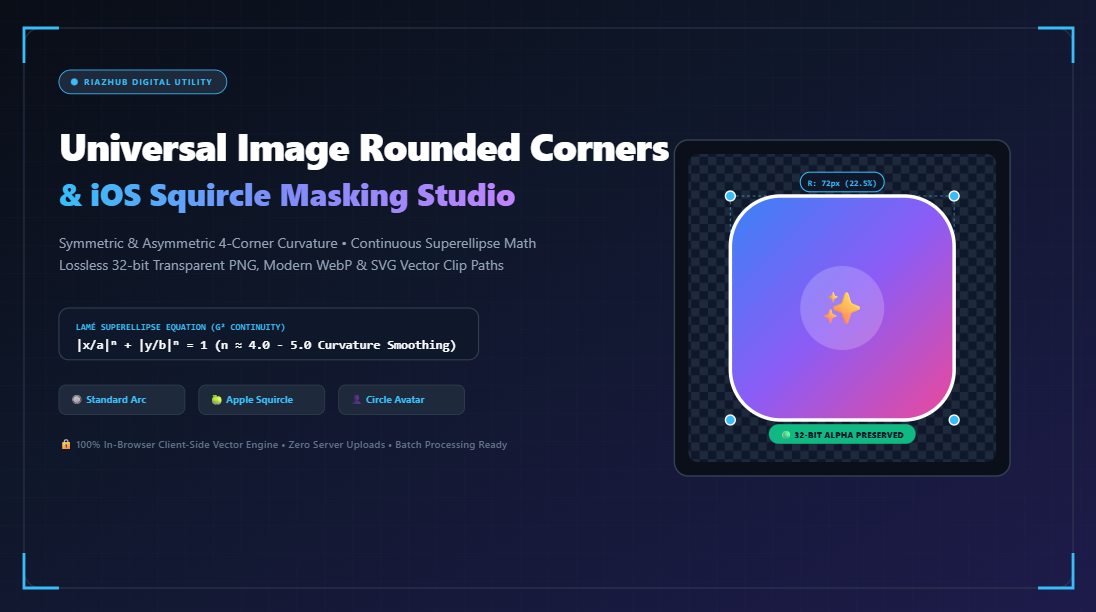
The Definitive Guide to Image Rounded Corners, iOS Continuous Squircles, and In-Browser Alpha Masking
Yet beneath this seemingly simple visual element lies a surprising depth of mathematics and raster graphics challenges. Why do standard CSS circular arcs look slightly sharp or pinched at their tangents? What is the mathematical secret behind Apple’s continuous squircle? How can you crop a high-resolution photograph with independent asymmetrical corner radii while preserving a crystal-clear 32-bit alpha transparency channel?
In this comprehensive guide, we will unpack the geometric equations, rendering mechanics, and file-format considerations of digital corner curvature. Whether you are prepping app assets for the Apple App Store, building custom avatar badges for a web application, or experimenting with asymmetric leaf-shaped cards, you can test and apply all of these principles instantly using our free in-browser Image Rounded Corners & Squircle Masking Studio.
1. The Geometry Problem: Why Standard Circular Arcs Look “Pinched”
For decades, the standard approach to rounding a rectangle has been the circular arc. In CSS, this is what the ubiquitous border-radius property generates: four straight edges connected to four quarter-circle circular arcs of radius $R$.
While mathematically straightforward, circular corner arcs suffer from an optical flaw known in differential geometry as a curvature discontinuity ($G^1$ continuity):
- Tangency Continuity ($G^1$): The straight line and the circular arc meet at exactly the same angle (they share a common tangent vector). This ensures there is no sharp angle or jagged point.
- Curvature Discontinuity (Lack of $G^2$): Curvature measures how rapidly a curve bends at any given point. Along a flat straight line, the curvature is exactly zero ($\kappa = 0$). But the moment your eye crosses the tangent point into a circle of radius $R$, the curvature instantaneously jumps from zero to a constant non-zero value ($\kappa = 1/R$).
The human visual cortex is exceptionally sensitive to sudden rate-of-change spikes in surface tangents and contours. This abrupt jump creates the optical illusion of a subtle “crease” or “pinch” right where the flat edge meets the circle.
Flat Edge: Curvature κ = 0
Tangent Point: Curvature jumps instantaneously from 0 → 1/R
Result: G¹ Tangent Continuous, but G² Curvature Discontinuous
2. The Mathematics of the iOS Squircle: Continuous Curvature ($G^2$)
To solve this aesthetic limitation, industrial designers and computer graphicists turned to continuous curvature smoothing ($G^2$ continuity). Apple famously adopted this geometry for hardware corners (such as iPhone bodies and iPad bezels) and popularized it across software with iOS 7 app icons.
Rather than abruptly jumping from zero curvature into a circular arc, a continuous curve—commonly referred to as a Squircle or Superellipse—gradually accelerates its curvature from zero along the straight edge, reaches peak curvature near the diagonal corner apex, and then gently decelerates back to zero.
The mathematical foundation of a squircle traces back to the French mathematician Gabriel Lamé and his generalized superellipse equation:
|x / a|ⁿ + |y / b|ⁿ = 1
• When n = 2.0: Exact classical circle / ellipse (G¹ continuity)
• When n = 4.0 to 5.0: Apple iOS continuous squircle curvature (G² continuity)
• When n → ∞: Pure sharp rectangle (zero rounding)
In modern 2D raster and vector engines (like HTML5 Canvas and SVG), true Lamé curves can be evaluated using parametric Bézier cubic curves whose control handles are offset by an Apple smoothing ratio ($\approx 0.66\text{–}0.68$). This creates the signature organic, pillowy softness that distinguishes iOS app icons from standard CSS rounded boxes.
With the Image Rounded Corners & Squircle Masking Studio, you can toggle between standard circular arcs and true continuous iOS squircles with a single click, observing how the light and curvature balance instantly shifts in real-time.
3. Independent 4-Corner Asymmetry: Breaking Out of the Uniform Box
While symmetrical rounding (applying the exact same radius to all four corners) is the default in most basic editing software, modern UI layouts frequently demand asymmetric corner geometries:
- Diagonal Leaf / Teardrop Cards: Setting the Top-Left and Bottom-Right corners to a large radius (e.g., $48\text{px}$ or $50\%$) while keeping Top-Right and Bottom-Left at $0\text{px}$ creates an organic leaf silhouette that serves as an eye-catching featured card in landing page layouts.
- Speech Bubbles & Chat Badges: Rounding three corners while keeping a single corner sharp ($0\text{px}$) produces an instant conversational bubble indicator.
- Tabbed Content Cards: Rounding only the top two corners (Top-Left and Top-Right) while keeping the bottom flush creates a seamless connection with underlying content panels.
To support these advanced configurations, our tool provides an unlinked mode with four dedicated high-precision calibration sliders (TL, TR, BR, BL). Furthermore, the engine incorporates an automatic proportional scaling algorithm: if the sum of adjacent radii exceeds the physical width or height of your image, the engine proportionally scales down each radius according to W3C CSS Corner Overflow specifications, ensuring your clipping path never collapses or produces graphical rendering artifacts.
4. 32-Bit Alpha Transparency vs. Flattened Solid Matte Backgrounds
When you round the corners of a rectangular photograph, what happens to the four wedge-shaped pixel clusters outside the curved boundary? The answer depends heavily on your choice of image export format:
| Format | Alpha Channel Support | Best Used For | Behavior Outside Mask |
|---|---|---|---|
| PNG-32 (Lossless) | ✅ Full 8-bit Alpha (256 transparency levels) | App icons, UI components, transparent overlays | Completely transparent; displays flawlessly over any background or dark mode. |
| WebP (Modern) | ✅ Full Alpha Channel Support | Modern web assets, responsive graphics | Transparent background with significantly smaller compressed file size. |
| SVG (Vector Path) | ✅ Infinite Resolution Vector <clipPath> |
Developer integration, inline web illustrations | Vector clipping mask wraps around the high-resolution embedded bitmap. |
| JPEG (Flattened) | ❌ No Alpha Channel Support (RGB only) | Print-ready photos, legacy emails, social feeds | Clipped wedges are permanently baked onto a chosen solid matte color (e.g., white). |
A frequent issue novice creators face when using generic image editors is downloading a rounded graphic as a JPEG, only to discover ugly white corners when placed onto a colored website or dark mode app theme.
By leveraging the Image Rounded Corners & Squircle Masking Studio, the default export is clean 32-bit RGBA PNG, guaranteeing true alpha channel transparency. However, if your target destination strictly requires JPEG, our studio lets you configure custom solid matte colors or enable an atmospheric Frosted Blur Cushion that softly fills the background gap with an enlarged, blurred clone of the image itself.
5. Step-by-Step: How to Mask & Export Rounded Graphics in Under 30 Seconds
Rounding single or multiple images is fast and straightforward. Here is the recommended workflow:
- Import Your Photo or Asset:
Navigate to the Image Rounded Corners & Squircle Masking Studio. Drag and drop any image file (PNG, JPG, WebP, AVIF, SVG, BMP, or TIFF) into the uploader, or paste an image directly from your operating system clipboard by pressingCtrl+V. - Select Curvature Profile:
Choose between 🔘 Standard Circular Arc for classic CSS-style rounding or 🍏 iOS Squircle ($G^2$) for Apple-spec continuous curvature. - Dial In Your Corner Radii:
Keep “Link All 4 Corners” checked to apply a uniform master radius across the entire photo, or uncheck it to independently tune Top-Left, Top-Right, Bottom-Right, and Bottom-Left corners. You can also toggle between pixel values (px) and percentage (%) for dimension-independent scaling. - Add Decorative Borders & Background Matte:
If designing an avatar or badge, add an inner stroke with adjustable thickness and custom colors (solid, dashed, double, or gradient). Choose between transparent alpha, a solid matte background, or a blurred cushion. - Inspect with Interactive Split-Screen & Mockups:
Use the ↔️ Split Before/After tab to drag a comparison divider between your original rectangular graphic and your newly masked curve, or switch to the 📱 App & Card Mockup tab to see how your asset looks inside an iPhone springboard icon grid or social profile card. - Export Single or Batch ZIP:
Download your high-resolution masked image as a transparent PNG, WebP, or SVG clip path. If you loaded multiple images, click “📦 Download Batch as ZIP” to download all masked assets packed into a single in-memory archive.
6. Web Developer Integration: CSS border-radius vs. SVG <clipPath>
Front-end engineers and UI architects often ask: Should I bake the rounded corners directly into the exported image file, or should I clip the image in runtime CSS?
Approach A: Runtime CSS Clipping
Applying border-radius in CSS is dynamic and allows changing radii with media queries or hover animations. However, standard CSS border-radius is restricted to circular or elliptical arcs ($G^1$ continuity). While CSS Houdini’s paintWorklet and experimental smooth corners work in Chromium browsers, they have inconsistent cross-browser support in Safari and Firefox.
.card-avatar {
border-radius: 24px;
overflow: hidden;
}
Approach B: Raster Alpha Baking (Recommended for App Stores & Universal Delivery)
Baking the squircle or custom corner cut directly into a 32-bit transparent PNG or WebP file using our Image Rounded Corners & Squircle Masking Studio guarantees that your exact continuous curvature, border stroke, and drop shadow render identically on every platform, email client, PDF reader, and web browser without relying on client CSS engine quirks.
Approach C: Vector SVG Clip Path
If you want true vector resolution independence, our studio allows you to click “📐 Copy SVG” or export directly to .svg, giving you a valid W3C <clipPath> element ready to embed directly into your markup:
<defs>
<clipPath id=”custom-squircle”>
<rect x=”0″ y=”0″ width=”512″ height=”512″ rx=”115″ ry=”115″/>
</clipPath>
</defs>
<image href=”photo.jpg” width=”512″ height=”512″ clip-path=”url(#custom-squircle)”/>
</svg>
7. The Security & Privacy Advantage of Client-Side Canvas Processing
Most online image converters upload your files to remote third-party cloud servers, where they sit in temporary directories, subject to privacy risks and bandwidth delays.
The Image Rounded Corners & Squircle Masking Studio on RiazHub operates under an uncompromising zero-upload, 100% client-side privacy architecture:
- Local In-Memory Canvas: All pixel decoding, Bézier curve rasterization, and anti-aliasing occur strictly inside your device’s browser memory via HTML5 Canvas
2DContext. - Zero Data Transmission: Your sensitive company logos, confidential user avatars, and personal photos never leave your device.
- Instant Zero-Lag Performance: Because there are no network upload or download bottlenecks, adjustments reflect in real time at 60 FPS, even for multi-megabyte high-resolution imagery.
8. Frequently Asked Questions (FAQ)
What is the standard Apple App Store icon corner radius?
For standard iOS app icons (such as $1024 \times 1024\text{px}$ App Store marketing assets), Apple specifies a corner radius of approximately 22.37% (or roughly $224\text{px}\text{–}230\text{px}$ on a $1024\text{px}$ canvas) rendered as a continuous $G^2$ superellipse. Using the “📱 iOS App Icon” preset in our studio applies this exact geometry automatically.
How do I turn a square photo into a circular avatar?
Simply select the “👤 Circle Avatar” preset or set the radius slider to 50%. The engine automatically clamps the radius to half of the shortest dimension, creating a perfect circular crop with crisp anti-aliasing.
Can I copy the masked transparent image directly to Photoshop, Figma, or Word?
Yes. Click the “📋 Copy Image” button on the studio toolbar. The studio utilizes the modern browser navigator.clipboard.write([new ClipboardItem(...)]) API to copy the uncompressed 32-bit transparent PNG bitmap directly onto your operating system clipboard, allowing you to paste it (Ctrl+V / Cmd+V) instantly into Figma, Photoshop, Canva, Slack, or Microsoft Word.
Ready to Round Your Images with Pixel-Perfect Precision?
Experience smooth continuous iOS squircles, independent 4-corner calibration, and lossless alpha exports directly inside your browser with zero server uploads.
Universal Image Rounded Corners & Squircle Studio
Add smooth rounded corners, continuous iOS squircles, circular avatar crops, and decorative borders with full 32-bit alpha transparency directly inside your browser.
Standard CSS border-radius relies on classic circular arcs. While simple and ubiquitous, circular corners exhibit a mathematical discontinuity in curvature known as $G^1$ continuity: the curvature abruptly jumps from zero on the straight flat edge to a fixed radius value at the tangent point. The human eye easily detects this sudden inflection, which can make corners appear rigid or slightly pinched.
In contrast, Apple's iOS ecosystem and modern industrial design employ continuous superellipses ($G^2$ curvature continuity), commonly called Squircles. The squircle equation $\left|\frac{x}{a}\right|^n + \left|\frac{y}{b}\right|^n = 1$ (with $n \approx 4.0$ to $5.0$) smoothly tapers and accelerates the curvature from zero into the apex of the curve. This eliminates visible seams, creating an ultra-soft, organic, and premium aesthetic.
When an image corner is clipped, the clipped corner area must be handled by the image format:
- PNG (32-bit RGBA) & WebP: Support an uncompressed 8-bit alpha channel (256 levels of transparency). The clipped corner wedges become completely transparent, allowing your rounded graphic to overlay smoothly over any website background, gradient, or dark mode container without ugly white corner artifacts.
- JPEG: JPEG is an RGB-only format with zero alpha channel support. If exported as JPEG, transparent corner pixels are flattened against a solid matte color (such as pure white
#ffffffor your custom chosen color).
All image raster decoding, vector clipping path calculations, Bézier cubic formulations, and ZIP packaging happen entirely inside your computer or mobile device's local memory via HTML5 Canvas and native JavaScript APIs. Zero bytes of your photos, private icons, avatars, or company assets are uploaded to any external cloud server or third party.