
Compress Video Files Online Without Quality Loss (100% Free & Private)
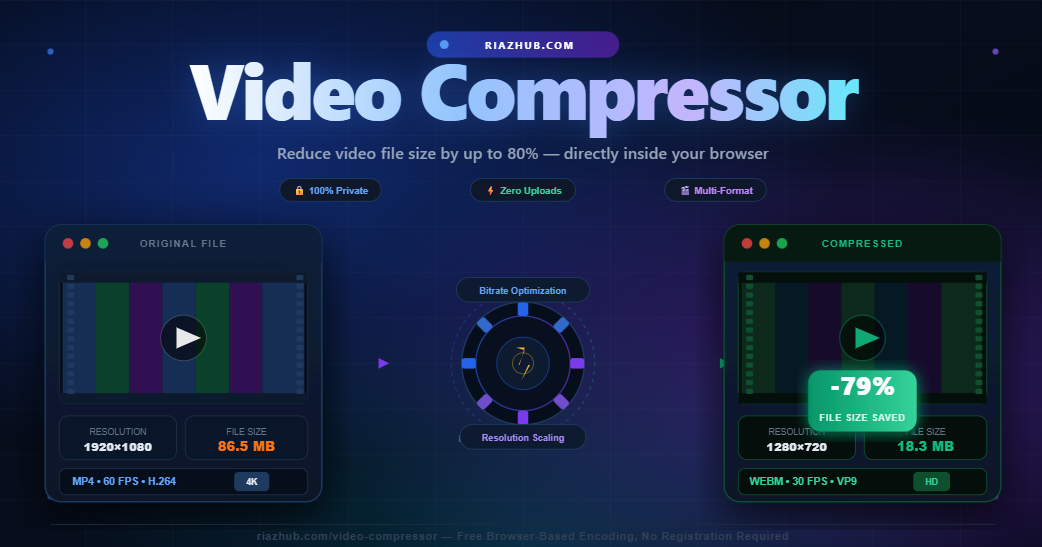
Reduce video file size by up to 80% directly in your browser without uploading files to any third-party server.
Large video files are one of the biggest digital headaches for webmasters, content creators, educators, and social media managers. High-definition 4K and 1080p video clips take up gigabytes of storage space, fail to send via email, and cause sluggish web page loading speeds.
Fortunately, with modern browser-based transcoding technology, you no longer need expensive video editing software or slow file upload websites. You can now use the Free Online Video Compressor on RiazHub.com to reduce MP4, WebM, MOV, AVI, and MKV video file sizes directly inside your web browser.
Why Are Video Files So Huge?
A raw video file is essentially a fast succession of high-resolution images combined with digital audio tracks. The total size of any video file is determined by three core elements:
- Resolution (Pixels): Higher resolutions like 4K (3840×2160) or 1080p Full HD store millions of pixels per frame. Downscaling to 720p HD or 480p SD using the RiazHub Video Compressor tool drastically decreases file size while retaining excellent clarity on mobile screens.
- Bitrate (Data Rate): Bitrate measures how much video data is processed every second (expressed in Mbps or Kbps). Excessively high bitrates create massive files without adding noticeable visual improvements.
- Frame Rate (FPS): Videos recorded at 60 FPS store double the frames of a 30 FPS video. For tutorials, webinars, and everyday clips, lowering the frame rate to 30 FPS or 24 FPS cuts file size nearly in half.
The Privacy-First Advantage: 100% In-Browser Transcoding
Traditional online video converter websites force users to upload their private video files to remote cloud servers. This process is not only slow and bandwidth-heavy, but it also compromises privacy by transferring personal media across third-party networks.
The RiazHub Browser Video Compressor operates completely client-side using HTML5 Canvas and browser media codecs:
- Zero Server Uploads: Your video files never leave your computer or phone. All encoding happens locally inside your browser memory.
- Unlimited Privacy: Perfect for confidential business recordings, family videos, and personal media clips.
- No Bandwidth Limits: Compress large videos instantly without waiting for cloud upload progress bars.
- Dynamic Theme Support: Seamlessly adapts to Light and Night modes for maximum visual comfort.
Step-by-Step Guide: How to Compress Video Files
- Access the Tool: Open the Browser-Based Video Compressor on RiazHub.
- Upload Your Video File: Drag and drop your MP4, WebM, MOV, AVI, or MKV file into the upload zone, or click to browse files from your device.
- Select a Preset or Custom Target: Choose from quick compression presets like Small File (High Compression), Balanced (Recommended), or High Quality.
- Adjust Output Settings: Downscale resolution (1080p, 720p, 480p, 360p), select frame rate (30 FPS or 24 FPS), and pick audio settings (Keep, Compress 96kbps, or Mute).
- Compress & Download: Click Compress Video & Download. Watch the real-time silent progress bar, and your compressed video file will automatically download to your device once completed!
Frequently Asked Questions (FAQs)
Will compressing my video affect the original file on my computer?
No! The original file on your hard drive remains completely untouched. The RiazHub Video Compressor tool creates a brand-new compressed copy for you to download.
Which resolution is best for email attachments and website uploads?
For email attachments and website embeds, 720p (HD) or 480p (SD) offers the perfect balance between small file size and crisp display quality.
Is this video compressor completely free?
Yes! It is 100% free with no registration, no hidden subscriptions, and no watermarks added to your compressed videos. Try it out now on RiazHub Video Compressor.