
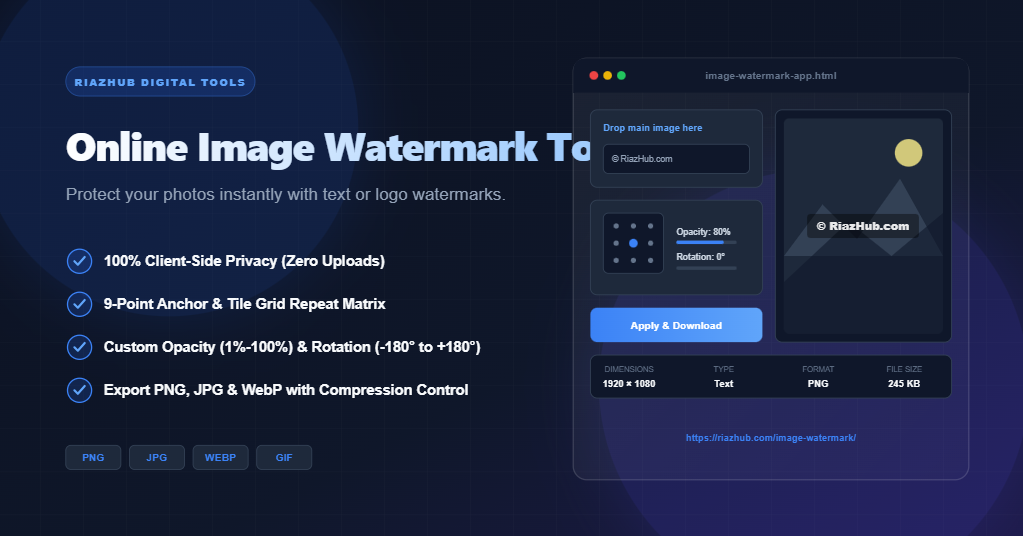
Watermark Images Online for Free (100% Secure & Client-Side Browser Processing)
Why Choose Client-Side Browser-Based Image Watermarking?
Most traditional image editing websites upload your photos to external servers for backend processing. This introduces bandwidth delay, file size limits, and serious privacy risks—especially when handling sensitive media, client photographs, or proprietary design drafts.
The RiazHub Image Watermarker eliminates these concerns through client-side architecture:
- Complete Privacy & Security: Your images never leave your computer or mobile device. All drawing, scaling, font rendering, and file encoding happen strictly within your browser DOM.
- Zero File Size Constraints: Process full-resolution photographs, high-DPI graphics, or mobile screenshots (including tall portrait layouts) instantly without upload lag or cloud queues.
- Lightning-Fast Instant Preview: Adjust text inputs, font colors, logo scales, opacity percentages, and rotation angles with real-time responsive canvas rendering.
- Multi-Format Compatibility: Seamlessly import and export PNG, JPG, WebP, GIF, and BMP formats.
Key Features of the RiazHub Image Watermark Tool
Designed for digital creators, marketers, and web developers, our tool packs full desktop-class watermarking functionality into an ultra-clean, mobile-responsive web interface:
1. Dual Watermark Modes: Text & Logo Overlays
Choose between custom typography or custom logo graphics. Easily toggle between the Text Watermark tab for dynamic branding (such as © RiazHub.com or your brand name) and the Image Logo tab to overlay transparent PNG logos onto your photos.
2. Interactive 9-Point Anchor Grid & Full Tiling Mode
Position your watermark exactly where you want it. Select any of the 9 anchor points (Top-Left, Top-Center, Top-Right, Center-Left, Center, Center-Right, Bottom-Left, Bottom-Center, Bottom-Right) or enable Tile Grid mode to seamlessly repeat your watermark matrix across the entire background canvas for maximum anti-theft security.
3. Precise Opacity & Rotation Angle Sliders
Fine-tune transparency from a subtle 1% opacity watermark up to a vivid 100% overlay. Rotate your watermark anywhere between -180° and +180° with one-click quick presets (-45°, 0°, 45°, 90°) to create stylized diagonal copyright stamps.
4. Typography & Visual Styling Controls
Tailor your text watermark to match your aesthetic. Customize font size, fill color (with real-time HEX feedback), drop shadows for contrast against dark or light image backgrounds, and select font families ranging from modern Sans-Serif to classic Serif and bold Impact styles.
5. Custom Output Formats & Quality Compression
Before saving your watermarked visual, pick your preferred file format (Original, PNG, JPG, or WebP) and tune the compression quality slider to optimize image file size for web publishing and SEO performance.
Step-by-Step Guide: How to Watermark Photos Online
Follow these quick steps to apply watermarks to your pictures in seconds:
- Navigate to the free online image watermarking tool on RiazHub.
- Drag and drop your primary photograph or image file directly into the interactive upload dropzone (or click to browse your disk).
- Select your preferred watermark type—Text Watermark or Image Logo.
- Enter your desired copyright text or upload your logo image.
- Adjust position via the 9-point grid, tweak opacity (from 1% to 100%), set rotation, and adjust margin spacing.
- Preview the composited image live on the right-hand canvas preview panel.
- Click Apply & Download to instantly save your protected image with automatic filename optimization.
Ready to safeguard your photographs and artwork? Watermark your photos online now with RiazHub—it’s fast, free, and 100% private!
Frequently Asked Questions (FAQ)
Are my uploaded images stored on RiazHub servers?
No. RiazHub never uploads, stores, or transmits your photos to any external server. All image watermarking operations occur locally inside your client web browser via JavaScript HTML5 Canvas.
Can I watermark tall vertical mobile screenshots or portrait photographs?
Yes. The tool features dynamic responsive canvas scaling that accommodates ultra-tall vertical images (such as mobile screenshots or 4K portrait photos) in full resolution without top/bottom cropping or visual clipping.
Does watermarking reduce original photo quality?
No. When exporting in Original or PNG format, your base image resolution and pixel quality are preserved at 100% natural dimensions.
Start protecting your digital brand today with the RiazHub Online Image Watermarker!