
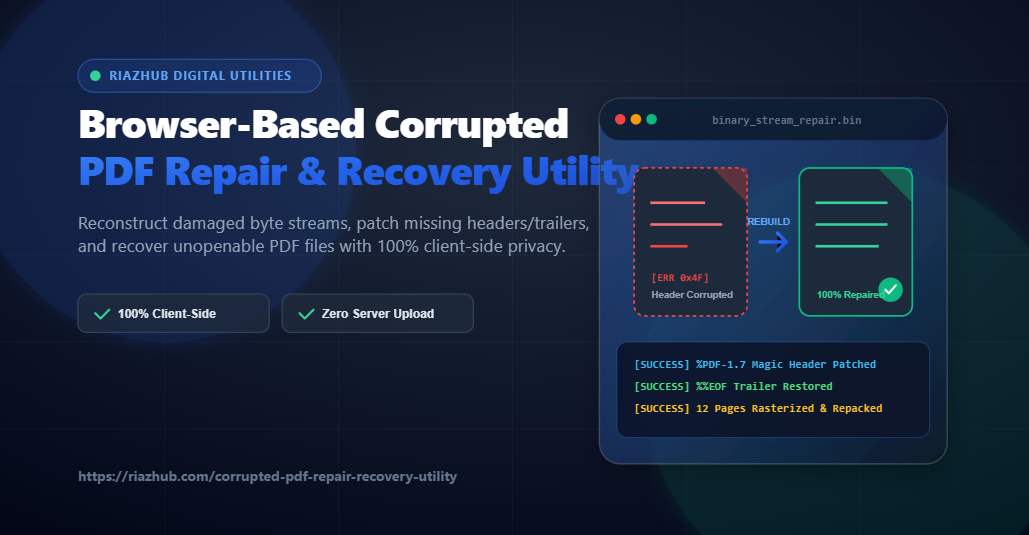
Few error messages trigger as much instant panic as double-clicking an essential contract, bank statement, or research document only to see: “Format error: Not a PDF or corrupted”, “The document is damaged and cannot be opened”, or “Root object missing”. PDF documents are the universal backbone of digital records, yet they remain vulnerable to byte stream corruptions, interrupted network transfers, bad disk storage sectors, and malformed third-party PDF generators.
Historically, fixing a broken PDF meant either paying for expensive desktop software or uploading your sensitive personal, legal, or financial files to shady online converter websites. Fortunately, modern web engineering has evolved. With the Corrupted PDF Repair & Recovery Utility on RiazHub.com, you can inspect binary byte streams, reconstruct missing headers, repair trailer indices, and extract visual pages 100% inside your web browser without transmitting a single byte to an external server.
Need to Fix a Damaged PDF File Right Now?
Use our privacy-first client-side tool to repair headers, rebuild xref tables, and recover unopenable PDF pages instantly.
What Causes PDF File Corruption?
To understand how binary repair works, it helps to examine why PDF files break in the first place. A Portable Document Format (PDF) file is structured as a complex container consisting of four primary structural zones:
- Header Zone: Identifies the PDF version (e.g.,
%PDF-1.7) and binary marker bytes. - Body Objects Zone: Contains text streams, vector graphics, embedded fonts, images, and catalog page structures (
obj ... endobj). - Cross-Reference (Xref) Table: An index mapping exact byte offsets for every object in the document so PDF readers can perform fast random-access reading.
- Trailer Zone: Specifies the catalog root object (
/Root) and ends with the mandatory magic marker token%%EOF.
When any of these critical zones are compromised, standard PDF readers like Adobe Acrobat, Chrome, or Preview will immediately reject the file. The most frequent causes include:
- Interrupted Downloads / Email Attachments: Closing a browser tab or losing internet connectivity mid-transfer causes trailing bytes (including the essential
%%EOFmarker) to be cut off. - FTP ASCII Mode Corruption: Transferring binary PDF files via FTP in ASCII mode converts binary line breaks (CR/LF), shifting every byte offset in the cross-reference table.
- Storage Sector Faults: USB flash drive corruption or bad sectors on hard drives can flip random binary bits inside object stream buffers.
- Malformed PDF Generators: Custom software, legacy printer drivers, or web forms that generate PDFs without adhering strictly to ISO 32000-1 specifications often produce shifted headers or missing root catalog dictionaries.
How In-Browser Binary PDF Repair Works
Traditional repair utilities require uploading your file to a remote server where a backend process (like PDFtk, Ghostscript, or Poppler) executes. In contrast, the RiazHub Corrupted PDF Repair Utility executes a multi-stage JavaScript recovery pipeline running directly inside your browser’s memory sandbox.
Stage 1: Byte Stream Header & Trailer Reconstruction
When you select a damaged file, the utility reads the document into memory as a Uint8Array byte buffer. It inspects the first 1,024 bytes for the standard magic header token (%PDF-1.x). If the header has leading junk bytes caused by web server wrappers, it automatically calculates the offset and trims the garbage. If the magic header is missing entirely, it prepends a clean binary header stream:
// Example Byte Patching for Missing PDF Headers
const magicHeader = "%PDF-1.7\n%\xE2\xE3\xCF\xD3\n";
// Reconstructs binary marker bytes to restore PDF validity
Next, the engine scans the final 2,048 bytes for the %%EOF token. If truncated, it dynamically recalculates object IDs and appends a valid fallback trailer block so PDF parsers can locate the catalog root.
Stage 2: Structural Xref Table & Object Stream Repair
Once basic markers are established, the tool passes the sanitized byte array to high-speed client-side parsers. It scans for orphaned obj ... endobj blocks, fixes malformed /Filter or /Length stream keys, and recalculates cross-reference offsets. This resolves structural errors like “Invalid Xref table” or “Corrupted object dictionary”.
Stage 3: Fault-Tolerant Canvas Rasterization (Visual Repacking)
If a PDF is too severe for structural parsing (e.g., destroyed internal object trees), the RiazHub browser PDF repair engine triggers its Tier 3 visual recovery loop. Utilizing a fault-tolerant rendering pipeline, it renders surviving document pages onto off-screen HTML5 canvases, converts each canvas to a high-resolution lossless PNG image, and repacks all recovered visual pages into a brand-new, perfectly compliant PDF document.
Result: Even severely damaged PDFs with broken internal font tables or shattered object trees can have their visual content fully recovered into a clean, printable PDF document!
Stage 4: Text Stream & Embedded Asset Extractor
For documents where visual repacking is impossible, the tool provides a fallback salvage engine that extracts raw readable text strings and uncorrupted JPEG/PNG image assets directly from the binary buffer, allowing you to export them as a organized ZIP package.
Try the In-Browser PDF Recovery Utility Today
No software installation. No account required. 100% private and free.
Why 100% In-Browser Privacy is Critical for PDF Repair
PDF documents frequently contain highly sensitive information: signed legal contracts, tax filings, medical reports, financial statements, and personal ID scans. When you upload these files to typical free online PDF repair websites, your documents are transmitted across public networks and stored on unknown third-party cloud servers.
Using the browser-based PDF repair utility on RiazHub offers total privacy guarantees:
- Zero Server Uploads: Your documents never leave your local computer or phone. All processing occurs in local RAM.
- GDPR & HIPAA Compliant: Because no data is collected, stored, or transmitted, it meets strict international privacy standards.
- Instant Speed: Eliminates slow upload and download wait times—even for large files.
- Works Offline: Once the page loads, you can disconnect from the internet or turn on Airplane Mode and the tool will continue working perfectly!
Step-by-Step Tutorial: How to Repair Your PDF File
Restoring access to your corrupted file on RiazHub takes just a few clicks:
- Navigate to the Corrupted PDF Repair & Recovery Utility page on RiazHub.com.
- Drag & drop your damaged or unopenable
.pdffile into the upload zone (or click “Select PDF File”). - The tool instantly performs an automated byte diagnostic, checking magic headers and stream markers.
- Click “Analyze & Repair PDF” to run the multi-tier recovery pipeline. Watch step-by-step progress in the live visual diagnostic console.
- Inspect your document in the Recovered Pages Preview Matrix.
- Click “Download Repaired PDF” to save your recovered document instantly as
RiazHub_[Original_Name]_repaired.pdf.
Frequently Asked Questions (FAQ)
Can this tool repair password-protected or encrypted corrupted PDFs?
If a PDF is encrypted, structural header and trailer patching can still be performed. However, if internal object streams are encrypted, you must provide the correct document password to unlock and rasterize visual page content.
What if my PDF file is 0 KB in size?
A 0 KB file means no data was written to disk (a completely empty file). Unfortunately, zero-byte files contain no recoverable data bytes. If your file is larger than 0 bytes (even 1 KB or partially truncated), our tool can attempt recovery.
Is there a file size limit for browser-based PDF repair?
Because processing relies on your device’s memory (RAM), files up to 100MB process seamlessly on desktop and modern mobile devices. For larger files, close unused browser tabs to maximize available RAM.
Conclusion
A corrupted PDF file no longer has to mean lost work or compromised privacy. By combining modern WebAssembly and JavaScript binary manipulation with fault-tolerant HTML5 Canvas rendering, the Browser-Based Corrupted PDF Repair & Recovery Utility on RiazHub.com gives you professional-grade document recovery directly in your web browser—securely, privately, and completely free.
Corrupted PDF Repair & Recovery Utility
Analyze, reconstruct byte streams, patch missing headers/trailers, and recover pages from broken or unopenable PDF documents completely inside your browser.
Drag & Drop Corrupted PDF File Here
Supports damaged, unopenable, truncated, or zero-byte header PDF files (Max size: 100MB)
Multi-Stage Diagnostic & Repair Engine
Patches missing %PDF magic headers, fixes truncated %%EOF trailers, and recalculates corrupted object offsets.
Scans binary stream for orphaned page dictionaries, catalog roots, fonts, and uncorrupted stream filters.
Fault-tolerant PDF.js rendering engine extracts surviving page canvases and repacks clean PDF pages.
Fallback salvage mode: Extracts raw textual content streams and embedded image assets (JPEG/PNG).