
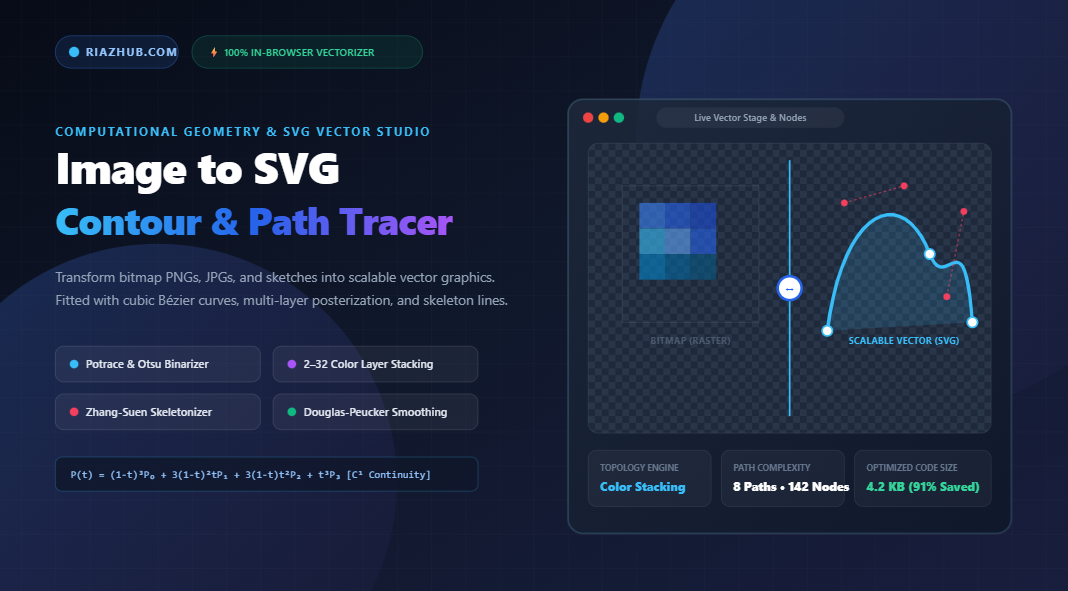
The Definitive Guide to Image to SVG Vectorization: Path Tracing, Bézier Smoothing & Centerline Skeletonization
Whether you are an interface designer striving for pixel-perfect brand icons, a web developer hunting for sub-5KB responsive graphics, or an archivist digitizing handwritten signatures and blueprint sketches, few conversions in computer graphics are as challenging or as rewarding as turning a discrete raster bitmap into mathematically continuous vector geometry.
Bitmap images (such as PNG, JPEG, and WebP) store visual data as discrete colored grid cells known as pixels. When enlarged, rotated, or rendered on ultra-dense Retina or 8K displays, these discrete pixel grids inevitably show aliasing artifacts, jagged staircasing, and fuzzy compression blur. In stark contrast, Scalable Vector Graphics (SVG) define visual shapes through parametric polynomial curves, lines, and coordinates. An SVG graphic can be enlarged to the size of a highway billboard or shrunk to a tiny 16px favicon with zero degradation in sharpness.
To make this high-level mathematical transformation accessible directly inside your browser without expensive software subscriptions or external server uploads, you can utilize the free Image to SVG Vectorizer & Path Tracing Studio on RiazHub. In this comprehensive guide, we examine the inner mathematical algorithms, contour extraction pipelines, color layer posterization strategies, and practical workflows for converting raster images into production-grade vector SVG code.
⚡ Instant Online Vectorizer
Convert your PNG, JPG, or sketch into crisp, scalable SVG code in seconds with live Bézier curve tuning and split-screen comparison.
Table of Contents
- 1. Raster vs. Vector: Why Convert Bitmaps to SVG?
- 2. Mathematical Foundations: From Discrete Pixels to Continuous Bézier Splines
- 3. The Three Vectorization Topologies Explained
- 4. Curve Fitting, Polyline Simplification & Node Decimation
- 5. Step-by-Step Tutorial: How to Vectorize Any Image on RiazHub
- 6. Production Best Practices for Developers & Designers
- 7. Frequently Asked Questions (FAQs)
1. Raster vs. Vector: Why Convert Bitmaps to SVG?
To understand why vectorization is essential, we must contrast how web browsers render bitmap raster graphics versus XML-based vector graphics:
| Attribute | Raster Bitmaps (PNG, JPG, WebP) | Vector Graphics (SVG) |
|---|---|---|
| Data Representation | Fixed 2D matrix of RGB(A) color pixel values | Mathematical geometry (Bézier curves, lines, coordinates) |
| Scalability | Fixed resolution; blurs or pixelates upon zooming | Infinite mathematical resolution; razor-sharp at any scale |
| File Size Scaling | Increases rapidly with canvas dimensions ($W \times H$) | Dependent solely on geometric curve complexity, not display size |
| DOM & CSS Scriptability | Opaque raster blob; cannot restyle individual shapes via CSS | Fully programmable XML DOM; stylable via CSS and animatable via JS |
| SEO & Accessibility | Requires separate alt text tags; text inside image is unsearchable | Search-engine readable semantic XML; indexable text and paths |
When you pass a raster bitmap through the online Image to SVG Vectorizer, discrete clusters of pixels are analyzed, boundary contours are segmented, and mathematical equations replace raw pixel grids.
2. Mathematical Foundations: From Discrete Pixels to Continuous Bézier Splines
How does a computer translate a staircase of pixel edges into a silky-smooth arch? The process relies on polynomial curve approximation, specifically Cubic Bézier Splines.
A cubic Bézier curve is parameterized over the domain $t \in [0, 1]$ and governed by four control points: an initial anchor point $P_0$, two directional control tangent points $P_1$ and $P_2$, and an ending anchor point $P_3$:
P(t) = (1 - t)³ P₀ + 3(1 - t)² t P₁ + 3(1 - t) t² P₂ + t³ P₃
In SVG syntax, this equation is represented directly inside the <path> element’s d attribute using the C command:
<path d="M 50 150 C 75 40, 180 30, 220 150 Z" fill="#2563eb" />
By joining adjacent cubic curves with tangent continuity ($\mathcal{C}^1$ continuity), arbitrary complex contours—from cursive font flourishes to mechanical gears—are reconstructed with minimal coordinate node counts.
3. The Three Vectorization Topologies Explained
Different types of images demand radically different vectorization strategies. A corporate logo requires high-contrast solid fills; an illustrative clipart sticker requires layered color strata; and a delicate handwritten signature requires single-pixel stroke lines rather than heavy hollow outlines.
The RiazHub Vectorizer & Path Tracing Studio incorporates three purpose-built vector topology engines:
Engine 1: Monochrome Silhouette & Logo Tracer (Potrace-Style)
Designed specifically for high-contrast icons, monochrome typography, stamps, and heraldic emblems.
- Luminance Binarization: Converts pixel colors to grayscale using standard ITU-R luminance weights: $Y = 0.2126R + 0.7152G + 0.0722B$. Pixels below the luminance threshold are mapped to active foreground bits (1), while those above become background (0).
- Otsu’s Global Automatic Thresholding: The engine includes an automatic Otsu detector that calculates the bimodal histogram of the image and selects the mathematical threshold that minimizes intra-class pixel variance.
- Marching Squares Boundary Tracing: Evaluates $2 \times 2$ pixel cells across the bit-grid, calculates 16 topological states, and extracts directed perimeter segments that chain into closed polygon loops.
Engine 2: Color Layer Stratification & Stacking (Median-Cut)
For multi-colored illustrations, posters, stickers, and retro pop-art graphics, a single binary threshold is insufficient.
- Median-Cut Color Quantization: The algorithm places all pixel RGB vectors into a 3D color bounding box and recursively splits the box along its longest color axis until $K$ clusters (from 2 to 32 color layers) are generated.
- Stratified Bitmasks: Each image pixel is assigned to its nearest centroid palette color, producing individual binary masks per color layer.
- Grouped SVG Layering: Each color tier is traced into closed sub-paths and assembled into SVG
<path fill="#..." fill-rule="evenodd">elements, perfectly preserving transparent cutouts and inner holes.
Engine 3: Centerline / Stroke Skeletonizer (Zhang-Suen Thinning)
The centerline engine executes the Zhang-Suen Morphological Thinning Algorithm:
- Iteratively sweeps across foreground pixels, testing local $3 \times 3$ connectivity and pixel transitions.
- Strips away surface boundary pixels while strictly preserving shape connectivity and end points.
- Reduces thick handwriting, pencil sketches, and technical schematics into 1-pixel wide skeletal paths.
- Outputs clean SVG paths with
stroke,stroke-width, andstroke-linecap="round"attributes.
🖋️ Trace Signatures with Centerline Skeletonization
Turn scanned pen signatures into clean, stroke-based vector paths without bulky outline shapes.
4. Curve Fitting, Polyline Simplification & Node Decimation
Raw Marching Squares contours contain thousands of discrete pixel vertices. If exported raw, an SVG file would suffer from severe node bloat, measuring hundreds of kilobytes and slowing down web page rendering.
To eliminate this bloat, the SVG Vectorizer Studio passes raw polygons through a multi-stage geometric reduction pipeline:
Douglas-Peucker Polyline Decimation
The Douglas-Peucker algorithm measures the perpendicular distance of intermediate polyline vertices against the chord connecting the endpoints. If the maximum distance is less than the user-designated tolerance ($\epsilon$), intermediate points are safely discarded. This eradicates up to 90% of redundant collinear points while preserving sharp geometric corners.
Turdsize Despeckler (Noise Eradication)
Scanned documents and low-res photos frequently suffer from speckle noise, dust, and stray pixels. The engine calculates the enclosed polygon area of every closed loop using the Gauss Shoelace formula:
Area = 0.5 × |∑ (xᵢ yᵢ₊₁ - xᵢ₊₁ yᵢ)|
Any contour loop whose area is smaller than the designated “Turdsize” threshold (typically 4px to 12px) is discarded, delivering clean, speckle-free vector output.
Coordinate Precision Clamping
Default browser floating-point numbers often output values like x="142.389284729". Clamping coordinates to 1 or 2 decimal places (e.g. x="142.4") preserves visual sub-pixel accuracy while reducing the raw SVG file size by an additional 40% to 60%.
5. Step-by-Step Tutorial: How to Vectorize Any Image on RiazHub
Ready to vectorize your first asset? Follow these straightforward steps using the RiazHub Vectorizer Tool:
- Upload Your Source Bitmap: Drag and drop any PNG, JPG, WebP, GIF, or AVIF image into the dropzone. You can also paste directly from your system clipboard using
Ctrl+VorCmd+V, or click Sample Logo to test the studio instantly. - Select Your Vector Engine: Choose Monochrome for icons and logos, Color Stacking for colorful stickers, or Centerline Stroke for signatures and line art sketches.
- Fine-Tune Thresholds & Curve Smoothness: Adjust the Luminance Threshold (or click Auto Otsu Detect), set the curve tolerance ($\epsilon$), and configure the Turdsize noise filter.
- Inspect in Real Time: Switch between the Live Vector Stage (with pan and zoom), the Split Comparison Slider (comparing original raster vs. vector), and the Nodes & Wireframe Inspector to view Bézier control points.
- Export Production Code: Download the standalone
.svgfile, copy the raw XML code, copy a ready-to-paste React JSX component, or export an all-in-one ZIP bundle containing SVG, JSX, CSS, and manifest files.
🚀 Ready to Convert Your Images to Scalable Vectors?
100% free, 100% private, client-side in-browser processing with zero server uploads.
6. Production Best Practices for Developers & Designers
- Use viewBox for Fluid Responsiveness: Always enable the
viewBox="0 0 W H"attribute. This ensures your vector graphic automatically scales to fit parent CSS grid or flex containers without hardcoded pixel overflows. - Choose Even-Odd Fill Rule for Complex Cutouts: The
fill-rule="evenodd"standard automatically handles nested polygon cutouts (such as the inner holes in the letters ‘O’, ‘P’, and ‘B’) without requiring complex path orientation sorting. - Leverage React JSX Exports: When building modern web applications in Next.js, React, or Vite, paste the exported JSX component directly into your source tree. This eliminates extraneous HTTP image requests and enables direct prop-driven styling (e.g.
<VectorGraphic className="text-blue-600 w-8 h-8" />). - Client-Side Security Guarantee: Because the RiazHub Image to SVG Vectorizer processes pixel matrices entirely within browser memory via HTML5 Canvas, sensitive legal signatures, unreleased brand marks, and confidential blueprints are never transmitted over the internet.
7. Frequently Asked Questions (FAQs)
Can I convert full-color photographs (like landscapes or portraits) into SVG?
Yes, using the Color Stacking Mode with 16 to 32 quantized color layers. However, keep in mind that vector graphics are architecturally designed for flat or contoured graphic shapes (logos, typography, illustrations, icons). Vectorizing complex photographic gradients will result in thousands of geometric paths, which can create large SVG files. For natural photos, WebP or AVIF remains the recommended delivery format.
Why does my signature look hollow with standard vectorizers?
Standard vectorizers trace the outer envelope of shapes. If you draw a thin pen line, standard outline tracers outline both the left and right sides of the line, creating an empty hollow tube. Switching to the Centerline Stroke Skeletonizer on the Image to SVG Tool applies morphological thinning, extracting a single central polyline rendered with a natural pen stroke.
Are my uploaded images stored on RiazHub’s servers?
No. All pixel analysis, Otsu thresholding, Marching Squares contouring, Bézier fitting, and file serialization are executed 100% locally inside your client web browser using pure vanilla JavaScript and the HTML5 Canvas API. Zero data is ever uploaded or retained.
How do I reduce the file size of my exported SVG?
To achieve minimal SVG file sizes: (1) increase the Curve Tolerance slider ($\epsilon$) to 1.5 or 2.0 to eliminate redundant nodes, (2) increase the Turdsize despeckle slider to filter out micro-noise, and (3) set the Decimal Coordinate Precision stepper to 1 digit.
Visit the Universal Image to SVG Vectorizer & Path Tracing Studio to start creating clean, scalable vector assets today.
Universal Image to SVG Vectorizer & Contour Studio
Convert PNG, JPG, WebP, and sketches into scalable vector SVG graphics, generate clean Bézier paths, eliminate node bloat, and export production-ready code in real time entirely inside your browser.
<!-- Vectorize an image to inspect SVG XML markup -->
// Vectorize an image to generate ready-to-paste React JSX & CSS
📐 Vectorization Geometry, Bézier Mathematics & SVG Optimization Guide
How discrete pixel bit-grids are converted into mathematical polynomial curves that scale infinitely without pixelation.
Unlike pixel grids which become jagged when zoomed, vector paths define curves using cubic Bernstein polynomials: P(t) = (1-t)³P₀ + 3(1-t)²tP₁ + 3(1-t)t²P₂ + t³P₃. This guarantees continuous tangential smoothness (𝒞¹ continuity) across all view scales.
Raw pixel contours contain thousands of redundant collinear points. The Douglas-Peucker algorithm measures the perpendicular distance of intermediate points against tolerance ε, eliminating up to 90% of redundant nodes while preserving key corners.
Traditional vectorizers trace both outer edges of thin pen strokes, creating heavy hollow outlines. The Zhang-Suen morphological thinning engine iteratively strips boundary pixels down to 1-pixel skeletons, outputting clean stroke lines for signatures.
All raster decoding, luminance clustering, contour tracing, and XML generation occur strictly inside your device's browser memory via HTML5 Canvas. Zero images, personal signatures, or proprietary logos ever touch an external server.