
Mastering Presentation Pacing: How to Calculate Speaking Time, Slide Count, and Rehearse with a Live Teleprompter
Whether you are delivering a high-stakes investor pitch, a TED-style keynote, a technical conference lecture, or a corporate quarterly briefing, one variable consistently dictates the success of your presentation: pacing.
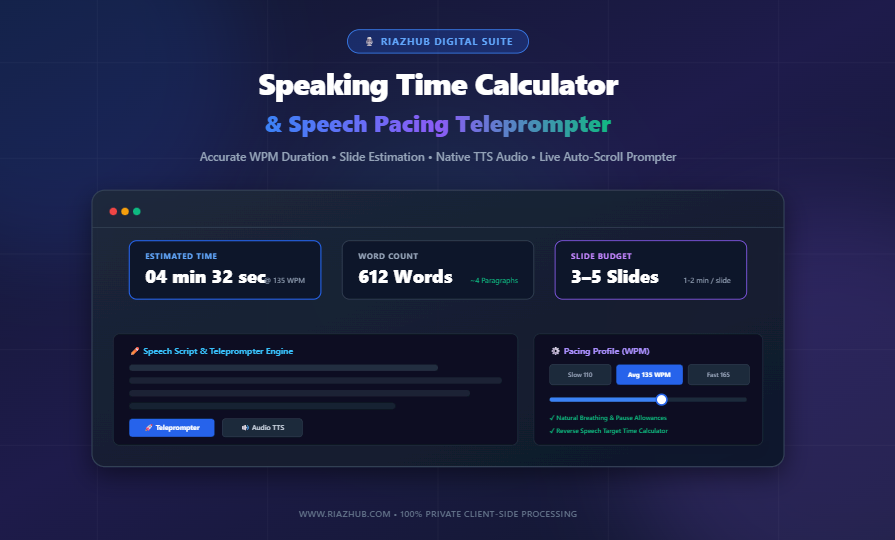
Speaking too quickly alienates your audience and muddles complex ideas. Conversely, speaking too slowly causes attention spans to drift. Worst of all, running over your allotted time slot disrupts conference schedules, frustrates event organizers, and cuts off vital Q&A sessions. To prepare effectively, modern presenters rely on the RiazHub Speaking Time Calculator & Speech Pacing Teleprompter to model speech duration, calibrate Words Per Minute (WPM), budget slide counts, and rehearse with native browser teleprompter tools.
Key Takeaway: Mathematical estimation combined with deliberate rehearsal bridges the gap between written scripts and polished stage delivery. You can test your own keynote draft directly with the free online Speaking Time Calculator.
1. The Mathematics of Speaking Duration (WPM Formulas)
Converting a written manuscript or speech outline into spoken minutes requires understanding your baseline Words Per Minute (WPM) rate. Silent reading is significantly faster than vocalized speech because reading does not require articulation, breath control, or acoustic resonance.
The fundamental formula used by professional speechwriters to estimate raw speaking time is:
However, raw word count calculations often fail in real-world scenarios because they omit rhetorical pauses. When presenting, natural pauses occur at sentence terminations (1.0 to 1.5 seconds) and paragraph/slide transitions (2.0 to 3.0 seconds). A realistic formula accounts for these natural acoustic breaks:
By utilizing the Speaking Time Calculator utility, these pauses are automatically calculated and toggled based on your specific presentation style.
2. Words Per Minute (WPM) Standards Across Public Speaking Formats
Speaking speed varies dramatically based on room acoustics, audience familiarity, emotional gravity, and presentation objectives. Here is a breakdown of industry benchmarks:
| Speaking Context | Target WPM | Delivery Characteristics |
|---|---|---|
| Formal Eulogies & State Addresses | 100 – 115 WPM | Slow, deliberate cadence, pronounced pauses, solemn tone. |
| Corporate Keynotes & TED Talks | 130 – 150 WPM | Conversational, engaging, natural inflection, storytelling pacing. |
| Audiobooks & Podcast Narrations | 150 – 160 WPM | Standard broadcast clarity, articulate diction, steady rhythm. |
| TV Commercials & YouTube Intros | 165 – 185 WPM | High energy, dynamic pitch, rapid value proposition delivery. |
Want to Know Your Script’s Exact Timing?
Paste your speech notes, keynote slides, or video transcript into our interactive browser-based calculator to receive an instant multi-speed breakdown.
3. The Presentation Slide Golden Rule: 1 to 2 Minutes Per Slide
A frequent pitfall among presenters is over-crowding their slide deck. Presenting too many slides forces the speaker to rush, creating visual fatigue for the audience.
The universal speaking standard is 1 to 2 minutes per slide:
- 5-Minute Pitch: 3 to 5 slides maximum.
- 10-Minute Briefing: 5 to 7 slides maximum.
- 20-Minute Keynote: 10 to 14 slides maximum.
- 45-Minute Lecture: 22 to 30 slides maximum.
When you run your speech through the RiazHub Speaking Time Calculator, the built-in presentation engine dynamically computes your optimal slide allocation range alongside standard double-spaced page counts.
4. Reverse Time-Limit Planning (Solving for Fixed Slots)
Frequently, conference organizers impose a hard deadline (e.g., exactly 7 minutes for a startup demo day). Rather than guessing how many words to write, presenters use reverse calculation:
For instance, in a 5-minute presentation at a conversational 135 WPM rate, your script ceiling is approximately 675 words. If your draft is currently 900 words, you know immediately that you must trim 225 words before stepping on stage. The reverse calculator inside the Speaking Time Calculator solves this instantly.
5. Interactive Teleprompter & Native Web Speech Audio Rehearsal
Writing an accurately timed script is only half the battle; real rehearsal transforms timing theory into stage confidence. The RiazHub Speaking Time Calculator features two purpose-built rehearsal modules:
A. Fullscreen Smooth-Scroll Teleprompter
The integrated teleprompter calculates exact vertical scroll velocity matching your chosen WPM speed using smooth requestAnimationFrame rendering. It includes:
- Horizontal Mirror Flip: Formats the text for reflection on physical teleprompter glass hardware or beam-splitter rigs.
- Dynamic Font Scaling: Adjust text size from 20px up to 64px for long-distance stage reading.
- Visual Focus Guide: Keeps your eye level locked on the active speaking zone.
- One-Click Back Navigation: Instantly return to your source script with the top navigation bar or floating escape controls.
B. Web Speech API (TTS) Audio Pacer
If you want to hear your speech paced out aloud, the tool leverages the browser’s native Web Speech Synthesis engine. It dynamically scales voice playback velocity to mirror your chosen WPM, allowing you to shadow-read aloud alongside the synthetic voice.
6. 100% Privacy-First Client-Side Architecture
Proprietary corporate keynotes, unreleased product announcements, and personal speeches contain sensitive information. The RiazHub Speaking Time Calculator processes 100% of text tokenization, syllables calculation, and speech synthesis locally inside your web browser. Zero bytes of your script or notes are transmitted to any remote server.
7. Summary Cue Sheets & Exporting Data
Once your script is calibrated, you can export structured rehearsal cue sheets with timestamp markers per paragraph and slide cues. You can also export structured JSON and CSV breakdowns for stage managers, AV technicians, or event organizers.
Ready to Perfect Your Presentation?
Access the free, full-featured speaking time calculator and rehearsal teleprompter directly on RiazHub.
Frequently Asked Questions (FAQ)
How accurate is the speaking time calculator?
The calculator provides an accuracy within 5% of actual speaking times when your chosen WPM matches your natural delivery rate. Incorporating the optional paragraph and punctuation pause toggles ensures an even closer match to live stage conditions.
What is the best WPM rate for a beginner speaker?
Beginner speakers frequently rush due to nervousness. Setting a target of 125 to 135 WPM allows for comfortable diction, relaxed breathing, and deliberate audience connection.
Can I use the teleprompter on mobile devices or tablets?
Yes. The teleprompter modal is fully responsive and adjusts fluidly to iPad, Android tablets, smartphones, and desktop monitors.
Speaking Time Calculator & Speech Pacing Coach
Estimate exact speaking duration, presentation pacing, slide allocations, and rehearse with an integrated teleprompter in real time. 100% private, client-side browser processing.
✏️ Source Speech Script
🎬 Interactive Teleprompter Stage
Rehearse with auto-scroll synced to your WPM, mirror flip, & font sizing.
⚙️ Pace & Timing Controls
| Pacing Profile | Speed | Total Duration |
|---|---|---|
| Slow / Solemn | 110 WPM | 00:00 |
| Conversational | 135 WPM | 00:00 |
| Fast / Energetic | 165 WPM | 00:00 |
Have a hard speech slot? Enter duration to find max words allowed at current WPM.
📚 Public Speaking Standards & Pacing Guide
Speech pacing differs depending on the context, audience, and room acoustics:
- Slow & Solemn (100–115 WPM): Used for eulogies, formal state addresses, sermons, and complex technical teaching where every word carries weight.
- Conversational & Engaging (130–150 WPM): The standard for TED Talks, keynote addresses, business pitches, and corporate presentations.
- Dynamic & High-Energy (160–185 WPM): Common in TV commercials, YouTube introductions, podcast banter, and rapid-fire demo pitches.
- Audiobooks & Voiceovers (150–160 WPM): The golden standard for clear storytelling and spoken audio narration.
The universal public speaking rule is 1 to 2 minutes per slide. For example:
- A 10-minute presentation should ideally contain 5 to 7 slides.
- A 20-minute keynote works best with 10 to 14 slides.
- Crowding too many slides (less than 45 seconds per slide) forces the speaker to rush and exhausts the audience.
Under stage adrenaline, speakers tend to rush. However, effective speakers deliberately insert pauses:
- Punctuation Pauses (~1.5s): Gives the audience time to digest a key sentence or punchline.
- Transition Pauses (~3s): Allows you to take a steady breath, advance to the next slide, or look around the room.
- Our calculator includes optional pause allowances to ensure you don't run over your allocated time limit.
100% Client-Side Privacy Guarantee: All text tokenization, syllables calculations, Web Speech synthesis, and timing computations occur entirely in your web browser. No script content, drafts, or metadata are ever transmitted to any external server or saved in any database.