
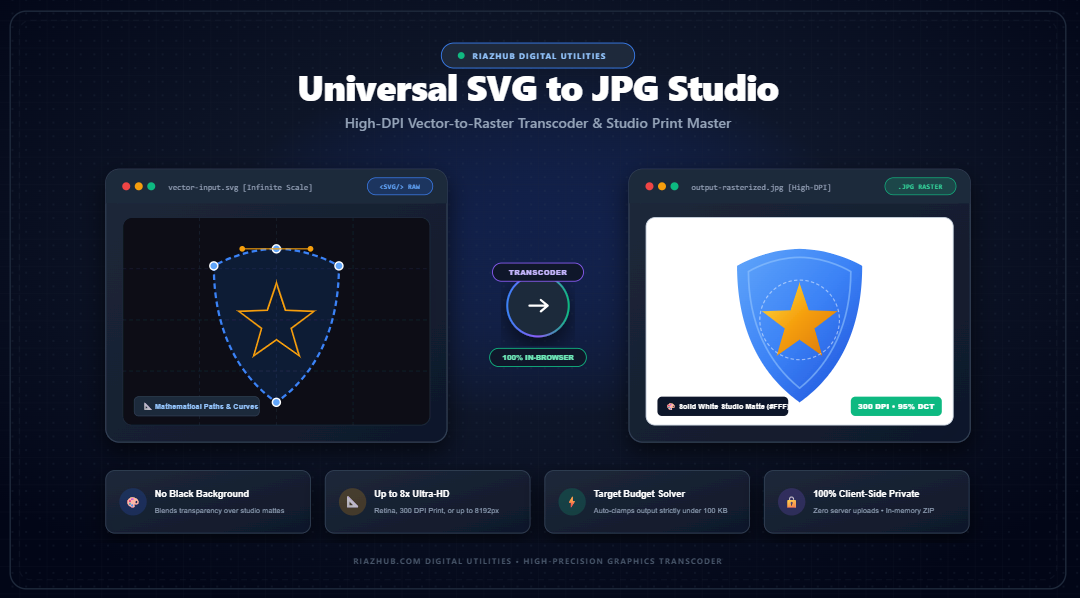
Mastering SVG to JPG Conversion: High-DPI Vector Rasterization, Alpha Matte Flattening & Print Production
Why scalable vector graphics encounter severe pixelation and black background bugs during JPEG conversion and how modern client-side math solves them with up to 8x Ultra-HD scaling and binary size budget locks.
However, digital workflows frequently collide with the rigid constraints of the physical and legacy digital worlds. Content Management Systems (WordPress, Shopify), email newsletter platforms (Mailchimp, Klaviyo), social media metadata preview scrapers (Open Graph cards on X, LinkedIn, and Facebook), marketplace merchant portals (Amazon, eBay), and commercial print shops frequently disallow raw SVG uploads due to XML security vulnerabilities or strict raster format requirements.
When designers and developers attempt to convert their vector assets into raster images using generic converters, they are routinely plagued by two notorious pitfalls:
- The “Black Background” Disaster: Transparent canvas areas suddenly turn into solid pitch-black boxes ($RGB: 0, 0, 0$), ruining corporate logos and typography.
- Severe Pixelation & Blur: Converting at default $1\times$ desktop resolution (72 to 96 DPI) generates pixelated, fuzzy artifacts when printed or displayed on high-density Retina and Mobile OLED screens.
To address these fundamental rasterization bottlenecks, RiazHub developed the
Universal SVG to JPG Vector-to-Raster Transcoder & High-DPI Print Studio. In this engineering guide, we dissect the mathematical rasterization pipeline, explain the root causes of transparency failures, and demonstrate how you can achieve print-grade JPEG conversions directly inside your browser.
Experience instant, 100% private in-browser transcoding with scale multipliers up to 8x Ultra-HD, studio white and slate mattes, and binary-search file budget clamping.
1. The Mathematics of Vector vs. Raster Graphics
To understand why converting an SVG into a JPEG presents unique technical challenges, one must appreciate the polar differences in their underlying mathematical paradigms:
- Vector Graphics (SVG): An XML-based file describing paths through 2D space:
<path d="M 10 80 Q 95 10 180 80" stroke="#000" fill="none"/>.
The browser’s rendering engine evaluates these quadratic curves dynamically, calculating exact subpixel coordinates every time the viewport zooms or scales. There are no fixed pixels in an SVG file only relative geometry and coordinate systems governed by theviewBoxattribute. - Raster Graphics (JPG/JFIF): An immutable grid matrix composed of discrete, square picture elements (pixels). A $1920 \times 1080$ JPEG contains exactly $2,073,600$ individual pixels, each assigned a static color value via Discrete Cosine Transform (DCT) lossy compression. Once rendered, the vector curves cease to exist as mathematical equations; they become static color approximations.
When an SVG is transcoded into a JPEG, the browser must map infinite-resolution vectors onto a fixed coordinate grid. If that grid is too small (e.g., rasterized at default $1\times$ scale), diagonal lines and curved serifs suffer from aliasing, resulting in jagged, visibly distorted edges.
2. Why Raw JPEG Transcoding Causes the “Pitch-Black” Background Bug
By far the most common complaint among graphic designers is that exporting a transparent SVG logo to JPG turns the transparent canvas into a harsh, solid black background.
The Technical Cause: Lack of Alpha Channel
The official JPEG specification (ISO/IEC 10918-1 / JFIF) was architected strictly for photographic imagery. As a result, JPEG does not support an Alpha (transparency) channel. While PNG and WebP support 32-bit RGBA color spaces (where the 4th channel, $\alpha \in [0, 255]$, controls pixel opacity), JPEG operates exclusively in a 24-bit RGB or YCbCr color space.
When a standard image buffer without an alpha matte is forced into a JPEG encoder, the encoder evaluates any pixel where opacity is zero ($\alpha = 0$) as containing zero light values:
If your vector logo features black text or dark navy graphical marks, they completely disappear into the black canvas!
The Architectural Solution: Porter-Duff Alpha Matte Compositing
Rather than relying on naive direct conversions, the
RiazHub SVG to JPG Transcoder Studio
implements a dual-stage Porter-Duff Source-Over Alpha Matte Flattening Engine.
Before the vector graphics are drawn, the engine initializes an in-memory HTML5 Canvas 2DContext and floods it with a selected studio background color ($C_{\text{matte}}$)—such as Studio Pure White (#FFFFFF), Light Off-White (#F8FAFC), Dark Slate (#0F172A), or a Custom Hex value.
This mathematical pre-compositing guarantees that semi-transparent pixels such as subtle drop shadows, gaussian blurs, and anti-aliased curved borders smoothly blend into the chosen solid matte without generating dark fringing or black halos.
3. Infinite-Scale High-DPI Rasterization (From Screen to 300 DPI Print)
Standard web images are engineered for 72 to 96 Dots Per Inch (DPI). However, commercial printing presses, book publishing, and glossy merchandise demand a minimum resolution of 300 DPI to avoid blurriness.
Consider a typical vector icon or logo defined with an intrinsic viewBox of $400 \times 400$ points. If rasterized at $1\times$ scale, the resulting image is only $400 \times 400$ pixels. At 300 DPI print density, this logo can only be printed at a diminutive physical size of $1.33 \times 1.33$ inches ($400 / 300$). Stretching it to fit an 8-inch flyer would result in severe pixelation!
| Scale Multiplier | Target Dimensions (from 500px Base) | Effective DPI | Recommended Application |
|---|---|---|---|
| 0.5x Compact | 250 × 250 px | 48 DPI | Low-bandwidth mobile thumbnails & avatars |
| 1x Standard | 500 × 500 px | 72–96 DPI | Standard desktop web graphics |
| 2x Retina | 1000 × 1000 px | 150–200 DPI | Apple Retina displays, 2K monitors & social cards |
| 3x / 4x Ultra HD | 1500–2000 px | 300 DPI | Commercial Print Master (Brochures, magazines, merch) |
| 8x Billboard | 4000 × 4000 px | 600+ DPI | Large-format signage, vinyl banners, trade-show booths |
In the SVG to JPG Studio, users can effortlessly toggle between preset multipliers or unlock custom pixel bounds up to $8192 \times 8192$ px with automatic aspect-ratio preservation.
4. The Binary-Search Target File Budget Solver
Government submission systems, academic portals, and e-commerce platforms (such as Amazon Seller Central or eBay) routinely mandate that uploaded JPEG images must strictly weigh under 100 KB, 200 KB, or 500 KB.
Traditionally, designers were forced to guess compression settings in software like Photoshop manually exporting at 80%, checking file size, exporting again at 70%, and repeating this tedious trial-and-error cycle.
To eliminate this manual friction, our utility integrates an automated Binary Search Target File Budget Solver:
// Logarithmic Binary Search Convergence for Target File Size
const targetBytes = budgetKb * 1024;
let low = 0.05, high = 1.0, bestBlob = null;

for (let iteration = 0; iteration < 7; iteration++) {
    const mid = (low + high) / 2;
    const testBlob = await new Promise(res => canvas.toBlob(res, 'image/jpeg', mid));

    if (testBlob.size <= targetBytes) {
        bestBlob = testBlob;
        low = mid; // Try searching for higher visual quality
    } else {
        high = mid; // Compression too weak; must clamp further
    }
}
In at most 7 logarithmic bisection iterations, the algorithm identifies the optimal Discrete Cosine Transform (DCT) quality coefficient $Q$ that delivers maximum clarity while guaranteeing that the exported JPEG complies with your exact byte budget.
5. How to Convert SVG to High-Resolution JPG on RiazHub (Step-by-Step)
Converting single files or extensive batches of vector artwork takes just seconds with the
Universal SVG to JPG Vector Studio:
Step 1: Ingest Vector Graphics
You have three flexible options to load your vectors:
- Drag-and-Drop: Drag up to 50+
.svgfiles straight into the ingestion dropzone. - Browse Files: Click Browse SVG Files to select vector artwork from your hard drive.
- Paste XML Sandbox: Click Paste XML Code to directly paste raw
<svg>code copied from Figma, Illustrator, or an online SVG library.
Step 2: Choose Resolution Multiplier & Dimensions
Select your desired output scale using the tactile pill matrix:
- Choose 2x (Retina) for web assets and high-density mobile apps.
- Choose 3x (Print 300 DPI) or 4x (UHD) for physical print assets.
- Or select Custom and input exact pixel constraints (with the aspect ratio lock enabled).
Step 3: Select Your Solid Studio Matte
Choose your desired background color to eliminate black transparency artifacts:
- Pure White (
#FFFFFF): Recommended for e-commerce, Amazon listings, and corporate stationary. - Light Slate / Off-White (
#F8FAFC): Ideal for modern editorial web design. - Dark Slate (
#0F172A) / Jet Black: Perfect for dark-mode interfaces and neon graphics. - Custom Hex / Eyedropper: Match your exact brand guideline color codes.
Step 4: Inspect with the Split-Screen Slider & 400% Zoom Loupe
Before exporting, verify your rendering fidelity using the interactive studio tabs:
- Live Raster Stage: View live output dimensions and real-time file size estimates.
- Split Slider: Drag the vertical divider across the canvas to compare the raw vector against the rendered JPG.
- 400% Zoom Loupe: Hover over fine vector curves and micro-typography to verify crisp subpixel anti-aliasing.
Step 5: Export & Batch ZIP Download
Click Download Active JPG for instant single-image retrieval, or click Download All as ZIP to package your entire queue into an in-memory .zip bundle complete with a detailed transcoder-manifest.csv audit sheet.
6. Complete Privacy: Why 100% In-Browser Transcoding Matters
Most legacy online conversion websites transmit your uploaded files to third-party cloud servers, where your proprietary vector assets, confidential corporate brand marks, and trade-secret patent diagrams may be logged or temporarily cached on disk.
The RiazHub SVG to JPG Transcoder operates on a strict zero-server-transmission privacy architecture:
- All XML parsing is executed in your browser via native
DOMParser. - All rasterization is computed on your device’s GPU and CPU using
HTML5 Canvas 2DContext. - All ZIP archives are generated in local browser memory using custom TypedArray binary algorithms.
Your confidential files never leave your computer, satisfying stringent corporate data privacy and GDPR compliance requirements.
7. Comparison: Generic Online Converters vs. RiazHub Studio
| Capability | Generic Online Tools | RiazHub SVG to JPG Studio |
|---|---|---|
| Alpha Transparency Handling | Defaults to pitch-black (#000) | Studio Matte Blending (#FFF, #F8FAFC, Custom Hex) |
| Resolution Scaling | Locked to 1x (72 DPI blurry) | 0.5x, 1x, 2x Retina, 4x UHD, 8x Billboard |
| Exact File Size Budgeting | Manual trial-and-error | Automated Binary Search Solver (e.g. < 100 KB) |
| Before/After Verification | None (Blind download) | 60 FPS Split Slider & 400% Zoom Loupe |
| Batch Ingestion | Strict 5-file limits, paywalls | 50+ Vector Queue with In-Memory ZIP Packaging |
| Data Privacy & Security | Uploaded to remote cloud servers | 100% In-Browser Client-Side Isolation |
Frequently Asked Questions (FAQ)
The standard JPEG format lacks an alpha (transparency) channel. Standard converters fail to pre-fill the canvas, causing all transparent pixels ($A=0$) to automatically decode as pitch black ($RGB: 0, 0, 0$). Using RiazHub’s studio matte engine blends transparent vector pixels over a clean background color.
Yes! By choosing the 3x (Print 300 DPI) or 4x (Ultra HD) multipliers, your vector paths are rasterized at high pixel densities, making the resulting JPEGs crisp and suitable for magazines, t-shirts, flyers, and physical banners.
When you specify a byte budget (e.g., 100 KB), the engine executes an automated binary search over JPEG quality factors ($Q \in [0.05, 1.0]$). In up to 7 quick iterations, it discovers the highest quality factor that remains strictly within your file size limit.
Absolutely. No files are ever transmitted to any external server. All vector rasterization, color compositing, and compression routines execute purely inside your web browser.
Yes! Click the Paste XML Code button in the dropzone area, paste your raw <svg>...</svg> code copied from Figma or code editors, and the studio will parse and render it instantly.
Start Transcoding Your Vectors Today
Eliminate blurry raster outputs, bypass portal file size limits, and say goodbye to black background bugs forever. Launch the
Universal SVG to JPG Vector-to-Raster Transcoder & High-DPI Print Studio
now and experience instant, high-fidelity vector rasterization directly in your browser.
Universal SVG to JPG Vector Studio
High-DPI v2.4Render scalable vector graphics (SVG) into razor-sharp, print-ready JPG images. Eliminate black alpha background artifacts with solid studio mattes, upscale up to 8x Ultra-HD, tune DCT compression or exact file size budgets, and batch export with in-memory ZIP archiving.
Unlike fixed pixel grids, Scalable Vector Graphics (SVG) are defined as mathematical coordinates ($x, y$), Bezier curves, and transformations. When transcoded into a raster format like JPEG, the browser rasterizer must interpolate these vector vectors onto a discrete pixel canvas.
Aspect Ratio R = W_viewBox / H_viewBox | Target: W = round(W_native × Scale), H = round(H_native × Scale)
Standard 1x scale renders vector assets at 72–96 DPI. By applying high-DPI multipliers (2x Retina, 3x Print 300 DPI, or 4x Ultra HD), you ensure vector strokes, delicate serifs, and high-detail paths render with razor-sharp anti-aliased definition without pixelation.
The Joint Photographic Experts Group (JPEG/JFIF) standard lacks an alpha transparency channel ($A=0$). When unflattened vector graphics are directly converted into JPEG, encoders default transparent pixels to black (RGB: 0, 0, 0).
Porter-Duff Source-Over: C_out = round(C_src × α + C_matte × (1 - α)) for C ∈ {R, G, B}
Our client-side pipeline eliminates this bug by first initializing an in-memory HTML5 Canvas 2DContext filled with your chosen solid studio matte (Pure White, Off-White, Dark Slate, Jet Black, or Custom Hex), then drawing the vector artwork over it with high-precision subpixel anti-aliasing.
Need your JPG strictly under 100 KB or 200 KB for portal upload limits? Rather than guessing compression settings, our engine performs a logarithmic binary search over Discrete Cosine Transform (DCT) quality factors $Q \in [0.05, 1.0]$.
In at most 6 to 8 iterations, the solver finds the optimal image quality that maximizes visual fidelity while strictly guaranteeing your file size constraint is met.
All parsing, rasterization, color blending, DCT encoding, and ZIP packaging executes directly inside your browser's V8/SpiderMonkey engine using native HTML5 Canvas, DOMParser, and TypedArray memory. Zero vector files or generated images are ever uploaded to an external server.
Paste SVG Vector Code (XML)
Paste raw <svg ...>...</svg> markup from Illustrator, Figma, Inkscape, or your code editor: