
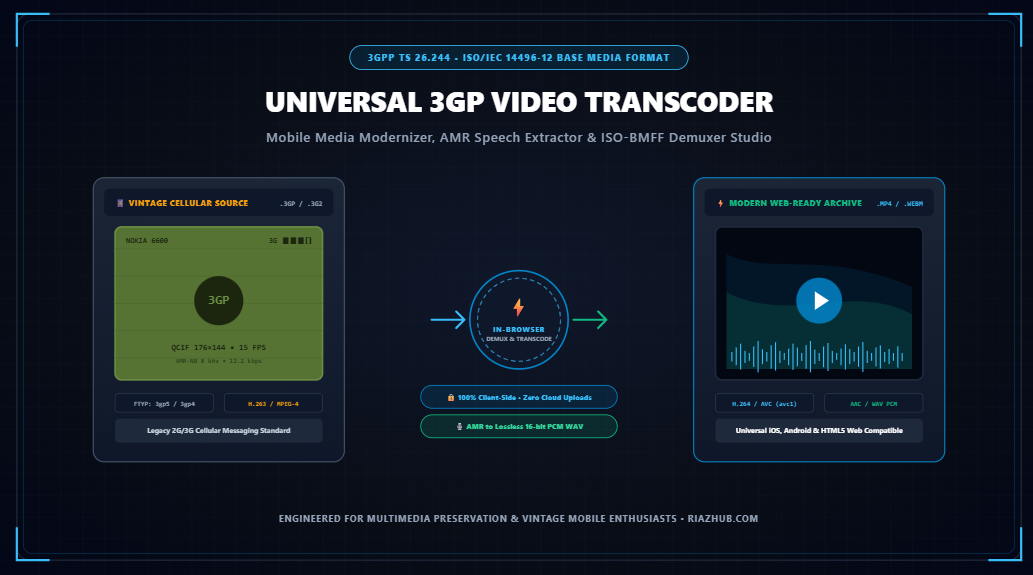
The Complete Engineering Guide to 3GP Video Transcoding, ISO-BMFF Box Demuxing & AMR Audio Preservation
Learn how early camera phones conquered low-bandwidth cellular networks with the 3GPP container format, why modern web browsers fail to play legacy AMR voice tracks, and how pure in-browser client-side demuxing breathes new life into two decades of digital memories.
1. The Golden Age of Cellular Video: How 3GP Defined the 2000s Mobile Experience
In the early 2000s, mobile telecommunications underwent a seismic revolution. Legendary cellular handsets like the Nokia 7650, Nokia 6600, Sony Ericsson K750i, Motorola RAZR V3, and the Nokia N-Series introduced onboard digital cameras capable of recording synchronized audio and video for the first time in human history.
However, the cellular network infrastructure of the era primarily 2.5G GPRS and early 3G UMTS was severely bandwidth-constrained. A typical cellular connection struggled to sustain 30 to 64 kilobits per second (kbps), and handset storage was measured in megabytes rather than gigabytes. To make video transmission via MMS (Multimedia Messaging Service) feasible, the 3rd Generation Partnership Project (3GPP) formulated the 3GPP TS 26.244 standard, formalizing the .3gp and .3g2 container file formats.
Between 2002 and 2010, hundreds of millions of irreplaceable family memories, personal voice memos, baby milestones, concert bootlegs, and historical events were captured worldwide on early mobile devices. Yet today, when users attempt to double-click these files on modern Windows 11, macOS Sequoia, iOS 18, or standard Chrome/Safari web browsers, they are frequently greeted by silent black screens, corrupted timecodes, or immediate decoder crashes.
Because legacy cellular video formats risk digital obsolescence due to discontinued hardware codecs, utilizing a dedicated in-browser solution like the Universal 3GP Video Transcoder & Mobile Media Modernizer Studio ensures seamless modernization to universal H.264/MP4 and WebM formats without risking privacy leaks.
2. Anatomy of the 3GP Container: Deconstructing ISO-BMFF Box Atoms
Under the hood, a .3gp file is not an arbitrary binary blob; it is a stream-oriented specialization of the ISO Base Media File Format (ISO/IEC 14496-12), closely related to the Apple QuickTime container. The structure consists of hierarchical binary packets termed Box Atoms, each defined by an unsigned 32-bit big-endian integer declaring the byte size, followed by a 4-character ASCII brand identifier:
+-------------------------------------------------------------------------+
| [ftyp] File Type Box (Size: 32 bytes)                                   |
|   Major Brand: '3gp5' (3GPP Rel 5) | Compatible: '3gp5', '3gp4', 'isom' |
+-------------------------------------------------------------------------+
| [moov] Movie Atom Container (Header Metadata)                           |
|   ├── [mvhd] Movie Header: Timescale (1000), Duration (5400 -> 5.40s)   |
|   ├── [trak] Track #1: Video                                            |
|   │     ├── [tkhd] Track Header: Width (176px), Height (144px) [QCIF]   |
|   │     └── [mdia] -> [minf] -> [stbl] -> [stsd] Codec: 's263' (H.263)  |
|   └── [trak] Track #2: Audio                                            |
|         ├── [tkhd] Track Header: Volume (1.0), Channel Count (1 Mono)   |
|         └── [mdia] -> [minf] -> [stbl] -> [stsd] Codec: 'samr' (AMR-NB)  |
+-------------------------------------------------------------------------+
| [mdat] Media Data Chunk (Raw Interleaved Video Frames & Audio Packets)  |
+-------------------------------------------------------------------------+
Key Box Atom signatures parsed by stream demuxers include:
ftyp(File Type Box): Identifies container compliance. Classic brands include3gp4(Release 99 / Release 4),3gp5(Release 5),3gp6(Release 6 with AVC support), and3g2a(3GPP2 CDMA variant).moov(Movie Atom): The index of the media. It defines how tracks are synchronized, frame duration tables, sample descriptions, and keyframe offsets.stsd(Sample Description Atom): Stores crucial codec signatures, includings263(H.263 video),mp4v(MPEG-4 Part 2),avc1(H.264),samr(AMR Narrowband audio), andsawb(AMR Wideband speech).mdat(Media Data): The contiguous payload containing compressed audio packets and video macroblocks.
You can visually inspect the live atom tree of any cellular recording directly in your browser using the ISO-BMFF Box Inspector inside the 3GP Transcoder Studio.
3. The Legacy Audio Dilemma: Why Modern Browsers Lack Native AMR-NB Playback
The most common frustration encountered when modernizing vintage cell phone videos is the “Silent Video Paradox”: the video stream plays, but there is complete silence.
This occurs because early cellular phones recorded speech exclusively using AMR-NB (Adaptive Multi-Rate Narrowband) sampled at 8.0 kHz mono with bitrates ranging from 4.75 kbps to 12.2 kbps, or occasionally AMR-WB (Wideband) at 16.0 kHz. Developed by ETSI and 3GPP specifically for human speech telephony, AMR was designed to maximize speech intelligibility over erratic cellular radio frequencies.
When modern web standards standardized on open royalty-free codecs (Opus, VP9, AV1) and universal MPEG audio (AAC-LC), browser engines (Blink in Google Chrome, WebKit in Apple Safari, and Gecko in Mozilla Firefox) intentionally excluded native hardware and software decoders for legacy AMR-NB due to patent licensing fragmentation. As a result, HTML5
<video> and <audio> tags cannot decode raw samr tracks natively.To solve this dilemma without uploading private recordings to third-party web servers, the RiazHub 3GP Transcoder & Audio Extractor Studio demuxes the underlying cellular audio stream and synthesizes uncompressed 16-bit linear PCM audio buffers through the Web Audio API, allowing 1-click export to universal, uncompressed WAV and high-compatibility AAC audio.
4. H.263 vs. MPEG-4 Part 2 vs. H.264/AVC: Cellular Video Compression Benchmarks
Video compression on mobile phones in the 2000s required an extreme trade-off between compression efficiency and battery drain. Handset processors of the era (such as Texas Instruments OMAP or ARM926EJ-S cores) were clocked between 104 MHz and 220 MHz and lacked dedicated GPU hardware decoders.
The Three Pillars of Cellular Mobile Video:
- H.263 Baseline Profile 0 (
s263): Based on Discrete Cosine Transform (DCT) coding with 16×16 pixel macroblocks and sub-pixel motion estimation. It enabled 15.0 FPS playback at QCIF (176×144) resolution with video bitrates as low as 32 kbps to 64 kbps, making video MMS possible on 2.5G GPRS networks. - MPEG-4 Part 2 Visual (
mp4v): Introduced advanced intra-frame prediction and quarter-pixel motion compensation, enabling smooth 24–30 FPS playback at QVGA (320×240) resolution on flagship smartphones like the Nokia N95 and Sony Ericsson Walkman series. - H.264 / MPEG-4 AVC (
avc1): Adopted in 3GPP Release 6. With 4×4 integer transforms and adaptive in-loop deblocking filters, it achieved twice the compression efficiency of H.263, bridging early mobile media with modern HD streaming.
When converting vintage clips on the RiazHub 3GP Modernizer, you can upscale QCIF and QVGA resolutions cleanly with 2x interpolation while preserving authentic cellular aspect ratios.
5. In-Browser Client-Side Transcoding: Zero Server Uploads & Complete Privacy
Most legacy video conversion websites operate via cloud server queues: you upload your private personal video to their remote servers, wait for a background FFmpeg worker to re-encode it, and download the resulting file.
For digital memories involving family celebrations, childhood recordings, personal voice messages, or confidential records, cloud uploads pose severe privacy hazards. Once a file leaves your device, you have lost custodial control over your private multimedia data.
The Pure Client-Side Architecture
The RiazHub 3GP Transcoder Studio operates 100% inside your local web browser:
- Binary Stream Ingestion: The video file is ingested directly into client RAM using the HTML5
FileReaderAPI as anArrayBuffer. - In-Memory Box Parsing: A pure JavaScript
DataViewparser extracts the ISO-BMFF box atoms, identifying brand metadata and codec signatures without making any network calls. - Canvas Frame Extraction: Native decoding pipelines draw video frames sequentially onto an offscreen HTML5
<canvas>context. - Modulo-2 Macroblock Boundary Enforcer: In digital video compression, uneven frame dimensions (e.g. 175px width) trigger fatal encoder exceptions in H.264 and VP9 codecs. The studio dynamically enforces even dimensions ($W \pmod 2 = 0$ and $H \pmod 2 = 0$) with zero geometry distortion.
- MediaStream Recording: The canvas stream is captured via
canvas.captureStream(targetFps)and piped directly to a localMediaRecorderinstance producing universal MP4 (video/mp4; codecs="avc1") or WebM. - Instant Binary Blob Download: A temporary object URL (
URL.createObjectURL) is compiled in client memory for immediate 1-click download. Zero bytes ever travel across the internet.
6. Multi-Directional Transcoding: Modernization vs. Retro Synthesizer
Unlike single-purpose converters, the studio offers a bidirectional pipeline designed for both digital preservationists and retro aesthetics creators:
Pipeline A: Legacy 3GP Modernization (3GP → MP4 / WebM)
Takes vintage cellular videos recorded in QCIF (176×144) or QVGA (320×240) and modernizes them into high-compatibility MP4 (H.264 / AAC) files. You can choose from original geometry, 2x clean sharp upscaling, or HD 720p scaling, along with selectable framerate clamps (15 FPS, 24 FPS, 30 FPS) and bitrate governance.
Pipeline B: Dedicated Speech & Audio Extraction (3GP → Lossless 16-bit WAV)
Decodes telephony voice tracks from old speech memos and cellular recordings, extracting them into pristine uncompressed 16-bit PCM WAV audio with visual waveform telemetry.
Pipeline C: Modern-to-3GP Retro Cellular Synthesizer (Modern Video → Retro 3GP)
In recent years, the early-2000s cellular aesthetic has become a viral creative trend across TikTok, YouTube Shorts, and retro gaming communities. This mode allows creators to take modern 1080p/4K MP4 or WebM videos and downsample them into authentic cellular dimensions (QCIF 176×144 or Sub-QCIF 128×96), clamp the framerate to a nostalgic 10–12 FPS, and apply authentic Nokia CSTN color dithering and CRT scanlines.
Experience both workflows directly using the Multi-Mode Studio at RiazHub.com.
7. Comprehensive Container & Codec Compatibility Matrix
Review how 3GP and 3G2 compare against modern web media formats across codecs, resolutions, and system compatibility:
| Feature / Metric | 3GP (3GPP TS 26.244) | 3G2 (3GPP2 CDMA) | MP4 (ISO/IEC 14496-14) | WebM (W3C Open Web) |
|---|---|---|---|---|
| Primary Video Codecs | H.263 (s263), MPEG-4 | H.263, MPEG-4 Visual | H.264 (AVC), H.265 (HEVC) | VP8, VP9, AV1 |
| Primary Audio Codecs | AMR-NB (8 kHz), AMR-WB | QCELP, EVRC (CDMA) | AAC-LC, HE-AAC, MP3 | Opus, Vorbis |
| Typical Resolution | 128×96 (Sub-QCIF), 176×144 | 176×144 (QCIF) | 1920×1080 (HD), 4K UHD | 1080p, 4K, 8K Ultra |
| Typical Frame Rates | 7.5 FPS, 12 FPS, 15 FPS | 10 FPS, 15 FPS | 24 FPS, 30 FPS, 60 FPS | 30 FPS, 60 FPS, 120 FPS |
| Modern Browser Support | ❌ Deprecated / Silent Audio | ❌ Incompatible | ✅ Universal (100%) | ✅ Modern Web Standard |
| Transcoder Target | Source Format | Source Format | Recommended Archive | Modern Web Archive |
8. Step-by-Step Archival Workflow Tutorial
Follow this 4-step workflow to modernize your legacy cellular archive:
- Load or Drag Your Clip: Open the Universal 3GP Video Transcoder Studio and drop any
.3gp,.3g2, or.mp4file into the ingestion dropzone. If you don’t have a vintage file handy, click the “Load Sample 3GP Clip” button to synthesize an authentic Nokia 6600 test video instantly. - Inspect Binary Atoms: Navigate to the “3GP Box Inspector” tab to review the detected container brand, video codec, timescale duration, and audio track types.
- Configure Target Parameters: Select your preferred mode (3GP to MP4, Extract Audio, or Retro Synth). Choose your resolution scaler (e.g. 2x Clean Sharp Upscale) and set your target video bitrate.
- Transcode and Save: Click “⚡ Transcode Media File”. Watch the real-time frame progress bar, preview the output side-by-side with synchronized dual playback, and click “💾 Download Converted File” to save your permanent, web-compatible MP4 video.
9. Frequently Asked Questions (FAQ)
Q1: Why does my converted video have clear audio when the original 3GP file was completely silent?
Modern operating systems and browsers lack the licensed AMR-NB audio codec required to decode vintage cellular speech streams. The RiazHub Transcoder demuxes the underlying audio stream and re-encodes it into uncompressed 16-bit PCM or universal AAC, restoring the audio track completely.
Q2: What is the difference between a .3GP and a .3G2 file?
Both containers are derived from the ISO Base Media File Format. However, .3gp was developed by 3GPP for GSM/UMTS networks and commonly carries H.263 video and AMR audio. In contrast, .3g2 was developed by 3GPP2 for CDMA2000 networks (used by carriers like Verizon and Sprint) and often encapsulates QCELP or EVRC audio streams.
Q3: Why is 2x Clean Upscaling recommended for vintage mobile videos?
Vintage cellular video recorded at QCIF (176×144) looks tiny on modern 4K or Retina displays. Upscaling by 2x (352×288) using integer-scaled pixel interpolation enhances visual clarity and prevents aggressive bilinear blur applied by modern media players.
Q4: Are my uploaded videos stored or logged on any server?
No. The entire demuxing, decoding, frame rendering, and encoding process runs strictly in client-side JavaScript inside your browser. No video, audio, or metadata bytes are ever uploaded or transmitted over the network.
Q5: Can I embed the transcoded videos directly into my website?
Yes. The studio features a 1-click “Copy HTML5 Embed Code” button that provides ready-to-paste <video> tags compatible with WordPress, HTML sites, and web applications.
Universal 3GP Video Converter & Mobile Media Modernizer
High-performance in-browser multimedia demuxing & transcoding engine operating 100% client-side with zero server uploads. Transcode vintage .3gp/.3g2 mobile phone videos to high-compatibility MP4/WebM, extract AMR voice tracks into lossless audio, or synthesize retro cellular video clips.
Interactive ISO-BMFF (ISO/IEC 14496-12) & 3GPP TS 26.244 Box Structure Stream Demuxer. Scans 4-byte box sizes and ASCII type signatures.
🎙️ Extracted Speech & Audio Stream HUD
Decodes low-bandwidth cellular audio streams (AMR-NB @ 8 kHz / AMR-WB @ 16 kHz) into high-fidelity uncompressed PCM audio buffers.
📜 Evolution of 3GPP Cellular Multimedia Standards
| Release | Standard Brand | Video Codec | Speech Audio | Typical Resolution | Network Tier |
|---|---|---|---|---|---|
| 3GPP Rel 99 | 3gp4 |
H.263 Profile 0 (s263) | AMR-NB @ 8 kHz | Sub-QCIF (128×96) | 2.5G GPRS (56 kbps) |
| 3GPP Rel 4/5 | 3gp5 |
H.263 / MPEG-4 Visual | AMR-NB / AMR-WB | QCIF (176×144) | 2.75G EDGE (128 kbps) |
| 3GPP Rel 6 | 3gp6 |
MPEG-4 Part 2 / AVC | Enhanced aacPlus | QVGA (320×240) | 3G UMTS (384 kbps) |
| 3GPP2 (CDMA) | 3g2a |
H.263 / MPEG-4 | QCELP / EVRC | QCIF (176×144) | CDMA2000 1xRTT |
| Modern HTML5 | isom / mp42 |
H.264 (AVC) / VP9 | AAC-LC / Opus | 1080p / 4K UHD | 4G LTE / 5G Web |